
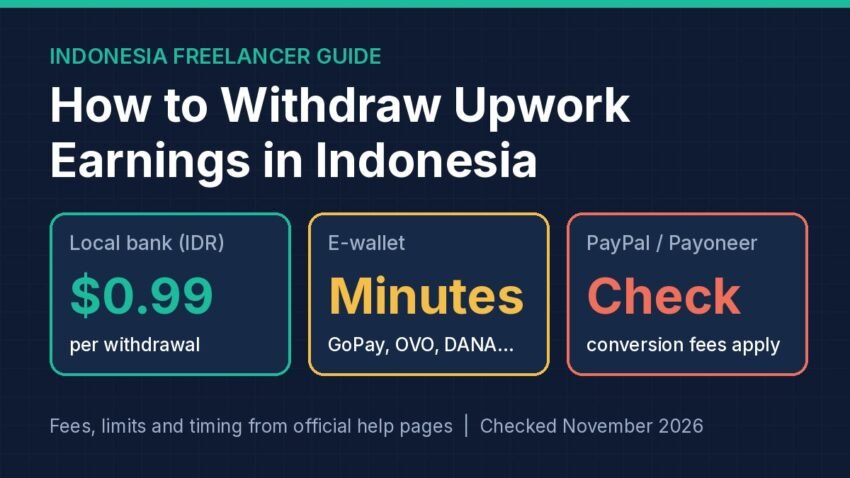
Short answer: For most freelancers in Indonesia, the simplest way to withdraw Upwork earnings is Direct to Local Bank: Upwork sends rupiah (IDR) to your Indonesian bank account for $0.99 per withdrawal, usually within four business days. If you want the money in minutes, Upwork also pays straight to GoPay, OVO, DANA, ShopeePay, LinkAja, AstraPay or IMKas, with a fee that varies by wallet. PayPal, Payoneer and a $50 USD wire are the other options, and the popular “Wise USD account” trick no longer works for Indonesian residents.
Below, each route Upwork lists for Indonesia is compared using official pages checked in November 2026. Fees change, so confirm them on the linked pages.
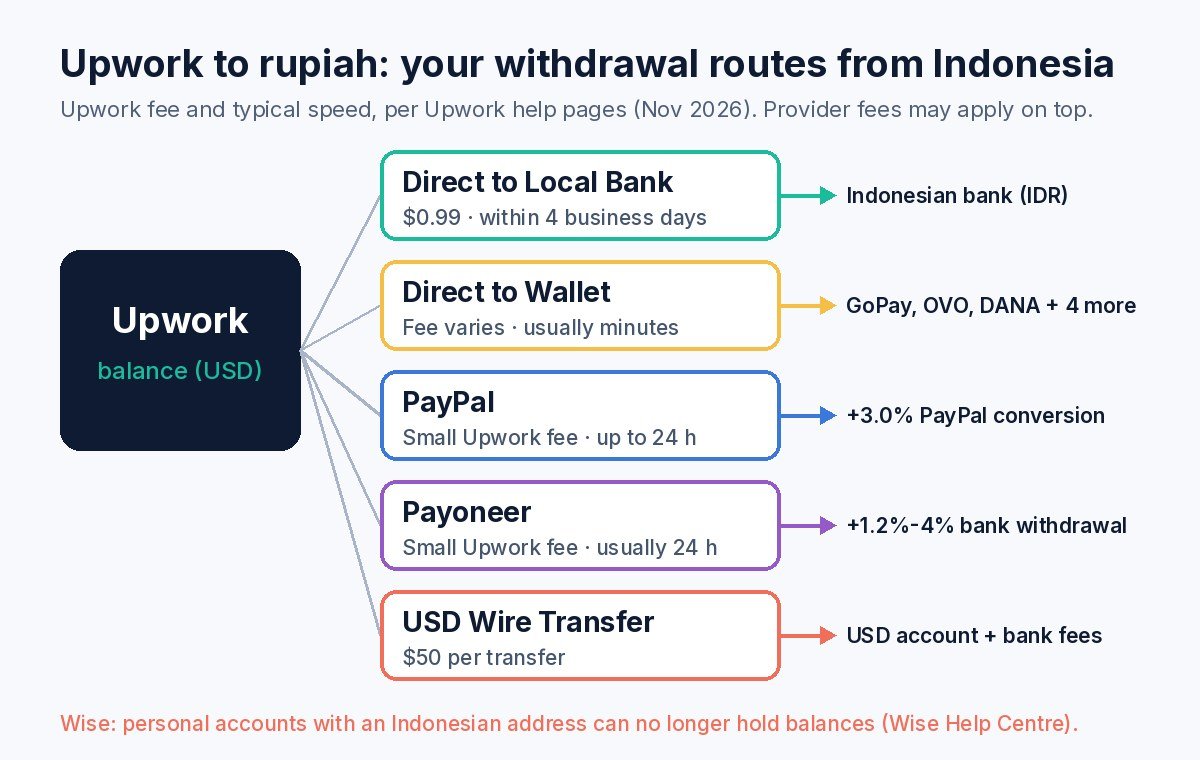
The main ways to move Upwork earnings into rupiah from Indonesia, with the fees each provider publishes.
Before You Can Withdraw: Three Requirements
Upwork’s How to get paid page sets out the basics:
- Enter your tax information first. You can’t access your earnings until it’s done.
- Match your names exactly. The name on the bank account, e-wallet or PayPal must match your verified Upwork name, including middle names and extra family names. A mismatch can get the method flagged or a transfer rejected.
- Wait out the three-day hold. Any new withdrawal method only becomes active three calendar days after you add it. Set it up before your first payment clears, and consider adding a backup method.
Timing matters too: hourly earnings become available ten days after the weekly billing period ends, and fixed-price milestones clear five days after client approval. Started withdrawals can’t be cancelled.
Upwork Withdrawal Methods in Indonesia Compared
| Method | Upwork fee | Typical speed | Other costs to check |
|---|---|---|---|
| Direct to Local Bank (IDR) | $0.99 per withdrawal | Within 4 business days | Exchange-rate markup; some banks charge incoming fees |
| Direct to Wallet (GoPay, OVO, DANA, etc.) | Varies by wallet (shown in your account) | Usually minutes, up to 24 hours | Rate includes conversion cost; wallet provider fees and limits |
| PayPal | Small fee, shown when you add the method | Usually instant, up to 24 hours | PayPal currency conversion and withdrawal fees |
| Payoneer | Small per-transfer fee | Usually within 24 hours | Payoneer conversion, withdrawal and annual fees |
| U.S. Dollar Wire Transfer | $50 per transfer | Varies | Intermediary and receiving bank fees |
Option 1: Direct to Local Bank (Rupiah to BCA, Mandiri, BRI and Others)
Indonesia (IDR) is a supported Direct to Local Bank currency, which Upwork calls “in many cases” the fastest and cheapest way to get paid.
Key facts for Indonesia:
- Fee: $0.99 per withdrawal, plus incoming fees at some banks.
- Limits: minimum $5 and maximum $10,000 per withdrawal, according to Upwork’s fees and limits page.
- Timing: within four business days. Requests after the 12:00 noon UTC cutoff (19:00 WIB) are processed the next business day, and U.S. or Indonesian bank holidays can add delays.
- Exchange rate: your USD balance is converted by Upwork’s payment partners. Upwork’s currency conversion page says they “may include a markup,” so the rate will usually be a little worse than the mid-market rate you see on Google. Upwork does not publish the size of that markup.
How to set it up
- Go to Account settings › Withdrawals (on mobile: Settings › Withdrawals).
- Choose Add a method, then Set up next to Direct to Local Bank.
- Enter your bank details, including the bank code. Upwork’s bank code guide recommends confirming the SWIFT code with your bank.
- Pick a withdrawal schedule (optional) and click Next.
Bank account numbers and bank codes can’t be edited later. If they change, add a new method (with a new three-day hold) and remove the old one.
Option 2: Direct to Wallet (GoPay, OVO, DANA, ShopeePay)
Indonesia is one of five countries where Upwork offers Direct to Wallet. The supported Indonesian wallets are GoPay, OVO, Dana, ShopeePay, LinkAja, AstraPay and IMKas.
- Speed: Upwork says most withdrawals arrive within minutes. If one takes more than 24 hours, check with your wallet provider first.
- Fees: Upwork charges a withdrawal fee that varies by wallet. The rupiah you receive is based on an exchange rate that already includes conversion costs, and your wallet provider may charge more. Upwork does not publish a single fee for Indonesia, so check the amount on the withdrawal screen.
- Limits: these also vary by wallet. You’ll see the maximum when you add the wallet or make a withdrawal.
- Name match: your first and last name must exactly match both the wallet account and your verified Upwork name, so finish the wallet’s own verification first.
E-wallets suit small, frequent withdrawals. For larger sums, compare what arrives against a bank withdrawal.
Option 3: PayPal
Upwork’s PayPal page says transfers are usually instant (up to 24 hours), with “a small fee per transfer” shown when you add the method.
The bigger cost is often on PayPal’s side. PayPal Indonesia’s consumer fees page (last updated 28 October 2026) lists, for personal accounts:
- Converting a USD balance to IDR: a 3.0% fee built into the exchange rate (Indonesia’s rate for converting balances and transfers).
- Withdrawing IDR to a local bank: free for withdrawals above Rp1,500,000 with no conversion; Rp16,000 for smaller ones.
- Failed bank withdrawal (wrong details): Rp50,000.
Illustrative example: converting a $200 PayPal balance to rupiah costs about 3% of it in PayPal’s conversion fee, roughly $6, before Upwork’s own PayPal fee. On the same $200, Direct to Local Bank charges $0.99 plus Upwork’s partner markup. PayPal makes most sense if you already use it for other clients or platforms.
Option 4: Payoneer
Payoneer is open to freelancers outside the U.S. and India, so Indonesia qualifies. Upwork’s Payoneer page says transfers usually arrive within 24 hours and that Upwork charges a small per-transfer fee.
Payoneer’s public pricing page (last updated 1 January 2026) lists:
- Withdrawing to a bank account with currency conversion: 1.2% to 4%, depending on the corridor. Indonesia isn’t on its list of countries with a flat local-currency withdrawal fee, so check the exact rupiah fee inside your Payoneer account.
- Annual account fee: $29.95, charged only if the account receives less than $6,000 in any 12 consecutive months.
Payoneer mainly makes sense if several platforms pay you and you want one USD balance.
Option 5: U.S. Dollar Wire Transfer
If you hold a USD account at an Indonesian bank, a U.S. Dollar Wire costs $50 per transfer, plus any intermediary and receiving bank fees. It only suits large withdrawals kept in dollars.
What About Wise?
Many guides suggest adding Wise USD details to Upwork as a “Direct to U.S. Bank” method. Even where that works, Upwork has charged $2.99 per withdrawal on that route since 1 September 2026 for freelancers with a non-U.S. tax address (Upwork).
More importantly, Wise says that personal account holders with an address in Indonesia can no longer hold money or currencies in their Wise account because of local financial regulations. If you live in Indonesia, don’t plan your Upwork payouts around a Wise USD balance. Use the Upwork options above instead.
Which Method Should You Choose?
- Most freelancers: Direct to Local Bank. It has a low, published fee and lands in rupiah in your own bank.
- Small, urgent amounts: Direct to Wallet. Check the wallet fee on screen first.
- Already using PayPal or Payoneer: fine, but their conversion fees can exceed the $0.99 bank fee.
- Big USD transfers: a USD wire, if a flat $50 is small next to the amount.
Practical test: withdraw the same amount by two methods and compare the rupiah that arrived. That reveals unpublished exchange-rate markups.
Freelance income is irregular, so keep part of each payout as a cash buffer. See how much emergency fund you need.
Don’t Forget Tax
A DJP article on freelancer tax obligations explains that resident freelancers must calculate, pay and report their own income tax when none was withheld, which is typical with foreign clients. It describes using the net income norm (NPPN) and reporting in the annual return (SPT Tahunan). Keep your Upwork transaction history as a record.
If a client offers to pay you in crypto instead, Upwork warns against getting paid outside Upwork. Crypto also has its own tax rules in Indonesia; see our Indonesia crypto tax guide.
Need skills to sell? Try our guides to short-form video editing and selling digital downloads on Etsy.
FAQ
What is the minimum withdrawal from Upwork to an Indonesian bank?
Upwork lists a $5 minimum and $10,000 maximum per Direct to Local Bank withdrawal for Indonesia. Each withdrawal costs $0.99.
Can I withdraw Upwork earnings to DANA or GoPay?
Yes. Direct to Wallet in Indonesia supports GoPay, OVO, Dana, ShopeePay, LinkAja, AstraPay and IMKas. Fees and limits vary by wallet and appear in your account before you confirm.
Why did I get less rupiah than Google’s rate?
Upwork’s payment partners set the conversion rate and may add a markup.
How long does a new withdrawal method take to activate?
Three calendar days after you add it, for security reasons. This applies to every method.
Can I use Wise to receive Upwork payments in Indonesia?
Wise says personal accounts with an Indonesian address can no longer hold balances, so that route isn’t reliable for Indonesian residents.
Disclaimer: This article is general information based on official help pages checked in November 2026. It is not financial or tax advice. Fees, limits and available methods change and can vary by account, so check Upwork’s withdrawal settings and the providers’ official pages before you withdraw, and confirm your tax obligations with the DJP or a registered tax consultant.
Sources
- Upwork Help: How to get paid on Upwork
- Upwork Help: How to withdraw earnings with Direct to Local Bank
- Upwork Help: Direct to Local Bank fees, limits and timing
- Upwork Help: How currency conversion works on Upwork
- Upwork Help: Find bank codes for Direct to Local Bank
- Upwork Help: How to use Direct to Wallet
- Upwork Help: Direct to Wallet fees and timing
- Upwork Help: PayPal fees and timing
- Upwork Help: How to use Payoneer
- Upwork Help: Payoneer timing and fees
- Upwork Help: Direct to U.S. Bank timing and fees
- PayPal Indonesia: Consumer fees (updated 28 Oct 2026)
- Payoneer: Pricing (updated 1 Jan 2026)
- Wise Help Centre: Changes to the account for customers in Indonesia
- Wise Help Centre: Receiving money from Upwork with Wise
- DJP: Kewajiban Perpajakan Freelancer