
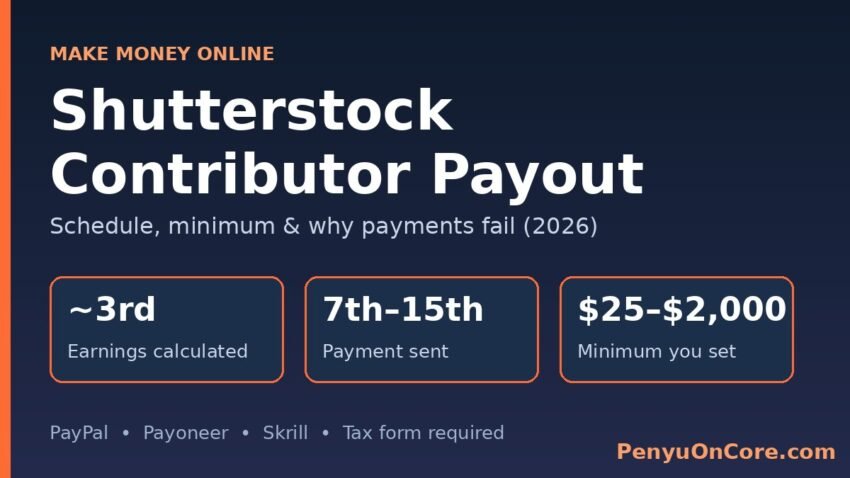
The Shutterstock contributor payout works on a fixed monthly cycle, and you don’t have to request it. Shutterstock calculates last month’s earnings around the 3rd of each month, and if your balance has reached your minimum payout (anywhere from $25 to $2,000, set by you) and you have an approved tax form on file, the money is usually sent by PayPal, Payoneer, or Skrill between the 7th and the 15th.
This guide explains each stage of that cycle, the settings that control it, why a payment can come in lower than your “Unpaid Earnings”, and what to do when a payout never arrives. Everything here comes from Shutterstock’s own Contributor help center, checked in November 2026.
Shutterstock Payout Rules at a Glance
| Rule | What Shutterstock says |
|---|---|
| Payment cycle | Monthly. A new cycle starts at 12:00 AM US Eastern time on the 1st |
| Earnings calculation | Usually starts around the 3rd, for the previous month’s earnings |
| Payment sent | Usually between the 7th and the 15th |
| Minimum payout | You choose it: $25 minimum, $2,000 maximum |
| Payment methods | PayPal, Payoneer, or Skrill only (no bank wire, bank transfer, or checks) |
| Tax form | Approved W-9 (US) or W-8 form (non-US) required before any payment |
| Need to request? | No. Payouts are automatic once you’re eligible |
Sources: How do I get paid for my work?, How do I change my payment settings?, and How do I set up or fix my earnings payment method?
How the Monthly Payment Cycle Works
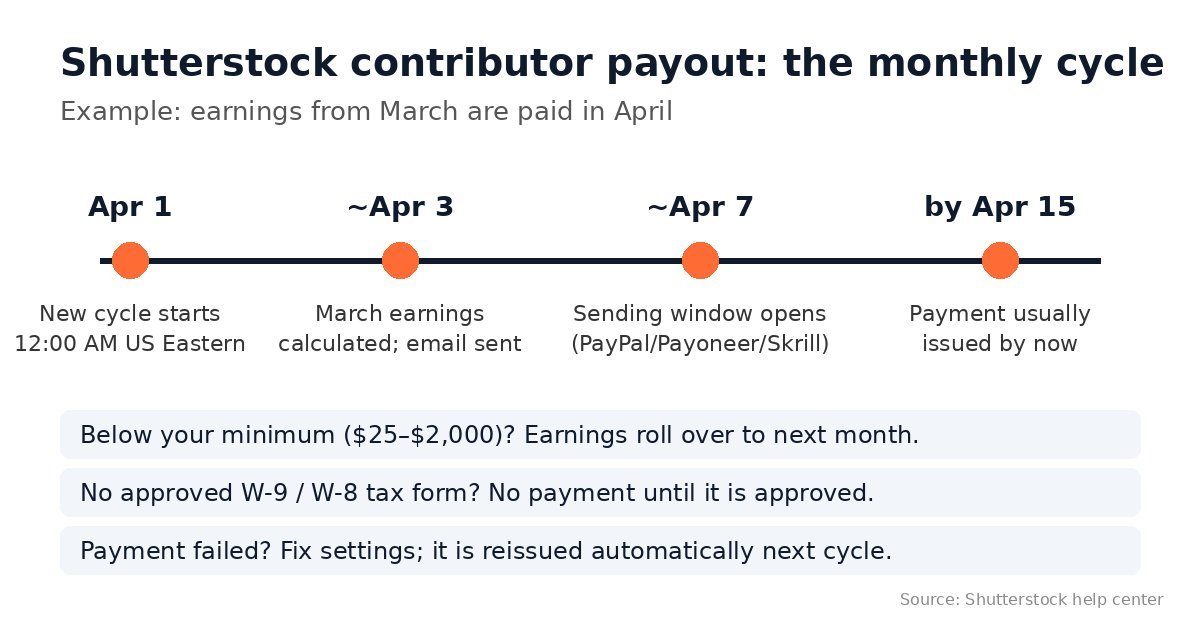
Shutterstock’s payment guide splits each month into four stages:
- Cycle starts (the 1st). At midnight US Eastern time on the 1st of each month, a new earnings cycle begins.
- Calculation (around the 3rd). Shutterstock calculates what you earned in the previous month and checks whether you are eligible. If you are, your Unpaid Earnings reset to zero and you get an email about the upcoming payment. This step usually takes a few days.
- Processing (7th to 15th). PayPal, Payoneer, and Skrill payments are usually sent in this window, unless the 7th falls on a weekend.
- Payment History. The payment appears in your Payment History once it’s issued, even if it didn’t actually reach your account.
Shutterstock says the whole process, from calculating earnings to issuing the payment, takes about two weeks. So money earned from sales in March is normally paid by mid-April, as long as you met your minimum by the end of March.
What if you don’t reach your minimum?
Nothing is lost. If your balance is below your minimum payout at the end of a month, all of your earnings roll over to the next month. This repeats until your total reaches the threshold.
Setting Your Minimum Payout and Payment Method
You set both in the Payout information section of your contributor Account settings. According to Shutterstock’s payment settings page, the fields are:
- Make payments to: your name as it appears on the account, or your business name if you registered as a business.
- Payment method: PayPal, Skrill, or Payoneer.
- Payout email: the email linked to your PayPal or Skrill account. You don’t need this for Payoneer, because you connect that account directly.
- Minimum payout: any amount from $25 to $2,000.
Timing matters here. If you change these settings after the last day of a month, or after a payment has already been calculated, the change takes effect the following month. The payment already in progress goes out under your old settings.
A few more rules from the help center:
- You can’t share a PayPal, Payoneer, or Skrill account with another Shutterstock contributor.
- If the system won’t accept a new PayPal or Skrill account, Shutterstock suggests waiting until at least 72 hours have passed since you created it, then trying again.
- For Payoneer, you need a separate Payoneer account created for Shutterstock, using a different email, even if you already use Payoneer for other companies (Payoneer FAQ).
Is $25 or a higher minimum better?
Shutterstock doesn’t recommend a specific number. A low minimum gets money to you sooner. A higher one means fewer, larger transfers, which can help if your payment provider charges a fee for each payment it receives or converts. Check your provider’s fees for your country before you decide.
Tax Forms: The Most Common Reason Payouts Stall
Shutterstock won’t pay anyone who doesn’t have an approved tax form on file. Your earnings keep building up, but nothing is sent until the form is in place.
- US contributors (W-9): Shutterstock emails you when your earnings reach $10.00 and asks you to submit Form W-9 through its Tax Center. Forms are validated right away (W-9 FAQ). US contributors who were paid during a calendar year get a 1099-MISC, posted on the Dashboard by January 31 of the next year. It reflects payments received that year, so December earnings paid in January count toward the following year (1099-MISC FAQ).
- UK and other non-US contributors (W-8BEN): Sales to US customers can be subject to 30% US withholding. The rate can be lower, or zero, if your country has an income tax treaty with the US. A W-8 form is valid for 3 calendar years, and Shutterstock emails you when it’s time to renew. An expired form stops your payouts (W-8BEN FAQ).
For a comparison, see how another marketplace handles tax forms in our Adobe Stock contributor payout guide, and for the US side of reporting platform income, see our explainer on Gumroad and Form 1099-K.
Why Your Payment Is Smaller Than Your Unpaid Earnings
Shutterstock gives two reasons for this:
- Timing overlap. During the first few days of a month, while Shutterstock runs quality checks, your Unpaid Earnings can include sales from the new cycle as well. Those newer sales will be paid next month.
- Tax withholding. The Earnings Summary shows pre-tax amounts. The payment email shows what you’ll actually receive after any withholding based on your W-8 status. Details appear in your Payment History.
Payment Email Received but No Money?
If the payment shows in your Payment History but never arrived, Shutterstock says the most likely cause is a problem with your PayPal, Payoneer, or Skrill account. Here’s what to do:
- Check that the payout details in Account settings are correct, and fix any mistakes.
- If the details are right, contact your payment provider. Some providers restrict payments to residents of certain countries.
- Wait for the next cycle. Failed payments can’t go back to your Shutterstock balance, but they’re reissued automatically the following month, also between the 7th and the 15th. If you fix the problem before the end of the same month, you don’t need to contact Shutterstock.
- If your settings look correct and the money still doesn’t arrive, contact Contributor Care.
Don’t let a broken payment method go unfixed for years. Shutterstock says earnings it can’t pay out, usually because of an expired payment method or tax form, may eventually be turned over to the state as unclaimed property. After that, you would have to claim them from your state’s unclaimed property office.
The 90-Day Waiting Period
Some new accounts show a message saying they’re in a 90-day waiting period. Shutterstock says this applies to accounts its system flags as coming from high-fraud areas. You can still upload content and make sales, but you can’t be paid until 90 days after your first image or clip is approved. The hold is automated and staff can’t override it (90-day waiting period).
Keep Expectations Realistic
Stock licensing can add some income over time, but Shutterstock’s payout rules say nothing about how much you will earn, and there is no guarantee you will reach even the $25 minimum quickly. How much you make depends on how often your work sells, and Shutterstock says each download’s earnings depend on the customer’s plan, the license type, and your earnings level (see its earnings per download page). It works best as one income stream among several. If you also sell artwork on print-on-demand sites, compare payout timing in our Redbubble payout schedule guide.
FAQ
When does Shutterstock pay contributors?
Monthly. Earnings from the previous month are calculated around the 3rd, and payments usually go out between the 7th and the 15th.
What is the Shutterstock minimum payout?
You set it yourself in Account settings. It can be anywhere from $25 to $2,000.
Can I get paid by bank transfer or check?
No. Shutterstock only pays through PayPal, Payoneer, or Skrill.
Do I need to request a payout?
No. Payouts are automatic once you reach your minimum, have an approved tax form, and are otherwise eligible.
Disclaimer: This article is for general information only and isn’t tax or financial advice. Shutterstock’s policies can change, so check the linked help pages or ask a qualified tax professional about your own situation.