
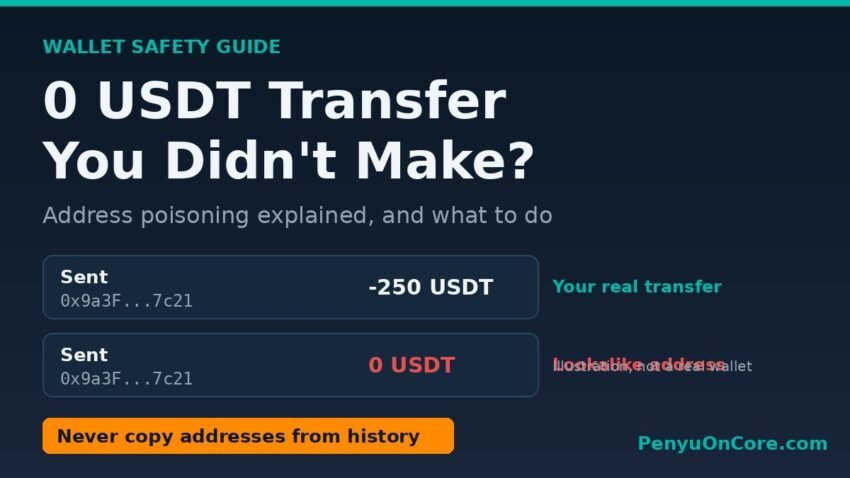
Quick answer: A “0 USDT” transfer you never made is almost always an address poisoning attempt. A scammer uses a public token function to write a zero-value transfer into your history from or to a lookalike address, hoping you will later copy that fake address and send real money to it. On its own it does not mean your wallet is hacked, and no funds left your account. The fix is simple: never copy a recipient address from your transaction history.
This guide explains why these entries appear on Ethereum, BNB Chain, Core and other EVM networks, how to tell a poisoned entry from a real one, and what to do next. It is written for everyday wallet users, not developers.
What a 0 USDT transfer scam actually is
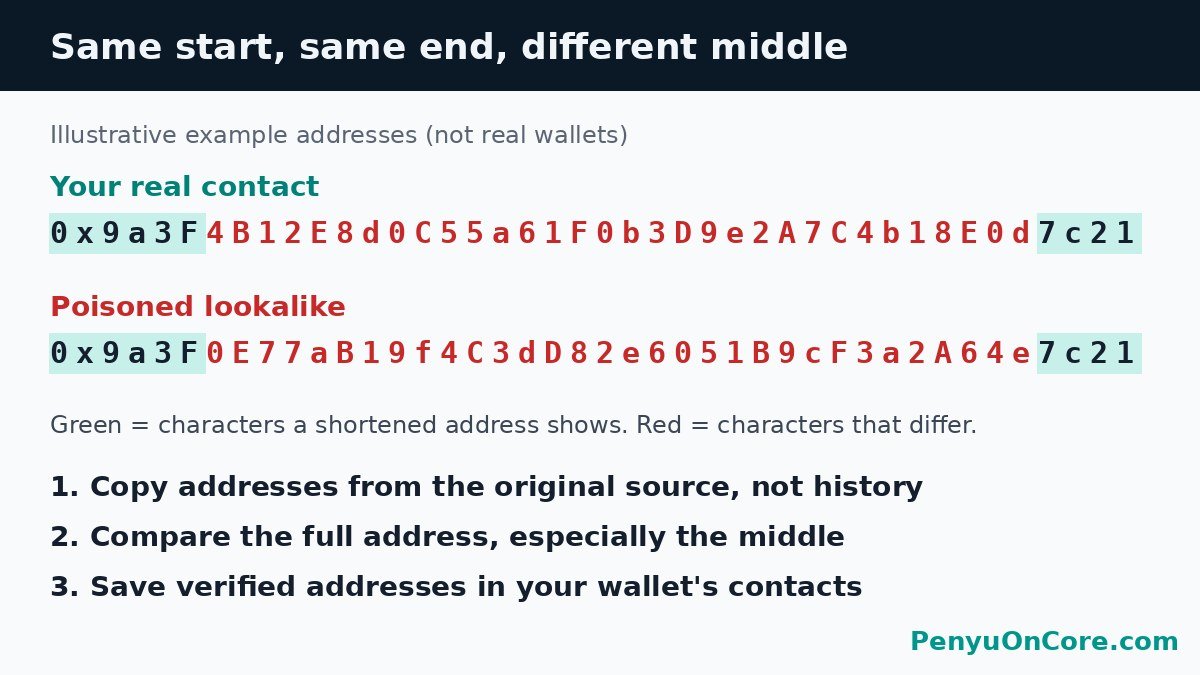
Wallet addresses are long, so wallets and explorers usually shorten them to something like 0x9a3F…7c21. Most people recognise an address by its first and last few characters. Address poisoning exploits that habit.
According to MetaMask’s help article on address poisoning, scammers run software that watches for transfers of popular tokens (usually stablecoins). When they spot one of yours, they generate a “vanity” address whose start and end match an address you use, then send a negligible transaction, usually zero tokens, so the lookalike appears in your history. MetaMask notes that this entry “doesn’t actually have any negative impacts in itself”. The damage only happens if you copy it later.
Why a stranger can make a transfer “from” your wallet
This is the part that scares people: the entry often shows your address as the sender. The Etherscan Information Center explains that attackers call the ERC-20 transferFrom() function with an amount of 0. Every address has a default approval of zero, so a zero-value request passes the allowance check and the token contract emits a normal-looking Transfer event. OpenZeppelin and Coinbase’s security team describe the same mechanism.
We checked this on Core mainnet on 18 November 2026. Using read-only eth_call simulations against Core’s public RPC (rpc.coredao.org), we asked the USDT, USDC and WCORE contracts on Core to move tokens out of an unrelated address on behalf of a stranger. A request for 0 tokens returned success on all three. A request for the smallest possible non-zero amount (1 unit) reverted, with USDT and USDC returning “ERC20: insufficient allowance”. In plain terms, a stranger can create a zero-value “transfer from you” record, but cannot move even a fraction of a cent of your tokens without your approval.
The three common variants
Etherscan lists three tactics in its report on rising address poisoning attacks:
- Zero-value transfers: a 0 USDT, 0 USDC or 0 DAI entry created with
transferFrom(), as described above. - Dust transfers: a tiny real amount of a legitimate token sent from the lookalike address.
- Spoofed (fake) tokens: the attacker deploys a counterfeit token named “USDT” or “USDC” and creates a transfer that matches the amount of your real transfer, so the fake row looks identical to the genuine one.
The spoofed-token variant is why you should check the token’s contract address, not just its name. Our guide to USDT and USDC on Core lists the official contract addresses on that network.
How to tell a poisoned entry from a real one
Open the transaction hash in the block explorer for the correct network (Etherscan for Ethereum, BscScan for BNB Chain, Core Scan for Core). If you are new to explorers, our walkthrough on how to use Core Scan shows where each field is. Then check these points:
| What to check | Real transfer you made | Likely poisoning |
|---|---|---|
| Amount | The amount you meant to send | 0, a tiny “dust” amount, or a copy of your last amount in a fake token |
| Who submitted the transaction | Your own address paid the gas | A different address paid the gas, even though the token event names you as sender |
| Token contract | The official contract for that network | A different contract using the same name or ticker |
| Middle of the address | Matches your saved contact character for character | Start and end match, middle characters differ |
| Your balance | Dropped by the amount sent | Unchanged |
The “who submitted it” check is the clearest one. Etherscan says it shows a warning when you copy an address from a token transfer where the “transaction originated from an address that is different to the sender of the token”.
What to do if you see one
1. Don’t panic, and don’t “fix” your wallet
Your seed phrase and private key are not exposed by an incoming record. You don’t need to reinstall your wallet, and you should never type your recovery phrase into a website or “support” chat that offers to clean it up.
2. Don’t interact with it
Don’t send anything back, don’t visit any website named in a token, and don’t try to swap or “claim” an unknown token. Hiding it in your wallet only tidies the display. The on-chain record stays.
3. Stop copying addresses from history
This is the only step that really matters. Get every recipient address from the original source: the exchange’s deposit page, an invoice, or the person, confirmed over a channel you trust. MetaMask’s guidance says this applies to your own addresses too, for example when you withdraw from an exchange to your wallet. If you are moving CORE from an exchange, follow our step-by-step withdrawal guide and copy the address from MetaMask itself, not from an old transaction.
4. Save verified contacts and compare the middle
Add addresses you have verified to your wallet’s address book. Before signing, compare the whole address, especially the middle characters. A small test transfer helps, but always copy the address from the original source again for the main payment.
5. Use the protections your wallet already has
MetaMask says its address poisoning detection compares the address you are sending to with addresses you have used before, and shows a blocking warning when the first and last characters match but the middle differs. It also warns you about first-time recipients. A hardware wallet adds another check, because you confirm the destination on the device screen.
6. Check approvals only if you signed something
Address poisoning doesn’t need any approval from you. But if you connected to a site or signed a request linked to that token, review and remove token permissions using our guide on how to revoke token approvals.
Already sent funds to a poisoned address?
Confirmed blockchain transactions can’t be reversed, and no legitimate service can “recover” them for a fee. Be very wary of anyone who contacts you offering to. Practical steps:
- Save the transaction hash, both addresses, the time and screenshots of your own wallet.
- If the funds went through an exchange, contact that exchange’s official support immediately.
- In the US, report it to the FBI’s Internet Crime Complaint Center (IC3).
- In England, Wales and Northern Ireland, Report Fraud replaced Action Fraud from 4 December 2025. Report at reportfraud.police.uk or call 0300 123 2040. In Scotland, Report Fraud’s FAQ says to contact Police Scotland directly on 101.
FAQ
Does a 0 USDT transfer mean my wallet is hacked?
Not by itself. Anyone can create a zero-value transfer record involving any address. Be concerned if you see non-zero outgoing transfers you didn’t sign, approvals you don’t recognise, or if your seed phrase may have been exposed.
Can I stop these transactions from appearing?
No. Blockchains are public, and anyone can send transactions that mention your address. Some explorers and wallets hide or flag them. Etherscan, for example, hides zero-value token transfers by default.
Why did it appear right after I sent USDT?
Etherscan notes that attackers watch the chain for frequent or large stablecoin transfers and create spoofed entries quickly. That way the fake address sits right next to your genuine recent transaction.
Does this happen on Core too?
The trick works on any EVM chain whose tokens allow zero-value transferFrom(). Our read-only test confirmed that USDT, USDC and WCORE on Core accept zero-value calls from a stranger. The same checks apply there.
Disclaimer: This article is for general information only and is not financial, legal or security advice. Always verify addresses and wallet settings with official sources before you send funds.
Sources
- MetaMask Help Center: Address poisoning scams
- Etherscan Information Center: Address Poisoning Attacks
- Etherscan: Address Poisoning Attacks Are Rising on Ethereum
- OpenZeppelin: How to Ensure Web3 Users Are Safe from Zero Transfer Attacks
- Coinbase: Zero Transfer Phishing, Part 1
- GOV.UK: Report Fraud, new service from City of London Police
- Report Fraud: FAQs
- FBI Internet Crime Complaint Center (IC3)