
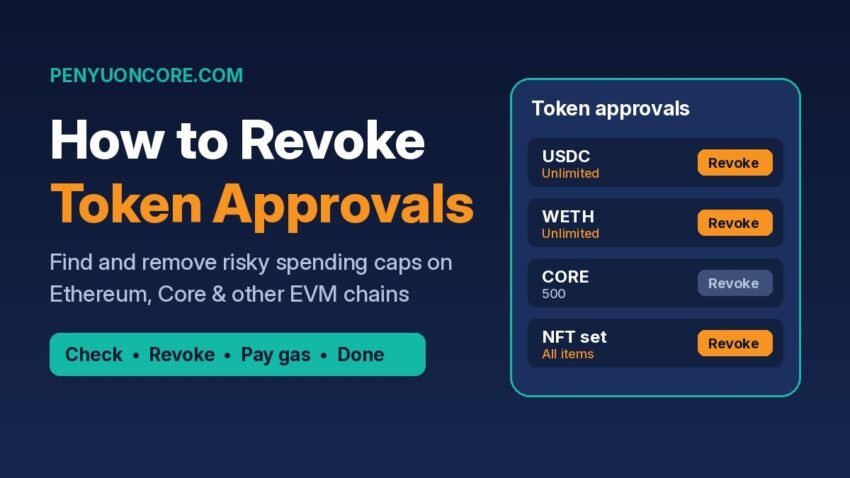
Short answer: To revoke token approvals, open an approval checker such as Revoke.cash, your chain’s block explorer, or MetaMask Portfolio’s Spending Caps tab. Enter or connect your wallet address and select the right network, then click Revoke next to any approval you no longer need and confirm the transaction in your wallet. Each revocation is an on-chain transaction, so you pay a small gas fee every time.
A token approval gives a smart contract permission to move your tokens. It stays active until you remove it, which means one you signed years ago can still be used against you. This guide covers how approvals work, how to find and revoke them on Ethereum, Core and other EVM chains, and what revoking can and cannot fix.
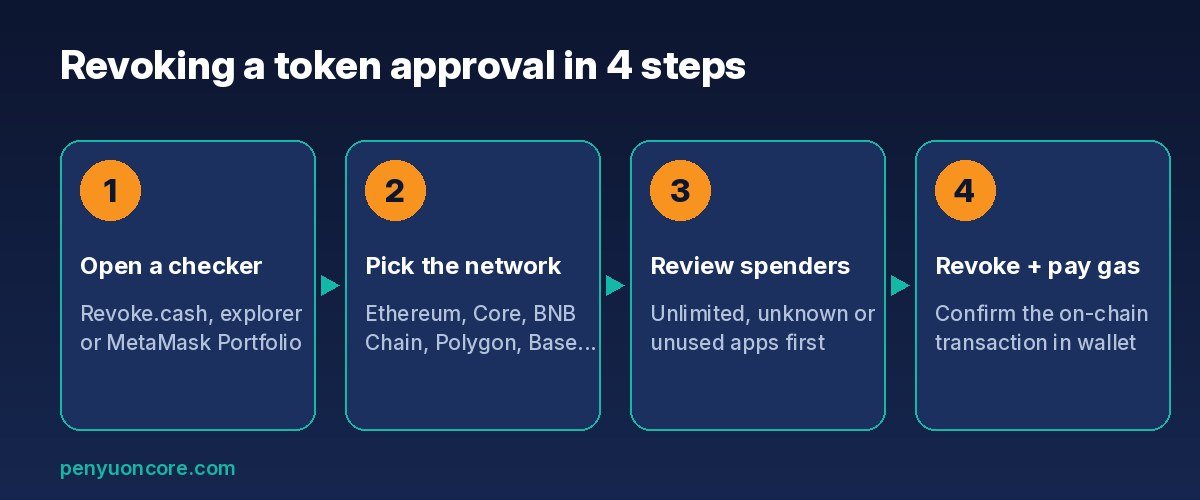
Revoking an approval comes down to four steps. The last one needs a wallet confirmation and a gas fee.
What Is a Token Approval?
When you swap on a decentralized exchange, deposit into a lending protocol or list an NFT on a marketplace, the app has to move tokens out of your wallet for you. To make that possible, you sign an approval (MetaMask calls it a spending cap, and you’ll also see the term allowance). Revoke.cash explains that fungible tokens use an approve() function that records two things: the spender address and the amount it may spend. Revoking means calling approve() again for that spender with the amount set to zero.
A few details are worth knowing:
- Approvals don’t expire on their own. According to MetaMask’s help center, a signed spending cap stays valid until you revoke it or the allowance is used up.
- Native coins don’t need approvals. MetaMask notes that you don’t sign spending caps for ETH. Only token standards such as ERC-20 and ERC-777 use them.
- NFTs work a bit differently. Marketplaces often ask for collection-wide approval, which lets a contract transfer any NFT you hold from that collection.
Why unlimited approvals are risky
Each approval costs gas, so many apps ask for a very large or “unlimited” amount up front. That way you only pay once. MetaMask warns that signing an unlimited cap for a fraudulent app, or for a legitimate app that later gets hacked, can let someone drain every token of that type from your wallet. The ethereum.org guide adds that an app with unlimited access can still spend those tokens even after you’ve withdrawn your funds from its platform. For more ways to lower your overall risk, see our crypto security guide.
Disconnecting a Wallet Is Not the Same as Revoking
This is the most common misunderstanding. MetaMask describes two separate things:
- Disconnecting a site stops it from seeing your address and balances. It does not touch anything recorded on-chain.
- Revoking an approval removes the contract’s on-chain permission to move your tokens.
A quick way to check: if you weren’t asked to sign a transaction and pay gas, you only disconnected. The permission is still live.
How to Revoke Token Approvals: 3 Methods
| Tool | Networks | Best for |
|---|---|---|
| Revoke.cash | 80+ networks, including Core | Checking many chains in one place, sorting by newest approval |
| Block explorer (Etherscan, BscScan, Polygonscan) | The explorer’s own chain | Users who already use the explorer and want to avoid extra tools |
| MetaMask Portfolio (Spending Caps) | Ethereum, Polygon, BNB Chain, Optimism, Base | MetaMask users on those networks |
Network coverage as listed by each provider’s own documentation, checked November 2026.
Method 1: Revoke.cash (multi-chain)
Revoke.cash’s guide says the tool works with major wallets and supports more than 80 networks.
- Go to revoke.cash. Type the address carefully or use a bookmark, because fake lookalike sites exist.
- Enter your wallet address (or ENS name), or connect your wallet.
- Pick the network you want to check from the network selector.
- Look through the list of approvals. If you think you signed something malicious, sort by Newest to Oldest so recent approvals show first.
- Click Revoke next to the approval and confirm the transaction in your wallet. To keep using an app with less exposure, click the pencil icon and lower the approved amount instead.
Checking only needs your public address. You only connect a wallet when you want to sign a revocation.
Method 2: Your chain’s block explorer
Revoke.cash also explains how to use Etherscan. Open More → Token Approvals, enter your address and pick the token type (ERC-20, ERC-721 or ERC-1155). Turn on Show all approvals, then click Revoke next to the one you want to remove. The same steps work on sister explorers such as BscScan and Polygonscan for their own chains. Explorers are less beginner-friendly, but you don’t have to trust another website.
Method 3: MetaMask Portfolio
MetaMask users can open MetaMask Portfolio, connect, and switch to the Spending Caps tab on the Overview page. MetaMask lists Ethereum Mainnet, Polygon, BNB Chain, Optimism and Base as supported. Click Revoke and approve the transaction. For any network not on that list, use Revoke.cash or the chain’s explorer.
Revoking Approvals on Core
If you use apps on the Core blockchain, Revoke.cash has a dedicated CORE token approval checker. It shows each approval’s date, amount and spender, and revoking costs a small fee paid in CORE. Your wallet needs to be on the Core network (chain ID 1116) to sign. If you haven’t set that up yet, follow our guide on how to add Core to MetaMask. If you’ve moved tokens over with a bridge or used DeFi apps on Core, a periodic approval check is a good habit. See our guide to bridging to Core for that side of the process.
Permit and Permit2: Approvals Without a Transaction
Not every approval is a normal on-chain transaction. EIP-2612 permit signatures let you approve tokens by signing an off-chain message. The approval goes live on-chain later, when someone submits that signature. Revoke.cash warns that scammers use this. Wallets usually show a warning for on-chain approvals, but a permit request can look like a harmless sign-in message.
Permit2, built by the Uniswap team, works differently. You give the Permit2 contract one approval, and it then grants sub-approvals to other apps. Those sub-approvals usually come with expiration times. Revoke.cash recommends revoking your approval to the Permit2 contract itself once you stop using it. The practical rule: read every signature request, and if a site asks you to sign a message you don’t understand, don’t sign it.
What Revoking Can and Can’t Fix
- It can stop a contract from using an approval it hasn’t used yet. That includes a hacked protocol you used long ago, or a phishing approval that hasn’t been drained so far. Revoke.cash says even an approval that was already exploited should still be revoked so it can’t be used again.
- It can’t reverse a transfer that has already happened.
- It can’t help if your seed phrase was stolen. Revoke.cash’s post-scam guide says a compromised wallet has to be abandoned, and it recommends a malware check on your device. If several different tokens disappear across several networks, that points to a leaked seed phrase, not a bad approval.
Be careful with third-party tools too. The Matcha blog notes that Revoke.cash was among the apps hit by the Ledger Connect Kit supply-chain attack, which pushed malicious transaction requests to users. Before you confirm, always check what the wallet is asking you to sign.
A Simple Approval Hygiene Routine
- When an app asks for a spending cap, set a custom amount close to what you actually plan to use.
- MetaMask suggests checking your approvals regularly, for example once a month.
- Revoke anything tied to apps you no longer use, and any approval you don’t recognize.
- Keep long-term holdings in a separate wallet that never connects to new or untested apps.
FAQ
Does revoking a token approval cost gas?
Yes. Approvals live on-chain, so removing one takes an on-chain transaction, and each revocation costs a gas fee in the network’s native coin.
Will revoking an approval move or lock my tokens?
No. Your tokens stay where they are. The spender just loses permission to move them. If you use that app again, it will ask for a new approval.
Is it safe to paste my address into an approval checker?
Your address is already public on the blockchain, so looking it up is read-only. The risk comes when you connect and sign. Use a bookmarked URL and read every transaction before you confirm it.
Can I revoke approvals in a hardware wallet?
Yes. Connect the hardware wallet through a supported interface and sign the revoke transaction on the device, just like any other transaction.
Disclaimer: This article is for educational purposes only and is not financial, investment or security advice. Crypto assets are risky. Always verify tool URLs and transaction details yourself.