
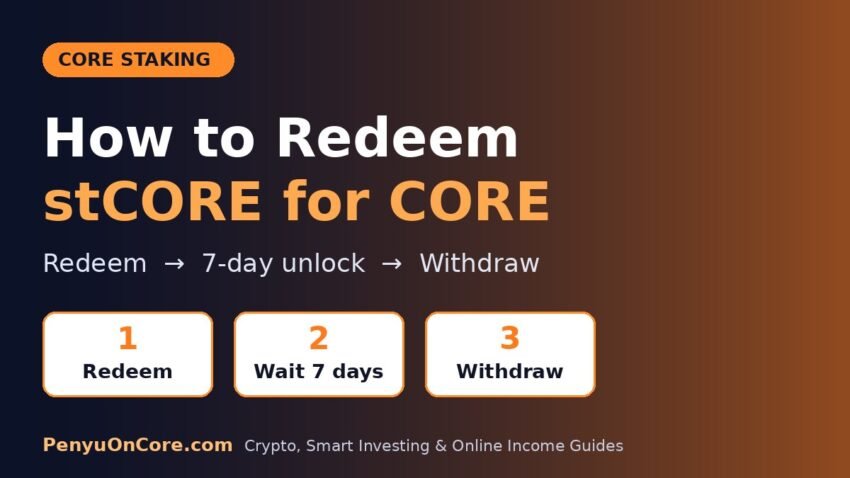
Quick answer: To redeem stCORE for CORE, open the official Core liquid staking page at stake.coredao.org, connect the wallet that holds your stCORE, click Redeem CORE, enter the amount and confirm. That starts a 7-day unlocking period. After it ends, come back and click Withdraw to move the CORE into your wallet.
stCORE is Core’s liquid staking token. You get it by depositing CORE into Core’s Earn contract, which stakes that CORE with validators for you. Minting stCORE is instant. Getting your CORE back has two steps and a waiting period, and that catches many people out. This guide walks through the official redemption flow, explains what changes during the 7 days, and covers the errors you’re most likely to see.
How stCORE Redemption Works
According to Core’s stCORE design documentation, stCORE is a standard ERC-20 token. Its value against CORE is tracked by a conversion ratio. The ratio is updated once a day, and the Earn module claims validator rewards and restakes them automatically. So you won’t see a separate rewards balance. Instead, each stCORE becomes redeemable for more CORE over time.
Core’s docs give an example: if the ratio is 1:1.1, redeeming 100 stCORE returns 110 CORE. The ratio stays fixed for the rest of the UTC day once it’s set.
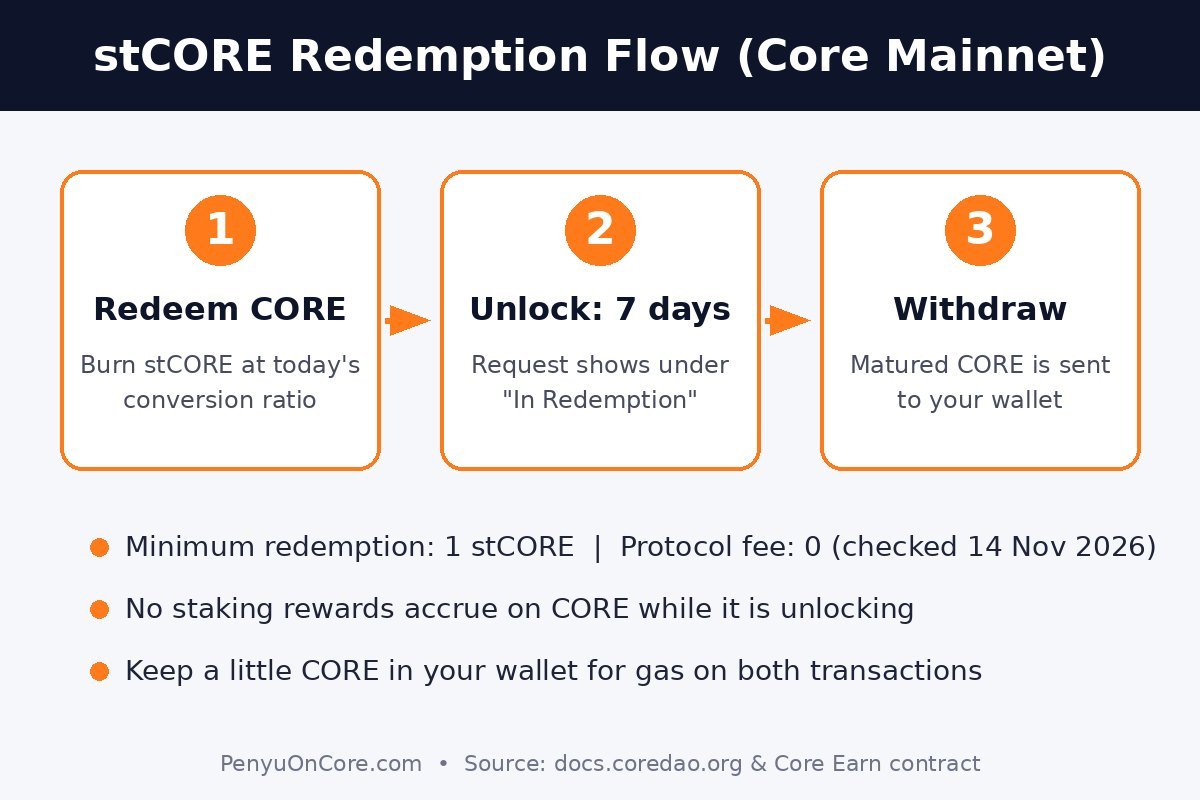
Redemption happens in two separate transactions:
- Redeem: your stCORE is burned, and a redemption record is created that shows how much CORE you’ll get.
- Withdraw: once the 7-day unlock has passed, this sends the CORE to your wallet.
This is different from staking CORE directly with a validator. As we covered in our guide to staking CORE, direct delegation has no lock-up. stCORE trades that instant exit for a token you can hold, transfer or use in DeFi while your CORE stays staked.
stCORE Redemption Rules at a Glance
We checked the values below on Core Mainnet on 14 November 2026, by reading the public settings of the live Earn contract (the address the stCORE token contract points to). Core can change them.
| Rule | Current value | What it means for you |
|---|---|---|
| Unlocking period | 7 days | You can withdraw 7 × 24 hours after your redeem transaction |
| Minimum redemption | 1 stCORE | Smaller amounts are rejected by the contract |
| Minimum mint | 1 CORE | The same floor applies when you mint |
| Protocol fee on redemption | 0 | No fee is currently deducted, but the contract owner can change this |
| Open redemption requests per wallet | Up to 100 | Withdraw finished requests before adding more |
You’ll pay a small amount of CORE in gas for each transaction, so keep some CORE in the wallet. If you’re short, see how to get CORE for gas fees.
How to Redeem stCORE for CORE: Step by Step
Step 1: Check your wallet and network
Use the same wallet that holds the stCORE, set to Core Mainnet (chain ID 1116). If Core isn’t in your wallet yet, follow our guide to add Core to MetaMask. If you can’t see your stCORE balance, import the token using its contract address: 0xb3A8F0f0da9ffC65318aA39E55079796093029AD. Before you paste it, check the address yourself on Core Scan. MetaMask explains the import steps in its help article on displaying tokens.
Step 2: Open the official liquid staking page
Type the address yourself or use a bookmark: stake.coredao.org/liquid-staking/stcore. Don’t use links from DMs, ads or “support” accounts. Fake staking sites are a common way to get people to approve wallet drainers.
Step 3: Connect your wallet
Connect and check that the page shows your stCORE balance. Core’s official how-to lists the fields you’ll see, including your CORE balance, stCORE balance, CORE in Redemption and the current conversion ratio.
Step 4: Click “Redeem CORE” and enter an amount
Enter how much stCORE you want to redeem (at least 1). The page should show roughly how much CORE you’ll get at today’s ratio.
Step 5: Confirm in your wallet
Click Confirm, then approve the transaction in your wallet. Your stCORE is burned in this transaction. Check that the wallet prompt shows Core Mainnet and only a small gas fee before you approve.
Step 6: Wait out the 7-day unlock
Your request appears under In Redemption. In Core’s open-source Earn contract, the CORE amount is calculated and recorded when you redeem. That means the CORE you’re waiting for doesn’t keep earning staking rewards during the 7 days. If you want the maximum rewards, don’t redeem until you’re actually ready to exit.
Step 7: Click “Withdraw”
After the unlock ends, click Withdraw and confirm. One withdraw transaction collects every redemption request that has finished unlocking, so you don’t have to withdraw them one by one. Afterwards you can look up the transaction on Core Scan. Our Core Scan guide explains how to read it.
Alternative: Swap stCORE on a DEX
Because stCORE is an ERC-20 token, Core’s docs note that you can also trade it on decentralized exchanges. A swap avoids the 7-day wait, but the price comes from that DEX’s liquidity pool, not the official conversion ratio. If the pool is small, you could get noticeably less CORE than redeeming would give you. Compare the quoted amount with the redemption estimate on stake.coredao.org, check the price impact, and only use a DEX you have checked yourself.
Common Errors and Fixes
These come from the checks in the Earn contract’s source code. The staking page may show friendlier wording, but the causes are the same.
- “Turn round not executed.” When a new daily round starts on Core, the Earn contract settles that round’s rewards before it accepts mints, redemptions or withdrawals. Wait a little and try again.
- Amount too small. Redemptions under 1 stCORE are rejected. Enter at least 1.
- Withdraw fails or shows nothing to withdraw. None of your requests has finished unlocking. The unlock time is exactly 7 days after your redeem transaction, not the start of the next calendar day.
- Too many redemption requests. Each wallet can have up to 100 open requests. Withdraw the finished ones first.
- Greyed-out button or “insufficient funds.” You need spare CORE (not stCORE) to pay gas.
- Wallet shows the wrong balance. Make sure you’re on Core Mainnet and in the same account you redeemed from. Redemption records belong to the address that sent the redeem transaction.
FAQ
How long does it take to unstake stCORE?
Core’s stCORE FAQs describe a 7-day unlocking period by default. After that, you need to send a separate Withdraw transaction.
Do I earn rewards while my stCORE is unlocking?
According to the Earn contract code, no. The amount of CORE is fixed when you redeem.
Can I cancel a redemption?
We found no cancel function among the user actions listed in Core’s documentation (mint, redeem and withdraw). Your stCORE is burned when you redeem, so treat a redemption as final.
Is there a fee to redeem stCORE?
When we checked, the protocol fee was set to 0. You still pay normal Core network gas for the redeem and withdraw transactions.
Can I redeem stCORE that’s on an exchange?
Not through the official page. Redemption works with the wallet that holds the stCORE, so the tokens need to be in a self-custody wallet on Core first.
Disclaimer: This article is for education only and is not financial, investment or tax advice. Liquid staking involves smart contract, liquidity and price risks. Rules and values can change, so confirm current details in Core’s official documentation before you act.