
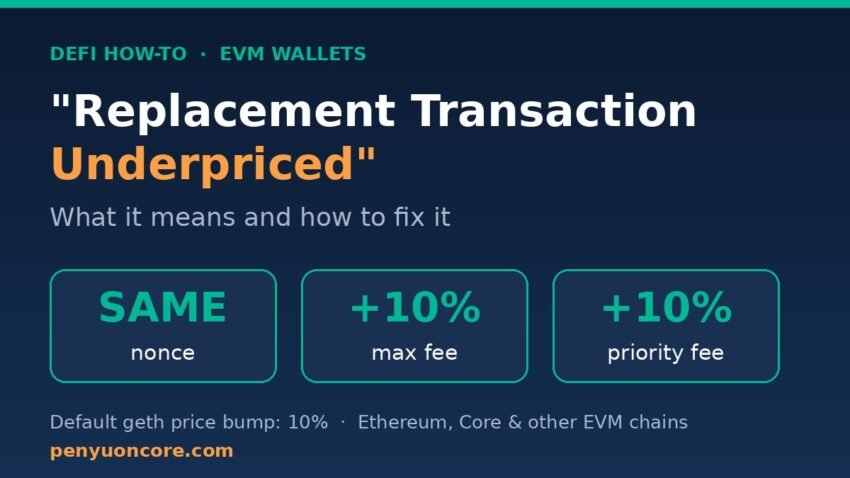
You tried to speed up, cancel, or resend a stuck transaction and your wallet came back with “replacement transaction underpriced”. The error looks scary, but it is one of the most predictable messages in the EVM world, and the fix is usually a single adjustment to your gas settings.
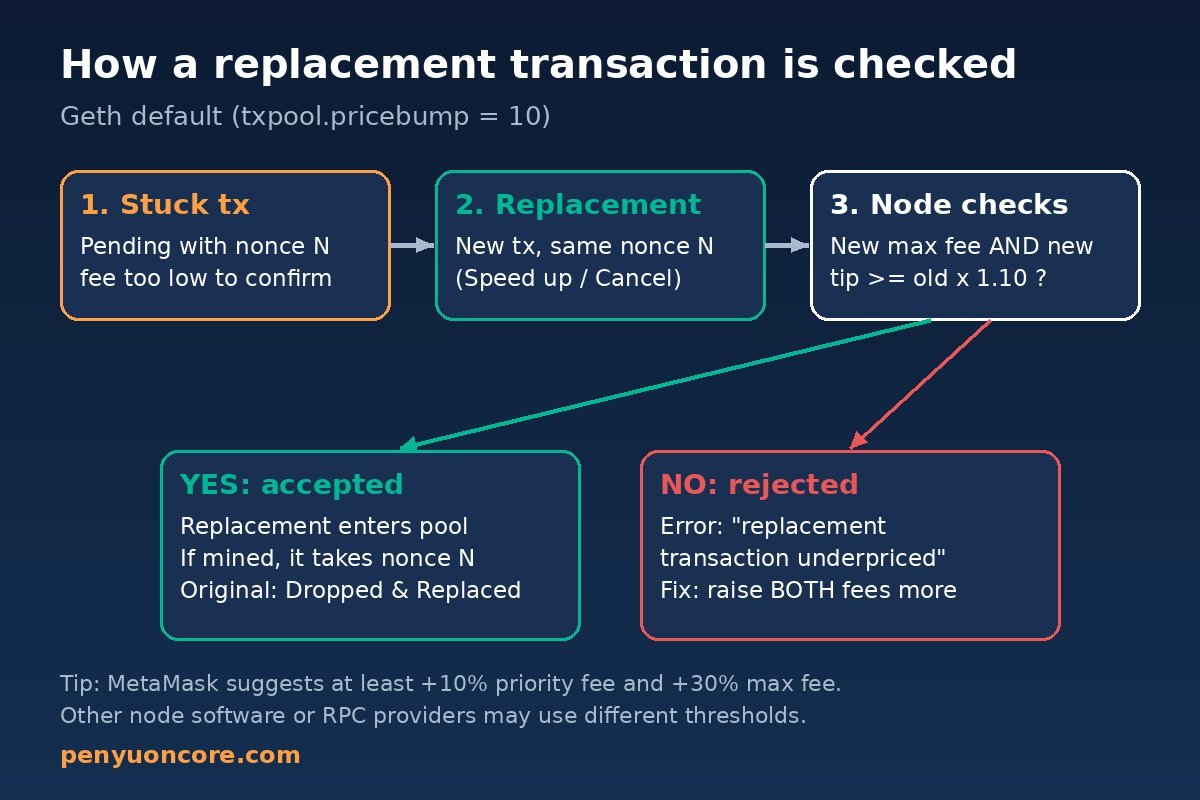
Quick answer: “Replacement transaction underpriced” means you sent a new transaction with the same nonce as one that is still pending, but the new one does not pay enough more than the original. On geth-based nodes the default rule is that a replacement must raise both the max fee and the priority fee (or the gas price, for legacy transactions) by at least 10%. Resend it with higher gas, or use your wallet’s Speed up / Cancel button, and the error goes away.
What the error actually means
Every transaction from an EVM address carries a nonce, a counter that starts at 0 and goes up by one with each outgoing transaction. As Etherscan’s Information Center explains, transactions from one address are processed strictly in nonce order, and only one transaction can ever be confirmed for each nonce.
That rule makes replacement possible: if your transaction with nonce 12 is stuck, you can broadcast a different transaction that also uses nonce 12. Whichever one gets included in a block wins, and the other is dropped. But nodes do not accept a replacement for free. If they did, anyone could spam the network by resubmitting the same nonce over and over at the same price.
So nodes enforce a minimum price bump. In the go-ethereum (geth) source code, the error is defined in core/txpool/errors.go as “returned if a transaction is attempted to be replaced with a different one without the required price bump.” When your replacement does not clear that bump, the node rejects it, and your wallet shows the message.
If you are seeing a nonce-related error that is different from this one, see our guide to fixing “nonce too low” in MetaMask, which covers the opposite problem: a nonce that has already been used.
The 10% price bump rule, explained
Geth’s transaction pool has a setting called txpool.pricebump. According to the geth command-line options documentation, it is the “price bump percentage to replace an already existing transaction,” with a default of 10. The same value is set as PriceBump: 10 in geth’s legacypool.go.
For modern EIP-1559 transactions, the important detail is that both fee fields have to go up. In geth’s list.go, a replacement is rejected if its fee cap (max fee) or its tip cap (priority fee) is below the old value multiplied by (100 + price bump) / 100. Geth developers confirmed in issue #23311 that this is intended behavior, meant to block cheap spam. Raising only the max fee while leaving the priority fee the same is one of the most common reasons people hit this error.
| Transaction type | Original fee | Minimum replacement (10% bump) |
|---|---|---|
| Legacy (gas price) | 20 gwei gas price | 22 gwei gas price |
| EIP-1559 max fee | 50 gwei | 55 gwei |
| EIP-1559 priority fee | 2 gwei | 2.2 gwei |
The numbers in the table are simple illustrations of the math, not fee recommendations. Two caveats matter in practice:
- 10% is a default, not a protocol rule. A geth developer noted in the discussion on PR #27616 that the price bump is a DoS-protection setting that is not specified by the protocol, so non-geth nodes or customized RPC providers may use different thresholds.
- Bump a little more than the minimum. MetaMask’s support articles suggest raising the priority fee by at least 10% and the max fee by at least 30% over the transaction you are replacing, which leaves a comfortable margin above the node’s threshold.
How to fix “replacement transaction underpriced” in MetaMask
Fix 1: Use Speed up instead of resending manually
The simplest fix is to let the wallet build the replacement. MetaMask’s guide on how to speed up or cancel a pending transaction explains that Speed up re-submits the same transaction with a higher gas fee, reusing the original nonce so you do not pay gas twice. If the speed-up itself returns the underpriced error, choose a higher fee option or edit the fee manually (see Fix 3).
Fix 2: Cancel the stuck transaction
If you no longer want the original transaction to go through, select Cancel on the pending transaction. MetaMask notes that a cancellation can only be attempted while the transaction is still pending; confirmed transactions cannot be reversed. A cancellation is itself a replacement: a 0-value transfer to your own address with the same nonce and a higher fee, so the same price bump rule applies.
Fix 3: Send a custom-nonce replacement with higher fees
When the built-in buttons are not available or keep failing, you can replace the transaction by hand, as described in the same MetaMask article:
- Find the nonce of the stuck transaction on the block explorer (Etherscan for Ethereum, Core Scan for Core).
- Make the custom nonce field visible. MetaMask says you may need to turn off Smart Transactions under Settings > Transactions to see it; turn it back on when you are done.
- Start a new transaction to your own address (0 of the native token is fine for a cancel) and enter the same nonce as the pending one.
- Edit the fee, open Advanced, keep the gas limit similar to or slightly above the original, raise the priority fee by at least 10%, and raise the max fee by at least 30%.
- Confirm, then watch the explorer. When the replacement is mined, Etherscan marks the original as “Dropped & Replaced.”
If several transactions are stuck, work from the oldest (lowest) nonce first. MetaMask’s guide points out you cannot cancel nonce 10 before nonce 9, because later nonces wait for earlier ones.
Fix 4: Check you have enough native token for the higher fee
A higher fee means a higher maximum cost. If your balance cannot cover the bumped fee plus any value being sent, the replacement fails for a different reason. Our guide to MetaMask “insufficient funds for gas” covers that case.
Fix 5: Wait, or let the original drop
Sometimes the original simply confirms while you are working on a replacement, which is fine. Pending transactions can also be dropped from node mempools; Etherscan notes this happens more often when the network is busy and the fee was too low. Check the explorer before sending anything new so you do not stack up more pending transactions.
Example: the same error on Core
The error is not limited to Ethereum. Core is EVM-compatible, and the core-chain repository describes the client as “an evolution of the Geth codebase.” Its source includes the same ErrReplaceUnderpriced error and the same default PriceBump: 10 in its transaction pool, so the fix on Core is identical: same nonce, both fees raised by more than 10%.
On Core, fees are paid in CORE, and you can look up the nonce of a stuck transaction on Core Scan (scan.coredao.org), which is listed in the Core wallet configuration docs alongside the mainnet chain ID 1116. If you are new to the explorer, our Core Scan guide shows where to find transaction details, and our walkthrough on fixing a pending Core transaction in MetaMask covers stuck transfers step by step.
How to avoid the error next time
- Use the wallet’s Speed up and Cancel buttons rather than resending from a dApp, which may reuse the nonce with a similar fee.
- When editing fees manually, always raise both the max fee and the priority fee.
- Do not set the priority fee unusually low on the first attempt; a tiny tip can make later bumps awkward.
- Avoid clicking “confirm” repeatedly on a dApp while a transaction is pending.
FAQ
Is “replacement transaction underpriced” the same as “transaction underpriced”?
No. In geth, “transaction underpriced” means the fee is too low for the node’s pool in general, while “replacement transaction underpriced” specifically means a same-nonce replacement did not meet the price bump. MetaMask has a separate help article for “transaction underpriced”, and its suggested fix is also to resend with higher fees.
Will I pay gas twice if I replace a transaction?
No. Only one transaction per nonce can be confirmed. Etherscan explains that the fee and assets in a dropped transaction are not deducted from your balance; you pay only for the one that is mined.
Is the bump always exactly 10%?
It is geth’s default and is also the default in Core’s client, but it is a node setting, not a protocol rule. Bumping by a bit more than the minimum avoids edge cases.
Can I cancel a transaction that is already confirmed?
No. Replacement only works while the original is still pending.
Disclaimer: This article is for general educational purposes only and is not financial or investment advice. Always double-check addresses, networks, and fees before confirming any transaction.