
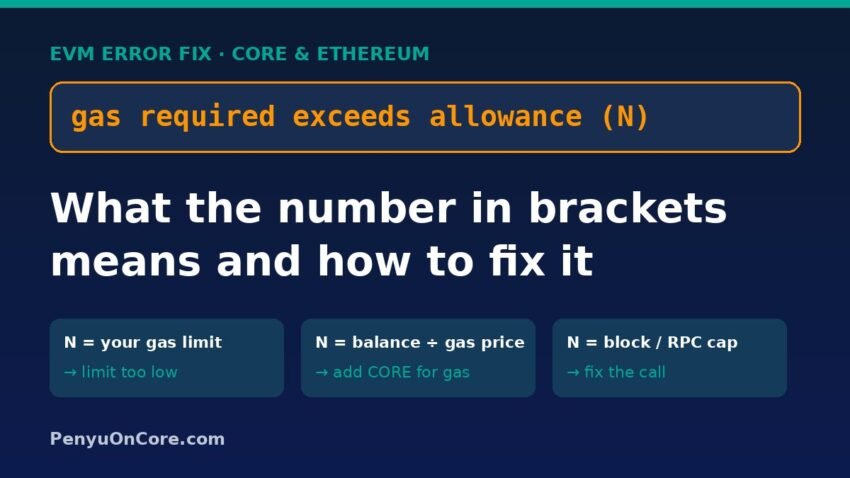
Quick answer: “Gas required exceeds allowance (N)” means the node tried to simulate your transaction and it could not finish inside the gas ceiling it was allowed to use. That ceiling (the number in brackets) is either the gas limit you set, the most gas your native-coin balance can pay for at the chosen gas price, or the block or RPC cap. Nothing is broadcast and no fee is charged. Remove any custom gas limit, top up your gas coin (CORE on Core), and if it still fails, look for a contract problem rather than a gas problem.
The error comes from Geth’s gas estimator, the code behind eth_estimateGas. Core’s node software (core-chain) is a Geth fork with the same logic, so you can hit this error on Core and on most EVM chains. Below we explain what the number means, show three live examples from Core’s public RPC, and give fixes for wallet users and developers.
What “gas required exceeds allowance” actually means
Before a wallet or script sends a transaction, it normally calls eth_estimateGas. The node runs your transaction against the current state without adding it to the chain, then works out the lowest gas limit that lets it succeed.
To do that, the estimator first picks an upper bound, the “allowance”. In the Geth source (and the matching core-chain file), the bound is set like this:
- Start with the block gas limit, or with your own gas limit if you supplied one.
- If a gas price or max fee is set, cap it at what your balance can pay: (balance − value sent) ÷ gas price.
- Cap it again at the node’s RPC gas cap (Geth’s default
RPCGasCapis 50,000,000).
The node then runs your transaction once at that upper bound. If the run fails because it ran out of gas, you get gas required exceeds allowance (N), where N is the bound that was used. If it fails for a different reason, such as a require() check, modern nodes usually return execution reverted instead. We cover that one in our execution reverted guide.
One point that confuses people: “allowance” here means the gas allowance. It has nothing to do with an ERC-20 token allowance or approval, even though the names are similar.
Three real examples from Core mainnet
On 16 November 2026 we sent read-only eth_estimateGas calls to Core’s official RPC (https://rpc.coredao.org, chain ID 1116, listed in the Core network configuration docs). The node reported itself as Geth/v1.0.27. The test transaction was a plain deposit() call to the WCORE contract, which needs about 27,611 gas. Nothing was signed or sent.
| What we changed | RPC response | What N tells you |
|---|---|---|
| Set a gas limit of 22,000 | gas required exceeds allowance (22000) | N equals your own gas limit, so the limit is too low |
| Sender holds 0.000001 CORE, gas price 60 gwei | gas required exceeds allowance (16) | N is the gas your balance can afford (1012 wei ÷ 6×10¹⁰ wei ≈ 16) |
| Same tiny balance, gas price raised so the balance covers 25,000 gas | gas required exceeds allowance (25000) | Still below the ~27,611 needed, so the balance is too small |
| No gas limit, no gas price | 0x6bdb (27,611 gas) | Estimate succeeds when nothing caps it |
60 gwei was the value eth_gasPrice returned from the same RPC at the time of testing, and Core’s latest block gas limit was 50,000,000. Both values can change.
How to read the number in brackets
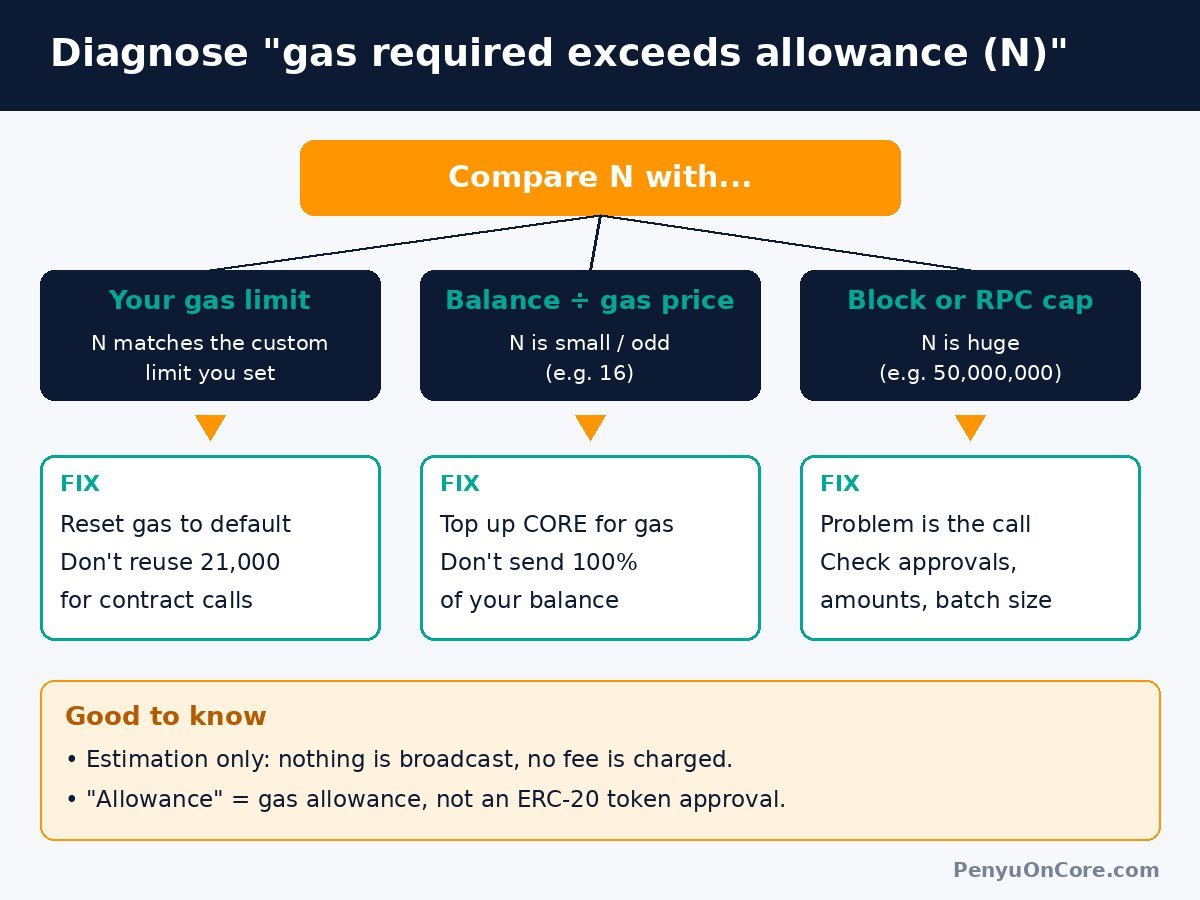
The number in brackets is the best clue you have. Compare it with these three values:
1. N matches a gas limit you set
You, your wallet’s advanced settings, or a script set a custom gas limit that is too low for this action. This often happens when you reuse a limit that worked for a simple transfer (21,000 gas) on a swap, stake or contract call. If the limit is below even the base cost, you may see “intrinsic gas too low” instead.
2. N is small or an odd number
Your native balance is the limit. The estimator divided what you have left (after any value you are sending) by the gas price, and that amount of gas isn’t enough. This is closely related to “insufficient funds for gas”. A common cause is sending your entire CORE balance while also calling a contract, which leaves nothing for fees.
3. N equals the block gas limit or a large round cap
Even with the maximum gas available, the simulation still ran out of gas. That usually points to the contract call itself, such as a loop over a very large list, a batch that is too big, or a call the contract can’t complete. Raising the gas limit won’t help here. On older nodes the message was “gas required exceeds allowance or always failing transaction”, and it was also returned for ordinary reverts. Discussions on Ethereum Stack Exchange point to missing ERC-20 approvals as a frequent cause.
How to fix it in a wallet (MetaMask, Rabby, etc.)
- Remove custom gas settings. If you edited the gas limit, reset it to the wallet or site default and try again.
- Check you’re on the right network. Core mainnet is chain ID 1116. A dApp on one chain and a wallet on another can cause strange estimation failures.
- Top up the gas coin. On Core, fees are paid in CORE. If you hold tokens but almost no CORE, see how to get CORE for gas fees.
- Don’t send 100% of your balance. Leave some CORE for fees, especially when wrapping, staking or bridging.
- Check the action can succeed. Look for an approval step that hasn’t been done yet, a token balance that is too low, a minimum amount, or a closed pool. If the site has an “Approve” button, it usually needs to be confirmed first.
Your wallet or dApp may show this error inside a longer message, such as a generic RPC or estimation error. Look for the phrase “exceeds allowance” and the number in brackets.
How to fix it as a developer
Reproduce it with a raw RPC call
Remove library abstractions and call the node directly. This is read-only and costs nothing:
curl -s -X POST https://rpc.coredao.org \
  -H "Content-Type: application/json" \
  --data '{"jsonrpc":"2.0","id":1,"method":"eth_estimateGas",
  "params":[{"from":"0xYourAddress","to":"0xContract","data":"0x..."}]}'
Run it with no gas and no gasPrice first. If that succeeds, the cap in your original request (your gas limit or your balance at that price) caused the error. If it still fails, the problem is in the call itself.
Common code-level causes
- Wrong or missing
from. The estimate runs with that address’s balance, approvals and permissions. A missing or wrong sender changes the outcome. - Hard-coded
gasLimitoverrides that are too low for the current function. - Passing a high
gasPrice/maxFeePerGasfrom an account with a small balance, which shrinks the allowance. - Unbounded loops or oversized batches that really do exceed the block limit. Split the work into smaller transactions.
About forcing a manual gas limit
Setting a manual gas limit skips estimation, but it doesn’t make a failing call succeed. A transaction that reverts or runs out of gas on-chain is still included in a block and still uses gas you pay for. Run eth_call first to confirm the call works with the exact inputs you plan to send.
A zero-balance gotcha
In our tests, an address with 0 CORE didn’t get “gas required exceeds allowance”. When a gas price was supplied, Core’s RPC returned insufficient funds for transfer. This matches the estimator code: the value sent (even 0) must be less than the balance, so an empty account fails that check first. If you see that message, fund the address before anything else.
FAQ
Did I lose any CORE or gas?
No. The error is returned during estimation, before anything is signed or broadcast, so no transaction exists and no fee is charged.
Is this about my token approval or allowance?
Not directly. “Allowance” here means the gas allowance for the simulation. A missing token approval can still make a call fail, though, so check approvals if the number equals the block gas limit. If you want to clean up old approvals, see how to revoke token approvals.
Should I just raise the gas limit?
Only if the number in brackets matches a limit you set and it is clearly too low. If the number is tiny (a balance problem) or equals the block limit (a contract problem), raising the limit won’t fix it.
Does this only happen on Core?
No. Any Geth-based node can return it, including Ethereum and many EVM chains. Core’s node uses the same estimator logic.
Bottom line
Compare the number in brackets with your gas limit, your balance divided by the gas price, and the block cap. Whichever one matches tells you whether to reset the gas limit, add CORE for fees, or fix the call itself.
Disclaimer: This article is for general educational purposes only and is not financial, investment or tax advice. Always double-check addresses and transaction details before signing.