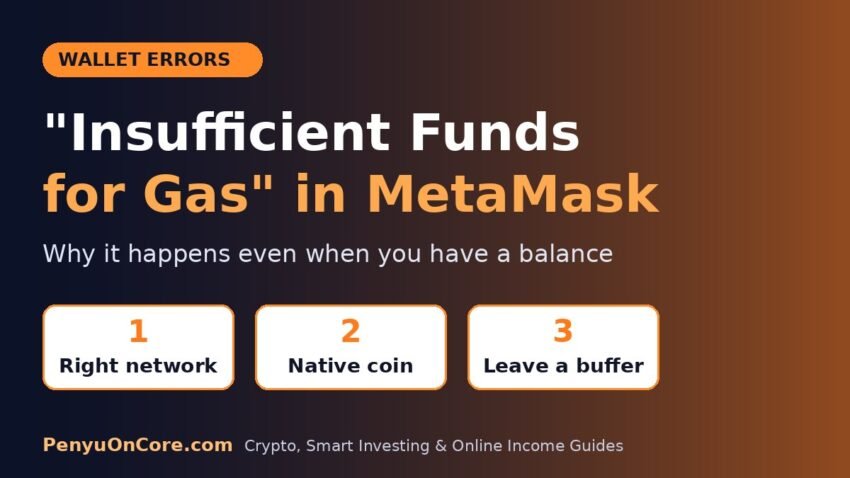
Quick answer: MetaMask shows “insufficient funds” when the account doesn’t hold enough of the network’s native coin (ETH on Ethereum, BNB on BNB Chain, CORE on Core, and so on) to cover the amount you’re sending plus the maximum possible gas fee. Other tokens in the wallet, such as USDC, can’t pay gas on their own. The usual fixes are to switch to the right network, send a little less than your full balance, or top up the native coin. On some networks you can also use MetaMask’s gas included feature.
This error is confusing because your wallet often does show a balance. Below you’ll find what the check actually measures, the most common reasons it fails when you think you have enough, and a step-by-step fix that works on any EVM network.
What “insufficient funds for gas” actually means
MetaMask’s Help Center says the “insufficient funds” error means you don’t have enough of the network’s native token to cover gas fees (also called network fees). The same thing is behind a greyed-out Confirm button on the confirmation screen.
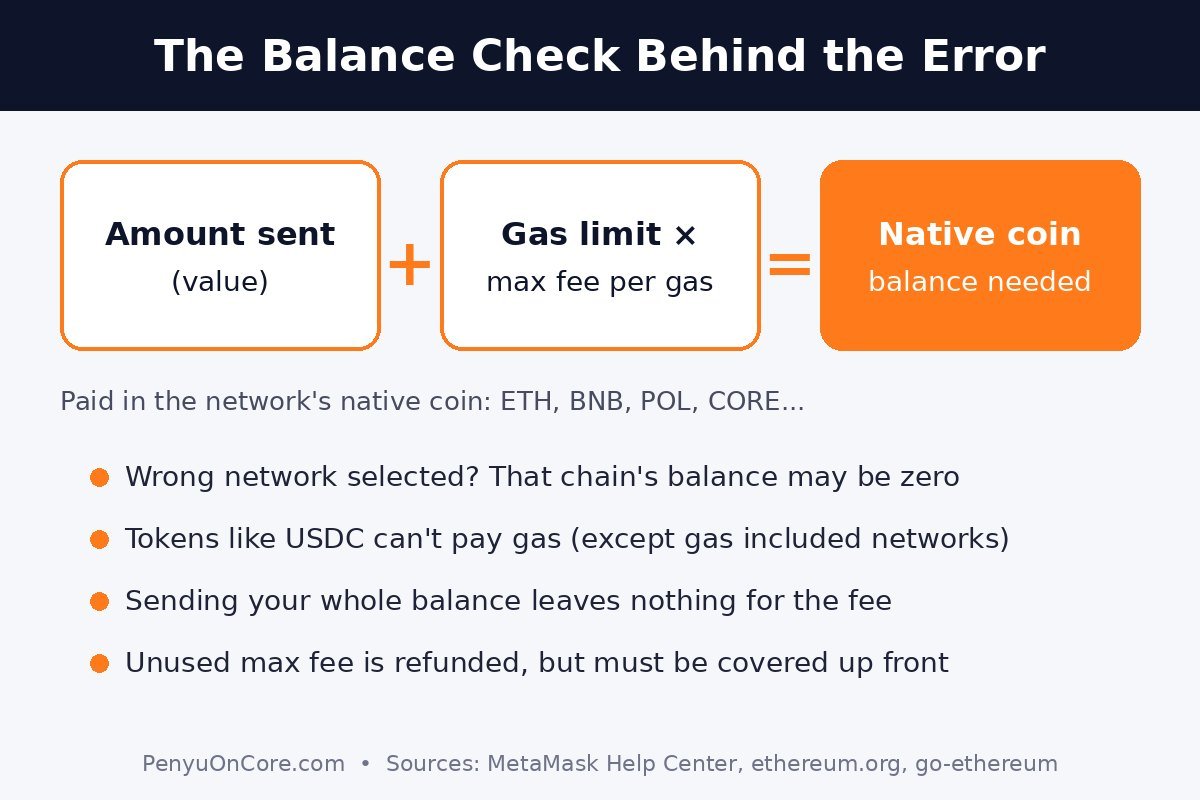
If you see the longer message insufficient funds for gas * price + value, that wording comes from the node software. In Go Ethereum (Geth), the error is returned when “the total cost of executing a transaction is higher than the balance of the user’s account”. Geth’s source code describes that balance requirement as the worst case: gas limit × max fee per gas + the value you’re sending.
That detail explains most “but I have ETH!” cases. The check isn’t based on the fee you’ll probably pay. It’s based on the maximum fee you’ve allowed. According to ethereum.org, any difference between the max fee and what’s actually charged (base fee + tip) is refunded afterwards, but your balance still has to cover the maximum up front.
A simple example
Ethereum.org gives this example: a plain ETH transfer uses 21,000 gas. With a 10 gwei base fee and a 2 gwei tip, the fee is 21,000 × 12 gwei = 0.000252 ETH. So sending 1 ETH actually takes 1.000252 ETH from the sender. If the account held exactly 1 ETH, the transaction couldn’t go through. With a higher max fee set in the wallet, the amount you need up front goes up as well.
Common causes (and the fix for each)
| Cause | What’s happening | Fix |
|---|---|---|
| Wrong network selected | Your ETH is on Ethereum Mainnet, but you’re transacting on Arbitrum, Base or Core, where that balance doesn’t exist | Switch networks, or move native coin to the chain you’re using |
| Only tokens, no native coin | You hold USDC/USDT but 0 ETH (or 0 CORE, 0 BNB) | Add a small amount of the native coin, or use gas included transactions where supported |
| Sending your entire balance | The amount + max fee is more than you hold | Lower the amount so there’s room left for the fee |
| High max fee or gas limit | The worst-case fee reserve is larger than your spare balance | Choose a lower fee option, or wait for fees to drop |
| Wrong account | The funded address isn’t the one that’s selected or connected to the dapp | Switch to the funded account in MetaMask and reconnect |
How to fix “insufficient funds” in MetaMask, step by step
1. Check the network first
Each network has its own balances. MetaMask’s gas guide explains that fees are paid in the network’s native token: ETH on Ethereum, BNB on BNB Smart Chain, POL (previously MATIC) on Polygon. MetaMask notes that ETH is also the gas token on layer 2 networks such as Arbitrum and Optimism, but it has to be ETH on that layer 2. ETH on Ethereum Mainnet won’t pay fees on Arbitrum. On Core, the official docs say CORE “serves as the gas token for all Core network transactions and smart contract operations.” If you haven’t set Core up yet, see how to add Core to MetaMask.
2. Look at the native coin balance, not your token balances
A wallet full of stablecoins can still have zero gas. MetaMask states that every transaction, including token transfers and contract interactions, needs gas. Find the native coin in your asset list for the selected network. If it’s zero or close to it, that’s your problem.
3. Don’t send 100% of the native coin
If you’re sending ETH (or CORE, BNB and so on) and entering your full balance, there’s nothing left for the fee. Reduce the amount by a small buffer and try again. Because the check uses the maximum fee, leave a little more than the estimate shows.
4. Review the network fee setting
On the confirmation screen, MetaMask lets you edit the network fee with the pencil icon and choose Low, Market or Aggressive, or open Advanced to set the gas limit, max priority fee and max fee yourself. A lower option means a smaller worst-case reserve, but the transaction may take longer to confirm. MetaMask’s own guidance is that you normally don’t need to edit the gas limit. Setting it too low can cause an “out of gas” failure, and you still pay for the gas used. If a low-fee transaction gets stuck, see how to fix a pending transaction in MetaMask.
5. Use gas included transactions (supported networks only)
MetaMask offers gas included transactions, which let you pay the network fee with another token instead of the native coin. At the time of writing, MetaMask lists support on Ethereum Mainnet, BNB Smart Chain, Arbitrum, Polygon, Linea, Base and Tempo, for sends and dapp transactions. It requires Smart Transactions and Estimate balance changes to be turned on in settings. If you don’t have enough native token, MetaMask picks an eligible token automatically, and you can change it from the dropdown next to “Network fee”. The quote includes a small MetaMask fee. Core isn’t on that list, so on Core you still need CORE in the wallet.
6. Top up the native coin
MetaMask’s fix for the error is simple: send some of the native token to the account. You can get it through an on-ramp, an exchange, or a swap on a decentralized exchange. When withdrawing from an exchange, make sure the withdrawal network matches the network you’re using in MetaMask. For Core specifically, our guide on how to get CORE for gas fees covers the options.
7. Confirm you’re using the right account
If you have several accounts, check that the funded one is selected and connected to the dapp. A dapp may still be connected to an empty account from a previous session.
What if the error still won’t go away?
If the network, account and balance all look right, check your address on the network’s block explorer to confirm the balance actually exists on-chain. Also look for earlier pending transactions that may already be using some of it. If MetaMask lets you submit but the transaction then fails with a different message, it’s probably a separate issue. See our guides on “execution reverted” and “nonce too low”.
FAQ
Why does MetaMask say insufficient funds when I have USDT?
USDT is a token, and on most networks gas has to be paid in the native coin (ETH, BNB, CORE, etc.). The exception is MetaMask’s gas included transactions on the networks it supports, which can use eligible tokens to pay the fee.
Why is my MetaMask Confirm button greyed out?
MetaMask says a greyed-out Confirm button means you don’t have enough of the native token to pay for the transaction. It’s the same issue as the “insufficient funds” error.
Do I lose gas if a transaction fails?
Yes. According to MetaMask, validators still do the computation, so gas is charged even when a transaction fails. MetaMask doesn’t receive that fee and can’t refund it. An “insufficient funds” warning usually appears before you submit, so nothing is spent at that point.
Can MetaMask pay gas with tokens on Core?
Core isn’t currently on MetaMask’s list of gas included networks, so you need CORE in your wallet to pay fees on Core.
Disclaimer: This article is for general educational purposes only and isn’t financial, investment or tax advice. Wallet features and supported networks change, so always check the official documentation before making a transaction.