
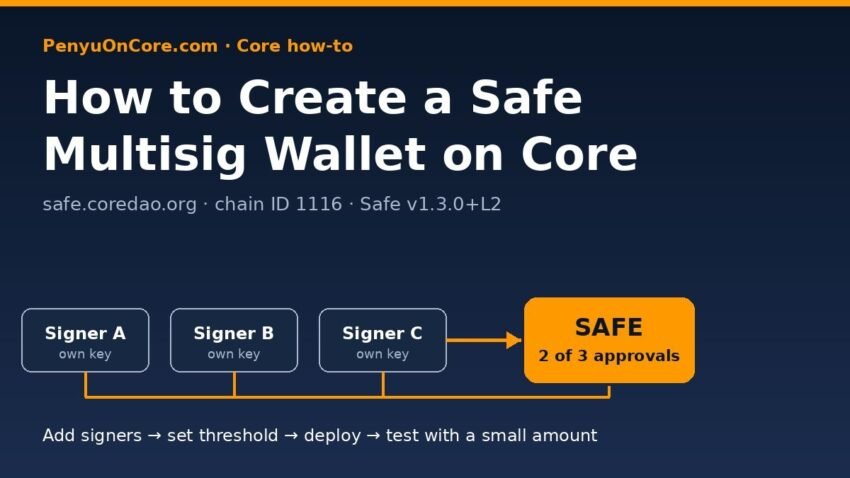
Short answer: To create a multisig wallet on Core, open the Core-hosted Safe{Wallet} app at safe.coredao.org, connect a wallet that is on Core Mainnet (chain ID 1116) and holds a little CORE for gas, then choose Create new Safe Account, add your signer addresses, set how many of them must approve each transaction, and pay the one-time deployment fee. The Safe gets its own contract address, and that address is where you send funds, not to any signer wallet.
This guide covers the setup step by step, what a sensible signer/threshold setup looks like, how signing and the nonce queue work, and the Core-specific gas gotcha to know about before you execute your first transaction. Everything here was checked against Core’s official docs, Safe’s help center and live Core endpoints on 17 November 2026.
What Is a Safe Multisig on Core?
Safe (formerly Gnosis Safe) is a smart contract wallet. Instead of one private key controlling funds, a list of owner addresses (signers) controls the account, and a threshold sets how many of them must approve a transaction before it can run. A 2-of-3 Safe, for example, needs any two of its three signers.
Core’s official developer tools page lists “Gnosis Safe” for “secure multi-sig management of digital assets” and links to safe.coredao.org for mainnet and safe.test2.btcs.network for Core Testnet2. Use those links (or type the address yourself) rather than a link from a DM or a search ad.
Core’s Safe setup at a glance
We queried the app’s public config endpoint and the Safe transaction service it points to. This is what they reported on 17 November 2026:
| Item | Value (checked 17 Nov 2026) |
|---|---|
| Web app | safe.coredao.org (Safe{Wallet} interface) |
| Network | CORE-Mainnet, chain ID 1116, native token CORE |
| Transaction service | safetx.coredao.org (Safe Transaction Service v4.37.2) |
| Safe contract version | 1.3.0+L2, singleton 0x3E5c63644E683549055b9Be8653de26E0B4CD36E |
| Enabled features | Contract interaction, Safe Apps, WalletConnect, spending limits, NFTs (ERC-721) |
| Gas price in app config | Fixed 30 gwei (see the gas section below) |
The singleton and proxy factory addresses match the canonical v1.3.0 deployments that Safe’s own safe-deployments repository lists for chain 1116, and we confirmed live contract code at both addresses through Core’s public RPC.
Before You Start
- A signer wallet on Core. MetaMask works; if it doesn’t have Core yet, follow our guide to add Core to MetaMask.
- Some CORE for gas. Deploying a multisig is an on-chain transaction paid by the wallet that creates it. If you have none, buy or bridge a small amount first.
- Every signer’s Core address. Core uses the same 0x address format as Ethereum. Ask each signer to send their own address, and check every character.
- Independent keys. Each signer should be a separate wallet with its own seed phrase. Three addresses from the same seed on one laptop give you very little extra protection. Hardware wallets make good signers; see how to use Ledger on Core.
Choosing Signers and a Threshold
Safe’s help article “What Safe setup should I use?” gives two rules of thumb:
- Use a threshold above 1, so one compromised key can’t move funds.
- Keep the threshold below the total number of signers, so losing one key doesn’t lock you out. The remaining signers can still execute transactions and replace the lost one.
The article describes a common setup for individuals: three signers (one MetaMask plus two hardware wallets) with a threshold of 2, with the second hardware wallet stored away as a backup. For groups, it describes one signer per person with a threshold of 3. Safe also warns that if you can’t reach the threshold, you won’t be able to recover your assets, so write down who holds each key.
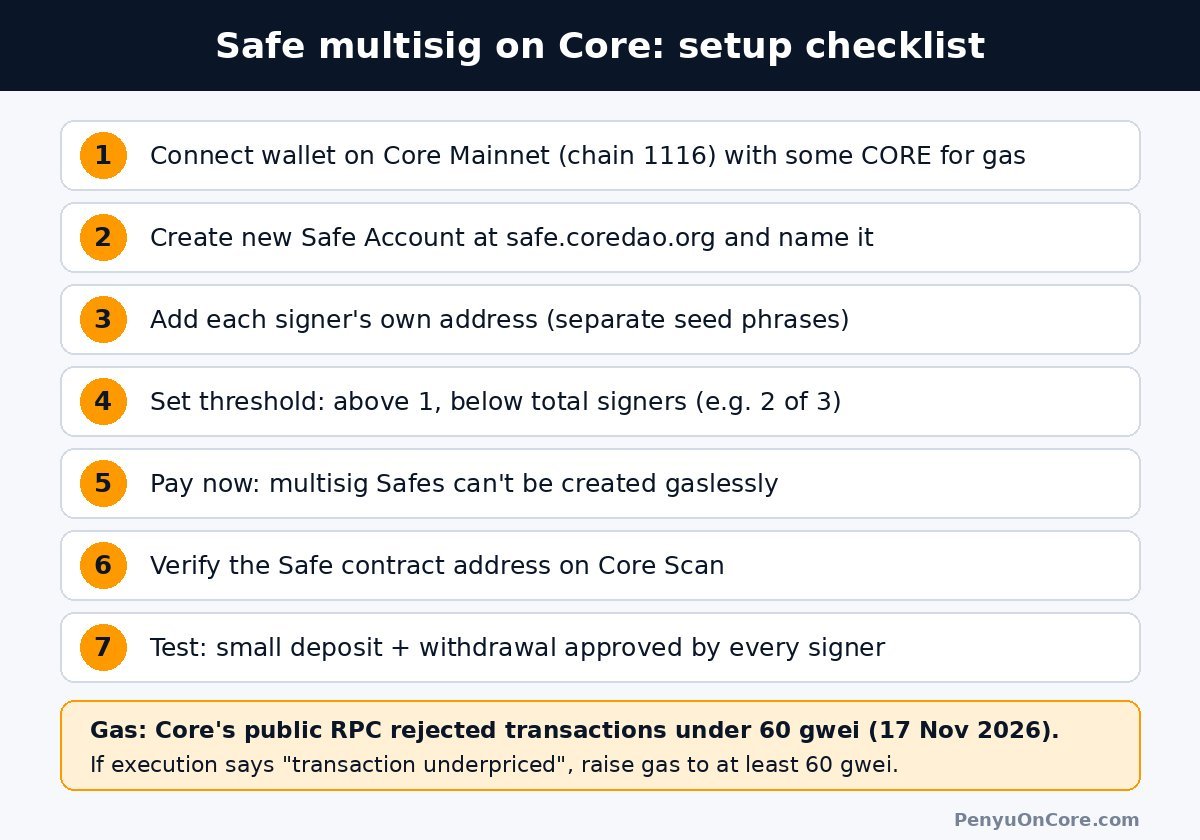
How to Create a Safe Multisig on Core: Step by Step
The steps below follow the labels in the current safe.coredao.org interface. Small wording changes are possible after future updates.
Step 1: Open the app and connect your wallet
Go to safe.coredao.org, click Get started and connect your signer wallet. If the app asks you to change your wallet network, switch to Core Mainnet.
Step 2: Create a new Safe Account and name it
Choose Create new Safe Account. On the “Select network and name of your Safe Account” screen, confirm the network is Core and give it a name. The app says the name is stored locally and never shared, so it only exists in your browser.
Step 3: Add signers and set confirmations
On “Signers and confirmations”, your connected wallet appears as the first signer. Use Add new signer for each extra address, then set “Any transaction requires the confirmation of:” to your threshold (for example 2 out of 3).
Step 4: Review and pay the network fee
The review screen shows a preview of the Safe and a one-time network fee. You’ll see Pay now and Pay later, but the app notes “Create now, pay later! Only for 1/1 Accounts.” Safe’s help center confirms multisignature Safes can’t be created gaslessly, so for a real multisig you pay now and confirm the deployment in your wallet.
Step 5: Verify the new Safe address
When the deployment confirms, copy the Safe address and open it on Core Scan. It should show as a contract, and the deployment transaction should appear in your signer wallet’s history. Our Core Scan guide explains how to read the address page. Then send in a small amount of CORE first, not your full balance.
Step 6: Do a test withdrawal with every signer
Before moving serious funds, send a tiny amount back out of the Safe and have each signer approve it from their own device. That’s how you find out early if a hardware wallet, browser or network setting won’t sign.
How Signing and Execution Work
When a signer proposes a transaction, the others confirm it in the app. Safe supports off-chain confirmations that are stored by the transaction service (on Core, safetx.coredao.org), so collecting signatures is usually free. Once the threshold is reached, one signer executes the transaction on-chain and pays the gas in CORE from their own wallet, not from the Safe.
The Safe nonce queue
Each Safe transaction gets a nonce. According to Safe’s transaction queue article, only the transaction with nonce “last executed transaction +1” can run, and later ones wait in the queue. So one stuck proposal blocks everything behind it. This is a different counter from the account nonce of your MetaMask wallet.
Cancelling a proposal costs gas
A signature can’t be “taken back” from a backend you don’t control. Safe explains that the only reliable way to cancel is to sign and execute another transaction with the same nonce. That replacement is an on-chain transaction, so it costs gas.
Core Gas Gotcha: 30 gwei in the Config, 60 gwei Minimum on the RPC
The safe.coredao.org chain config lists a fixed gas price of 30 gwei. But Core’s public RPC (rpc.coredao.org) currently rejects anything below 60 gwei. When we sent a signed test transaction at 30 gwei on 17 November 2026, it returned:
transaction underpriced: gas tip cap 30000000000, minimum needed 60000000000
The same RPC’s eth_gasPrice returned 60 gwei. If executing a Safe transaction (or deploying the Safe) fails with “transaction underpriced”, raise the gas price or priority fee to at least 60 gwei in your wallet’s gas settings and try again. Our “transaction underpriced” on Core guide explains the 60 gwei minimum in detail.
Common Problems
The testnet Safe won’t load
The Testnet2 Safe link in Core’s docs (safe.test2.btcs.network) returned an HTTP 522 error when we checked on 17 November 2026. Try again later. Core’s mainnet Safe was working at the same time.
I sent tokens to a signer instead of the Safe
Funds sent to a signer’s address belong to that wallet alone, not the multisig. The signer can simply transfer them to the Safe address.
I sent funds to my Safe address on another network
A Safe exists only on the chain where it was deployed. The same address on a different chain isn’t automatically controlled by your signers. Safe’s multi-chain article covers when an address can be recreated elsewhere, but don’t rely on it. Only send Core-network assets to a Core Safe.
FAQ
Is safe.coredao.org official?
It is the Safe link listed in Core’s official documentation for Core Mainnet. It runs the Safe{Wallet} interface with Core-operated config and transaction services.
Does a Safe on Core cost anything?
There is a one-time network fee to deploy a multisig Safe, and each executed transaction costs gas in CORE, paid by the signer who executes it. The Safe app says it does not profit from the fees.
Can I add or remove signers later?
Yes. Safe’s help center says signers can later be removed or replaced. Changes to owners or the threshold are Safe transactions themselves, so they need the current threshold of approvals.
Can I stake CORE from a Safe?
The Core Safe config enables Safe Apps and WalletConnect, which let a Safe connect to some dApps. Whether a specific dApp works with a smart contract wallet depends on that dApp, so test with a small amount first.
Disclaimer: This article is for general information only and is not financial, legal or security advice. Multisig setups can still be lost through mistakes or compromised keys. Verify addresses and settings yourself, and start with small amounts.