
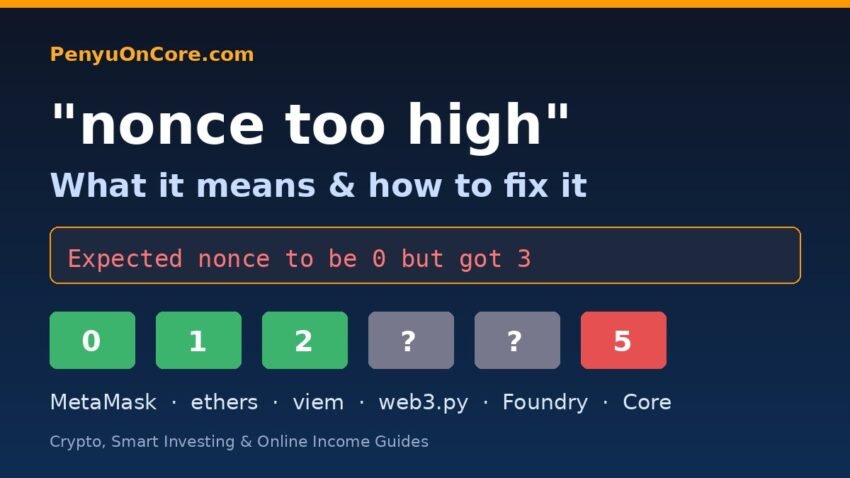
Quick answer: “Nonce too high” means the transaction you signed uses a nonce bigger than the next number the node expects for your address, so there is a gap in your transaction sequence. It usually happens after a local Hardhat node restarts while MetaMask still remembers the old count, or when a script sets the nonce by hand. Fix it by clearing MetaMask’s activity and nonce data, or by letting your code read the next nonce from the node with eth_getTransactionCount and the pending tag.
This guide covers what the error means, why it shows up, and how to fix it in MetaMask, ethers, viem, web3.py and Foundry. It also has a short note on Core. If your error says the nonce is too low, see our guide to MetaMask “nonce too low”. That’s the opposite problem.
What “nonce too high” actually means
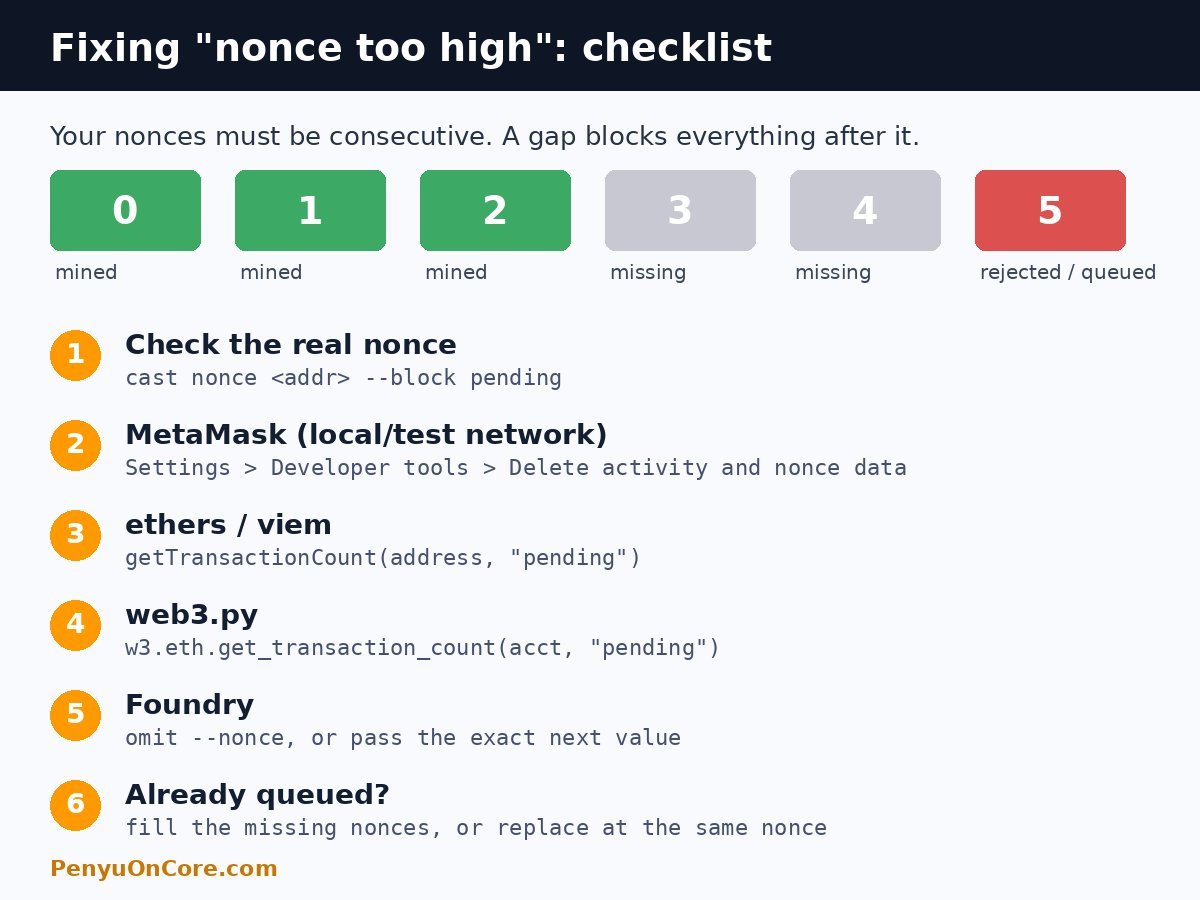
Every EVM account has a nonce, which is a counter that starts at 0 and goes up by 1 with each transaction the account sends. MetaMask’s help center describes it as the number that makes sure “your transactions are processed by the network in the correct order.” If your account has sent 4 transactions, the next valid nonce is 4. A transaction signed with nonce 6 leaves a gap at 4 and 5.
The error text comes from the client software. In Geth, the most common Ethereum client, ErrNonceTooHigh is defined as "nonce too high" and returned “if the nonce of a transaction is higher than the next one expected based on the local chain” (go-ethereum core/error.go). The state-transition check adds the address plus the transaction’s nonce and the state nonce to the message (state_transition.go).
The exact message on a Hardhat node
We started a local Hardhat 2.29.2 node on our test box and sent a signed transfer with nonce 3 from an account that had never sent a transaction. The node replied with JSON-RPC error -32000:
Nonce too high. Expected nonce to be 0 but got 3. Note that transactions can't be queued when automining.That last sentence explains why Hardhat throws an error here. In its default automine mode, every transaction is mined right away, so the node can’t hold a future-nonce transaction while it waits for the gap to fill. The same message appears in Hardhat issue #3310.
Why you might not see an error at all
Not every node rejects a future nonce. When we sent the same kind of transaction (nonce 5, with the account’s real nonce at 0) to a local Anvil node from Foundry 1.9.0, Anvil accepted it and returned a hash. txpool_content then listed the transaction under queued, not pending, and cast send hung while it waited for a receipt that never arrived. Once we sent nonces 0 to 4, the queued nonce 5 was mined. A second queued transaction at nonce 7 stayed stuck, because nonce 6 was still missing.
Geth-style transaction pools work the same way. Their config has an AccountQueue setting for “non-executable transaction slots permitted per account.” So on a live network, a nonce gap often shows up as a transaction that stays pending forever, not as a clear error.
Common causes
- A local node restart. Restarting
npx hardhat nodeoranvilresets the chain, so every test account goes back to nonce 0. MetaMask doesn’t know the chain was reset and keeps counting from its saved history. This is the usual cause, and it’s the one a Hardhat maintainer pointed to in issue #3310. - A hard-coded or manually incremented nonce. Scripts that do
nonce++after a failed send, or that reuse a counter from an earlier run, can skip ahead. - A custom nonce typed into the wallet. MetaMask lets you set a nonce by hand. Typing a number above the next free one creates a gap.
- Several tools sharing one key. If a bot, a deploy script and a wallet all sign for the same address, each keeps its own counter, and those counters drift apart.
- Load-balanced or lagging RPC endpoints. If one request reaches a node that has seen your latest transaction and the next request reaches a node that hasn’t, the nonce you fetched can be ahead of the state on the node that receives the transaction.
How to fix “nonce too high”
1. MetaMask: delete activity and nonce data
MetaMask’s support article “Clear account activity or reset account” currently gives these steps:
- Extension: menu (top right) > Settings > Developer tools > Delete activity and nonce data. Older versions call this “Clear activity tab data” or “Reset account” under Advanced.
- Mobile: menu > Settings > Advanced > Reset account.
MetaMask says this only affects the current network and that “you will not lose value in your accounts.” It also says the action can’t be undone, and that the feature is mainly meant for developers using test networks. So switch to the local or test network first. MetaMask also recommends downloading your state logs before you reset.
2. ethers.js and viem: fetch the nonce from the node
Usually the simplest fix is to stop setting nonce yourself and let the library fill it in. If you have to manage nonces, for example when sending several transactions in a row, read the count with the pending block tag so that transactions already in the pending pool are included:
// ethers v6
const nonce = await provider.getTransactionCount(address, "pending");

// viem
const nonce = await publicClient.getTransactionCount({
  address,
  blockTag: "pending",
});
The ethers v6 provider docs describe getTransactionCount(address, blockTag?) as the value “used as the nonce when sending a transaction.” viem’s docs list 'pending' as a valid blockTag. After a failed send, read the nonce again instead of adding one to it.
3. web3.py
nonce = w3.eth.get_transaction_count(account, "pending")The web3.py docs say get_transaction_count delegates to the eth_getTransactionCount RPC method, with an optional block identifier.
4. Foundry (cast and forge)
Check what the node thinks first:
cast nonce 0xYourAddress --rpc-url $RPC_URL
cast nonce 0xYourAddress --rpc-url $RPC_URL --block pending
Then either leave out --nonce so Foundry picks the nonce itself, or pass the exact next value with cast send ... --nonce <N>. In our Anvil test, the queued gap transactions did not count toward pending. Both commands returned 0 while nonces 5 and 7 were waiting in the queue. So the pending value shows the next nonce that’s actually usable, which is the gap you need to fill.
5. Fill or cancel the gap
If a future-nonce transaction is already waiting, you have two choices. Send transactions for the missing nonces, which can be cheap 0-value self-transfers, so the queued one can run. Or replace it with a new transaction at the same nonce and a higher fee. MetaMask’s guide to speeding up or cancelling notes that you must work forward from the oldest pending nonce. If the replacement is rejected, read “replacement transaction underpriced”.
A note for Core developers
Core’s public RPC (rpc.coredao.org) reported Geth/v1.0.27 as its client version when we checked. The core-chain source defines the same "nonce too high" error as Geth, and its default pool config sets AccountQueue to 64 non-executable slots per account. Individual RPC operators can change this. In practice, a nonce gap on Core is more likely to look like a stuck transaction than an instant error. Our guide to a Core transaction stuck pending in MetaMask covers that case. If you’re testing deployments on a local Hardhat node before going to Core, the restart-and-reset steps above apply. See our Hardhat deployment guide for Core.
FAQ
Is “nonce too high” dangerous for my funds?
No. The transaction was either rejected or is waiting in a queue. A rejected transaction moves nothing. A queued one can still go through later if the gap gets filled, so check your address on a block explorer before you send it again.
Does resetting MetaMask cancel a pending transaction?
No. It clears MetaMask’s local history and nonce count for the current network. Anything already broadcast to the network isn’t affected.
Why does it only happen on localhost?
Local nodes are restarted often, and each restart sets the chain back to block 0. Hardhat’s automine mode also rejects future nonces outright, while live-network pools tend to queue them.
What is the difference between “nonce too high” and “nonce too low”?
“Too high” means you skipped a number. “Too low” means you reused a number that has already been mined. Our nonce too low guide covers the second one.
Disclaimer: This article is for general educational purposes only and is not financial, investment or legal advice. Always test on a local node or testnet before sending transactions with real funds.