
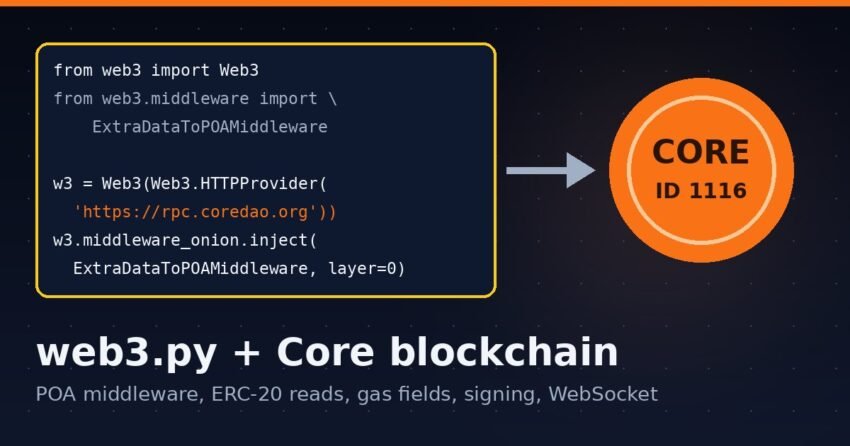
Short answer: To use web3.py with Core, connect with Web3(Web3.HTTPProvider("https://rpc.coredao.org")) and inject ExtraDataToPOAMiddleware at layer 0, because Core block headers have a 279-byte extraData field that web3.py rejects by default. After that, the usual web3.py calls work against chain ID 1116. One difference from Ethereum: Core’s base fee is 0, so build_transaction creates a type 2 transaction with both fee fields set to the node’s 60 gwei suggestion.
This guide is for Python developers who already know web3.py and want working Core mainnet code. Every snippet below was tested read-only against rpc.coredao.org on 20 Nov 2026 with web3.py 8.0.0 (Python 3.13). We sent no transactions. If you work in JavaScript instead, see our viem on Core guide or the ethers.js on Core guide.
Core network settings for web3.py
These values come from the official Core RPC list and network configuration pages:
| Setting | Core Mainnet | Core Testnet2 |
|---|---|---|
| Chain ID | 1116 (0x45c) | 1114 (0x45a) |
| HTTP RPC | https://rpc.coredao.org | https://rpc.test2.btcs.network |
| Archive RPC | https://rpcar.coredao.org | https://rpcar.test2.btcs.network |
| WebSocket | wss://ws.coredao.org | wss://rpc.test2.btcs.network/wsp |
| Currency | CORE | tCORE2 |
| Explorer | https://scan.coredao.org | https://scan.test2.btcs.network |
The old testnet (chain ID 1115) is no longer available, according to the Core docs. Testnet2 is the current one.
Install web3.py
On PyPI, the latest release is web3 8.0.0, and it needs Python 3.10 or newer. Install it in a virtual environment:
python3 -m venv .venv
source .venv/bin/activate
pip install web3
python -c "import web3; print(web3.__version__)"   # 8.0.0 in our test
Connect to Core mainnet (and add the POA middleware)
Here is the minimum setup that worked for us:
from web3 import Web3
from web3.middleware import ExtraDataToPOAMiddleware

w3 = Web3(Web3.HTTPProvider("https://rpc.coredao.org"))
w3.middleware_onion.inject(ExtraDataToPOAMiddleware, layer=0)

print(w3.is_connected())        # True
print(w3.eth.chain_id)          # 1116
print(w3.eth.block_number)      # latest block height

block = w3.eth.get_block("latest")
print(block["baseFeePerGas"])                # 0
print(len(block["proofOfAuthorityData"]))    # 279 bytes in our test
Why ExtraDataToPOAMiddleware is required on Core
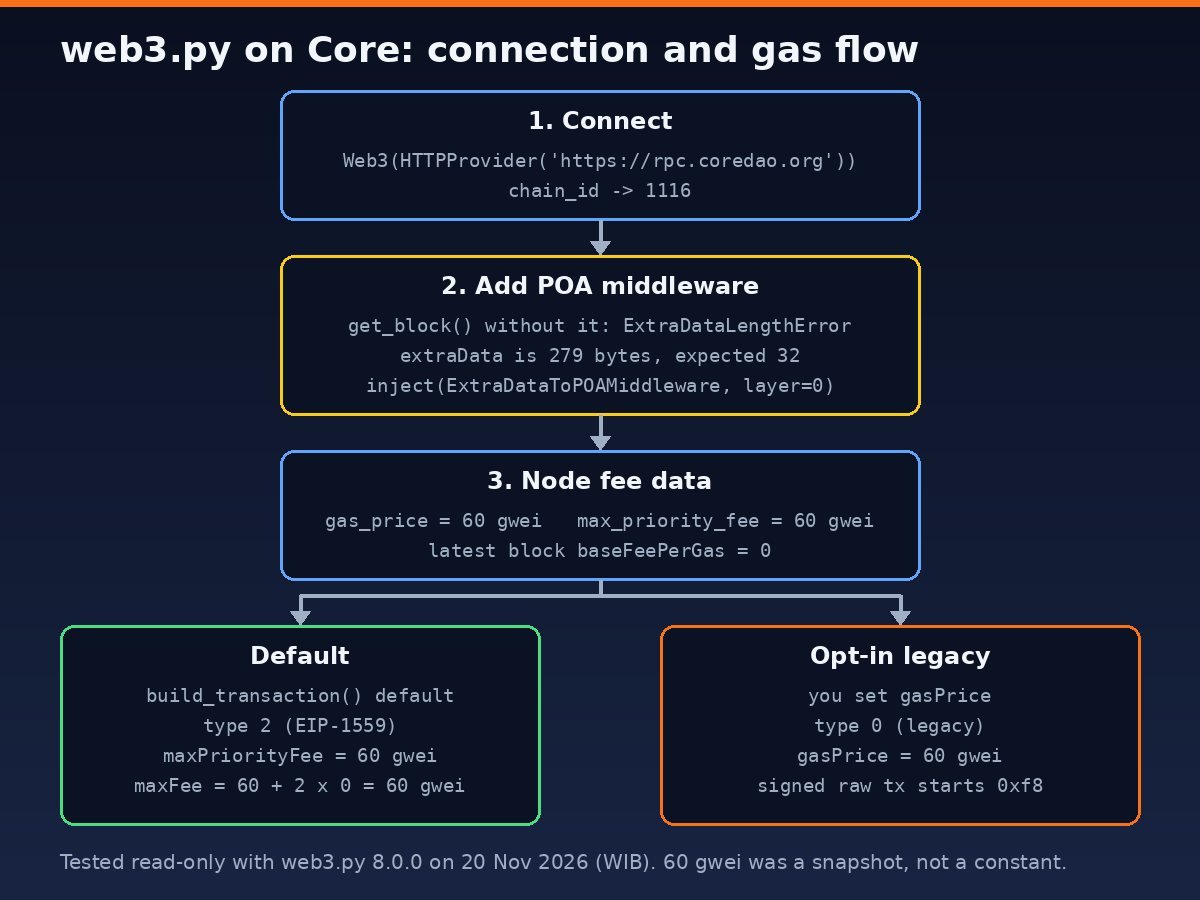
Without the middleware, is_connected(), chain_id and gas_price still work. But the first get_block() call fails with this error:
web3.exceptions.ExtraDataLengthError: The field extraData is 279 bytes,
but should be 32. It is quite likely that you are connected to a POA chain.
We sampled 20 Core mainnet blocks from the most recent 200, and all of them had a 279-byte extraData field. The web3.py middleware docs cover this case: ExtraDataToPOAMiddleware moves the long value into a new key called proofOfAuthorityData, so after injection block["extraData"] no longer exists. Add the middleware to every Core connection: HTTP, async HTTP and WebSocket.
One more detail: Core blocks also include a non-standard milliTimestamp field. web3.py returns it as a raw hex string, not an int. Use the normal timestamp field (in seconds) unless you really need milliseconds.
Read an ERC-20 token: USDT on Core
web3.py only accepts checksummed addresses. If you pass a lowercase address to w3.eth.contract(), it raises InvalidAddress (“web3.py only accepts checksum addresses”), so wrap user input in Web3.to_checksum_address(). This example reads the USDT contract on Core:
ERC20_ABI = [
    {"name": "symbol", "type": "function", "stateMutability": "view",
     "inputs": [], "outputs": [{"name": "", "type": "string"}]},
    {"name": "decimals", "type": "function", "stateMutability": "view",
     "inputs": [], "outputs": [{"name": "", "type": "uint8"}]},
    {"name": "balanceOf", "type": "function", "stateMutability": "view",
     "inputs": [{"name": "owner", "type": "address"}],
     "outputs": [{"name": "", "type": "uint256"}]},
]

USDT = Web3.to_checksum_address("0x900101d06a7426441ae63e9ab3b9b0f63be145f1")
token = w3.eth.contract(address=USDT, abi=ERC20_ABI)

symbol = token.functions.symbol().call()      # 'USDT'
decimals = token.functions.decimals().call()  # 6

holder = "0x000000000000000000000000000000000000dEaD"
raw = token.functions.balanceOf(holder).call()
print(symbol, decimals, raw / 10**decimals)
The checksummed address is 0x900101d06A7426441Ae63e9AB3B9b0F63Be145F1. It returned symbol USDT, name “Tether USD” and 6 decimals. Always divide by 10**decimals, because hardcoding 18 would make USDT balances off by a factor of 1012. Our USDT and USDC on Core guide covers the token side.
If you need many reads, web3.py’s w3.batch_requests() worked on the public RPC in our test. It sent a block, gas price and decimals() call in one HTTP request. Multicall3 is deployed on Core at 0xcA11bde05977b3631167028862bE2a173976CA11, and we successfully called aggregate3 from web3.py. See our Multicall3 on Core guide for the pattern.
How web3.py handles gas fees on Core
This is where Core differs from Ethereum mainnet. In our test, the node returned these values:
w3.eth.gas_price: 60 gweiw3.eth.max_priority_fee(eth_maxPriorityFeePerGas): also 60 gweibaseFeePerGasin the latest block: 0w3.eth.fee_history(5, "latest", [50]): no error, but the public RPC sent back only one block of data instead of five. Don’t build fee logic that expects a full history window from this endpoint.
When you call build_transaction() without fee fields, web3.py defaults to an EIP-1559 (type 2) transaction. The web3.py source sets maxFeePerGas = maxPriorityFeePerGas + 2 × baseFeePerGas. Core’s base fee is 0, so both fields end up at 60 gwei:
from eth_account import Account

acct = Account.create()   # throwaway key, never funded
TRANSFER_ABI = [{"name": "transfer", "type": "function",
    "stateMutability": "nonpayable",
    "inputs": [{"name": "to", "type": "address"},
               {"name": "amount", "type": "uint256"}],
    "outputs": [{"name": "", "type": "bool"}]}]
usdt = w3.eth.contract(address=USDT, abi=TRANSFER_ABI)

tx = usdt.functions.transfer(
    "0x000000000000000000000000000000000000dEaD", 0
).build_transaction({"from": acct.address, "nonce": 0})
print(tx)
# {'value': 0, 'gas': 30889, 'maxPriorityFeePerGas': 60000000000,
#  'maxFeePerGas': 60000000000, 'chainId': 1116, ...}
That is different from ethers.js v6, which built legacy type 0 transactions on Core by default when we tested it for our ethers guide. Both types are in use on mainnet: in 31 consecutive blocks we sampled, 38 transactions were type 0 and 5 were type 2. With a base fee of 0, a type 2 transaction with both caps at 60 gwei pays the same per gas as a 60 gwei legacy one. The 60 gwei figure was a snapshot from our test, not a fixed constant, so always read it from the node.
Two gas errors you may hit
- Estimating with an unfunded address. If you put a
gasPriceinbuild_transaction()and leave outgas, web3.py runseth_estimateGaswith that price. For an address with zero CORE, the node returnedinsufficient funds for transfer. Fund the address or passgasyourself. - Reverts surface during estimation. When we tried to build a 1 USDT transfer from an empty address, web3.py raised
ContractLogicError: execution reverted: ERC20: transfer amount exceeds balancebefore anything was signed. That error is useful, so catch it and show it to the user.
If the node rejects a fee as too low, read our explainer on “transaction underpriced” on Core.
Sign a transaction (legacy type 0) locally
To send a legacy transaction the way ethers does, set gasPrice and leave out the EIP-1559 fields. We signed this offline with a freshly generated throwaway key and never broadcast it:
acct = Account.create()   # throwaway key for the demo
tx = {
    "chainId": 1116,
    "nonce": w3.eth.get_transaction_count(acct.address),
    "to": "0x000000000000000000000000000000000000dEaD",
    "value": 0,
    "gas": 21000,
    "gasPrice": w3.eth.gas_price,   # legacy (type 0) transaction
}
signed = acct.sign_transaction(tx)
print(signed.raw_transaction[:1].hex())   # 'f8' = legacy RLP list
# With a FUNDED key you control:
# tx_hash = w3.eth.send_raw_transaction(signed.raw_transaction)
# receipt = w3.eth.wait_for_transaction_receipt(tx_hash)
A type 2 transaction signed the same way starts with byte 02. The attribute is raw_transaction (snake_case) in the eth-account 0.14.0 release that installed with web3 8.0.0. For real keys, load them from an environment variable or a secrets manager, never from source code. Before you broadcast anything, rehearse on a local fork. See how to fork Core mainnet with Anvil.
AsyncWeb3 and WebSocket subscriptions
AsyncWeb3 with AsyncHTTPProvider and WebSocketProvider both worked against Core mainnet. This script subscribed to newHeads on wss://ws.coredao.org and received three consecutive blocks:
import asyncio
from web3 import AsyncWeb3, WebSocketProvider
from web3.middleware import ExtraDataToPOAMiddleware

async def main():
    async with AsyncWeb3(WebSocketProvider("wss://ws.coredao.org")) as w3:
        w3.middleware_onion.inject(ExtraDataToPOAMiddleware, layer=0)
        print(await w3.eth.chain_id)   # 1116
        sub_id = await w3.eth.subscribe("newHeads")
        count = 0
        async for msg in w3.socket.process_subscriptions():
            print("new block:", msg["result"]["number"])
            count += 1
            if count == 3:
                await w3.eth.unsubscribe(sub_id)
                break

asyncio.run(main())
Blocks arrived about every 3 seconds. Over the last 100 blocks we measured, the average gap was 3.0 seconds.
What about Core Testnet2?
We couldn’t test web3.py on Testnet2. During our test on 20 Nov 2026, both https://rpc.test2.btcs.network and the archive endpoint returned HTTP error 522 (connection timed out). The code above should only need the RPC URL and chain ID 1114 changed, but we haven’t verified that. Check the network config page for any updated endpoints.
FAQ
What chain ID does web3.py return for Core?
w3.eth.chain_id returns 1116 on Core mainnet. Testnet2 uses 1114, according to the official docs.
Do I need ExtraDataToPOAMiddleware for Core?
Yes, if you read blocks. Without it, get_block() raises ExtraDataLengthError, because Core’s extraData is 279 bytes and web3.py expects 32.
Does web3.py send EIP-1559 transactions on Core?
Yes, by default. build_transaction() filled maxFeePerGas and maxPriorityFeePerGas (both 60 gwei in our test). To build a legacy transaction instead, set gasPrice yourself.
Why does web3.py reject my token address?
It isn’t checksummed. Convert it with Web3.to_checksum_address() before you pass it to w3.eth.contract().
Sources
- Core DAO docs: RPC endpoints
- Core DAO docs: network configuration
- web3.py docs: middleware (Proof of Authority)
- web3.py docs: providers
- web3.py docs: subscriptions
- web3 on PyPI
Disclaimer: This article is for educational purposes only and is not financial advice. Smart contracts and transactions carry risk. Test on a fork or testnet, keep private keys out of your code, and do your own research before you deploy or move funds.