
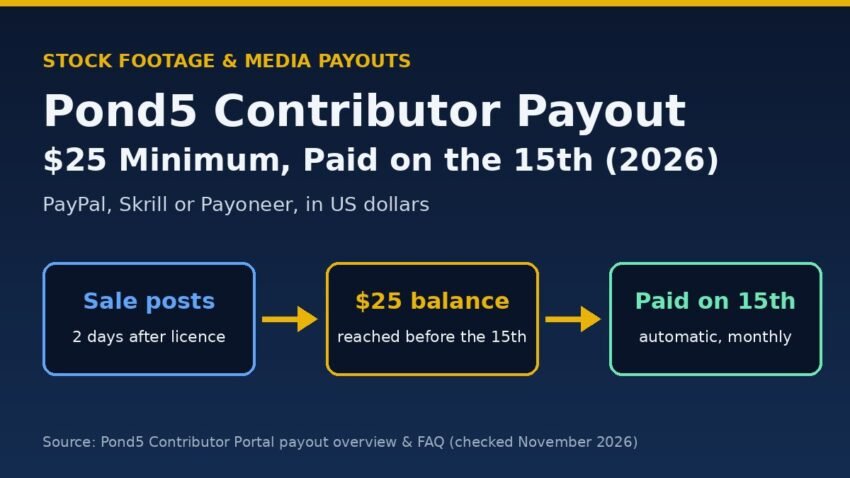
The Pond5 contributor payout is automatic: Pond5 pays your dashboard balance on the 15th of every month, as long as it has reached the $25 minimum before the 15th. If you are below $25, nothing is lost – the balance simply rolls into the next month.
Short answer: you get paid in US dollars through PayPal, Skrill or Payoneer, you keep 30% of most sales (40% for exclusive video), and normal marketplace sales show up in your dashboard two days after the licence. There is no “request payout” button, so the two things that matter are your balance and having your Payout Preferences set up correctly.
Everything below comes from Pond5’s official Payout Overview, the contributor FAQ and the Referral Program page, checked on 21 November 2026.
Pond5 contributor payout at a glance
| Item | What Pond5 says (Nov 2026) |
|---|---|
| Minimum payout | $25 balance, reached before the 15th |
| Payout date | The 15th of every month, automatically |
| Below $25? | Earnings roll over into the following month |
| Payout methods | PayPal, Skrill (4% fee deducted) or Payoneer |
| Currency | US dollars |
| Video revenue share | 40% exclusive, 30% non-exclusive |
| Other media | 30% (music, SFX, photos, illustrations, After Effects and other templates) |
| Dataset earnings | 20% per licensed item |
| Sale visible in dashboard | Two days after the licence (marketplace sales) |
| US tax form | W-9 for US-based contributors earning $10+ in a calendar year |
When does Pond5 pay contributors?
Pond5 pays once a month, on the 15th. The Payout Overview says all earnings in your artist dashboard “will be paid out on the 15th of every month using your selected payout method,” and that you “must reach a minimum balance of $25 before the 15th to receive a payout.”
You don’t ask for the money. The FAQ is explicit: “Rather than being paid upon request, our system will automatically pay out your balance on the 15th of every month.” That also covers subscription earnings and referral earnings – they are paid together with regular marketplace sales on the same date.
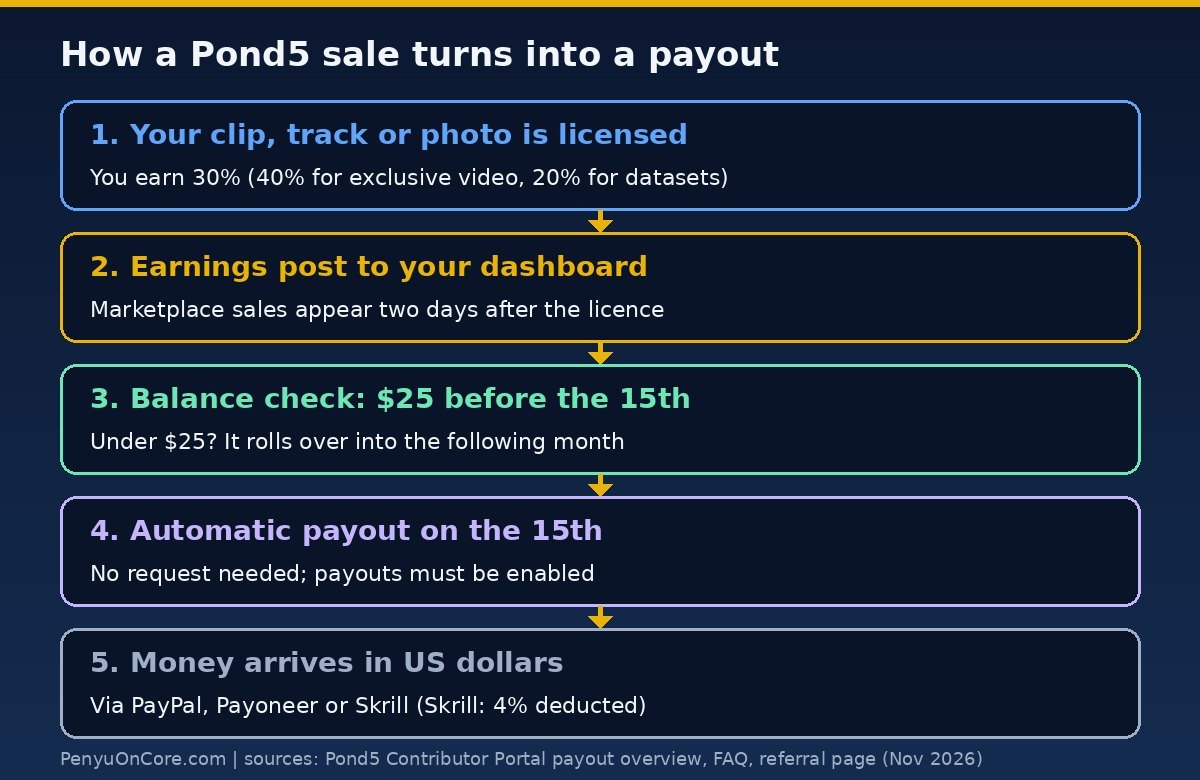
The $25 minimum and roll-over
If your balance hasn’t reached $25 by the 15th, Pond5 rolls it into the following month. There’s no fee and no expiry mentioned on the payout pages; the money just waits until you cross the line.
One small wording difference: the Payout Overview and the Referral page talk about reaching “$25 or more”, while the FAQ says your balance must be “over the minimum of $25”. If you are sitting at exactly $25.00, don’t count on it either way – a single extra sale removes the doubt.
Pond5 revenue share: how much you keep
Your payout is your royalty share of each sale, not the sale price. According to the Payout Overview:
- Video: 40% for exclusive video contributors, 30% for non-exclusive.
- All other media: 30% on music, sound effects, photos, illustrations, After Effects and other templates.
- Dataset earnings: 20% per licensed item, if your content is available for datasets. Pond5 added an opt-out under Preferences in account settings in April 2023.
- Other programmes: your normal share applies to Pond5 Subscriptions, Global Market Earnings, Partner Earnings and the Referral Program.
Only video contributors can join the Exclusivity Program. Pond5 also notes that discounts for promotions or high-volume buyers can make a sale pay less than you expected, and that Extended Licences can pay more, because your share is calculated on net revenue. Prices you set are always in USD, and a sale in another currency is still paid on your share of the USD price.
For comparison, see how the numbers work on other agencies in our guides to the Shutterstock contributor payout and the Adobe Stock contributor payout.
When will earnings appear in your dashboard?
Different income types show up on different timelines, which explains a lot of “where is my sale?” confusion:
- Marketplace earnings are posted two days after the licence.
- Referral earnings: the Payout Overview says you see them “right away”, but the Referral page says commissions appear 48 hours after the purchase. Expect up to two days.
- Subscription earnings appear in the Financials section at the beginning of each month, covering the previous month’s subscription downloads.
- Global Market, Partner and Dataset earnings are irregular. Pond5 says these are distributed “when royalties are available to distribute”, not on a fixed monthly or quarterly cycle. Some Global Market Earnings are reported in real time, others quarterly.
Practical tip: a sale made on the 14th won’t be in your balance in time for that month’s payout, because it takes two days to post.
Payout methods: PayPal, Skrill or Payoneer
Pond5 pays by electronic transfer to one of three services, and you need an account with the service before you choose it:
- PayPal
- Skrill – Pond5 deducts 4% of each payout to cover Skrill’s fees.
- Payoneer
Pond5’s pages don’t list direct bank transfer or cheques. All payouts are in US dollars, so UK and other non-US contributors should expect PayPal or Payoneer to apply their own currency conversion when moving money to a local bank. Compare their fees before you pick one; that conversion cost can matter more than the method itself on small payouts.
How to change your Pond5 payout method
- Sign in to your Pond5 account.
- Hover over your account avatar and click Dashboard.
- Go to Account > Contact Info & Payout Preferences.
- Choose PayPal, Skrill or Payoneer, enter the account details, make sure Enabled Payouts is on, and click Confirm.
Pond5’s pages don’t say how close to the 15th a change must be made to apply to that month. To be safe, update your details well before the 15th, and check that the email matches the one on your PayPal, Skrill or Payoneer account.
Tax forms: W-9, 1099-MISC and non-US contributors
Pond5 requires all US-based individuals, corporations and entities earning $10 or more in a calendar year to submit a Form W-9, and warns that a missing W-9 “may delay your future payouts.” You upload it as a PDF, JPG or PNG (under 2MB) under Dashboard > Account > Taxes.
US contributors who were paid during the year get a 1099-MISC. The download link goes on the Taxes tab by January 31 and stays there until October 15. Pond5 doesn’t mail paper copies by default (you can ask support@pond5.com). The form counts payments, not earnings, so December earnings paid in January go on the next year’s form.
For non-US contributors, the FAQ says you don’t need to submit any tax information unless you are a US resident who made over $10 in a year. The Referral page adds that Pond5 does not withhold tax from your earnings, so declaring the income is up to you. The official pages we could access don’t describe a W-8BEN process, so if you think you need one, ask Pond5’s help centre. UK sellers should keep their own records of each payout for Self Assessment.
Why your Pond5 payout may be missing
- Balance under $25 by the 15th. It rolled over to next month.
- Payouts not enabled or no method chosen. The FAQ tells you to check both in Payout Preferences.
- Out-of-date details. Pond5 asks you to keep payout preferences “current and up to date” so payments go through on time.
- Missing W-9 (US contributors only), which can delay payouts.
- Sales too recent. A sale only counts once it has posted, two days after the licence.
- Partner, Global Market or Dataset income not posted yet. These programmes pay irregularly.
- Smaller than expected. Skrill’s 4% deduction or buyer discounts can make the amount lower.
If none of these apply, contact Pond5 support with your payment history from My Financials. The rules elsewhere are often stricter: Alamy, for example, needs sales to clear for 45 days or more first (see our Alamy contributor payout guide), and iStock pays on its own schedule (see the iStock contributor payout guide).
FAQ
What is the Pond5 minimum payout?
$25. Your balance must reach it before the 15th, otherwise it rolls into the next month.
What day does Pond5 pay?
The 15th of every month, automatically, to the method in your Payout Preferences.
Can I request a Pond5 payout early?
No. Pond5 says it doesn’t pay on request; payouts run automatically on the 15th.
Does Pond5 pay through Payoneer?
Yes. The options are PayPal, Skrill (with a 4% deduction) and Payoneer, all in US dollars.
Does Pond5 withhold tax?
Pond5’s Referral Program page says it does not withhold tax from your earnings, so you declare the income yourself. US contributors earning $10 or more a year must submit a W-9 and receive a 1099-MISC.
This is general information, not financial or tax advice. Figures were checked against Pond5’s official contributor pages on 21 November 2026; confirm details in your own dashboard before relying on them.