
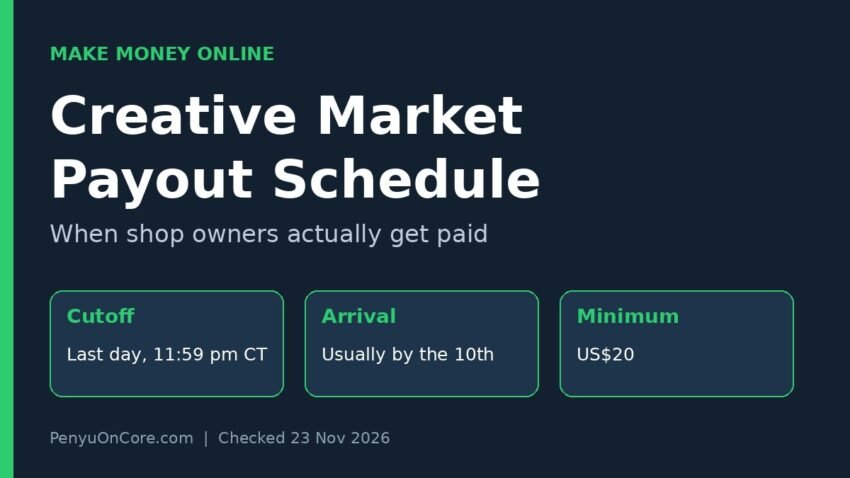
The Creative Market payout schedule is monthly: you request a payout (or switch on Auto payment) any time before 11:59 pm Central Time on the last day of the month, and Creative Market pays it out early the following month. Its help center says the money should usually land by the 10th, provided you have at least $20 available and an approved tax form on file.
That’s the short version. In practice, how long you actually wait depends on your payout method, your currency, US tax withholding, and a few lines in the Shop Terms that most sellers never read. This guide goes through each one, using Creative Market’s own Shop Owner Guide to Taxes & Payouts and its Shop Terms (last updated 22 September 2026), both checked on 23 November 2026.
Creative Market payout schedule at a glance
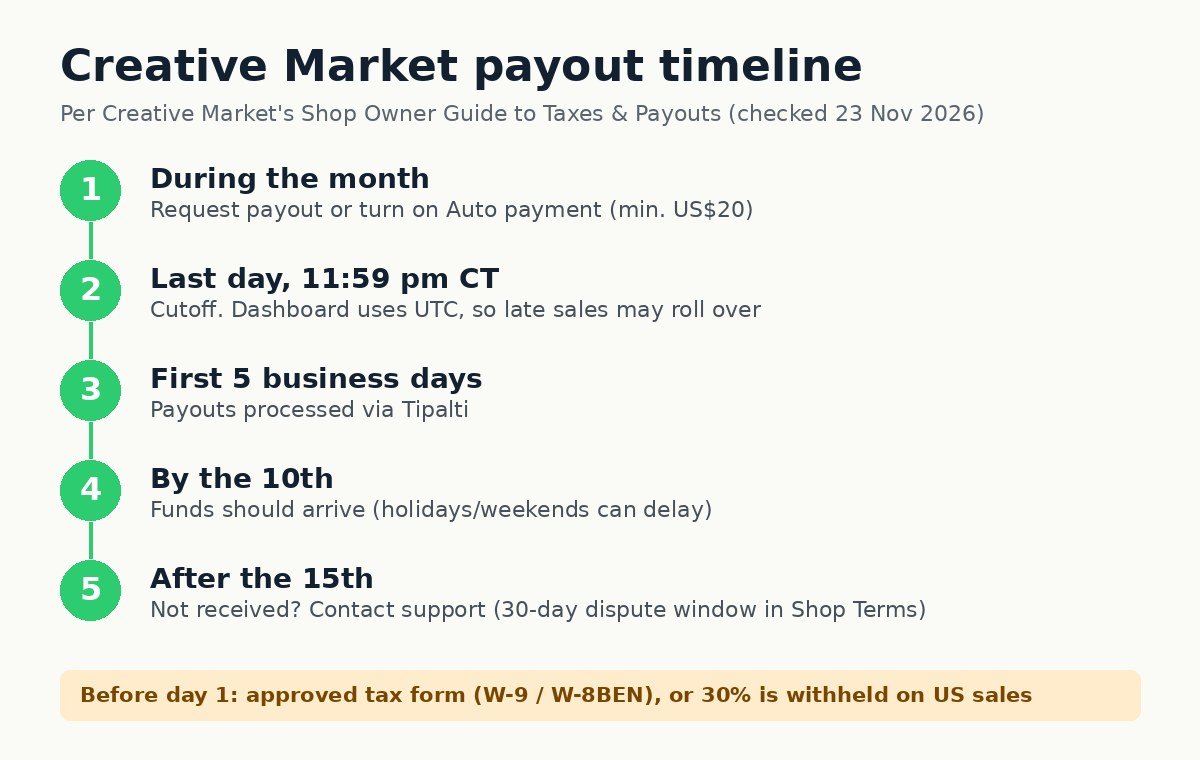
Creative Market runs its payouts through Tipalti, a payments platform. You don’t need a separate Tipalti login, because setup happens inside your Creative Market account, but your PayPal receipt will list “Tipalti, Inc.” as the payer. The monthly cycle works like this:
- During the month: request a payout any day from the 1st to the last day. You can ask for your full monthly earnings or a set dollar amount, and you can edit the request later. Several requests in one month are combined into a single payout.
- Cutoff: 11:59 pm Central Time on the last day of the month.
- Processing: Creative Market says it begins processing “after the first five business days” of the next month. Auto payments run “during the first five business days.”
- Arrival: funds “should arrive no later than the 10th,” though bank holidays and weekends can push that back.
- Escalation: if nothing has arrived by the 15th, Creative Market asks you to contact support.
Worked example: say you request your November 2026 earnings on 30 November. December 1 is a Tuesday, so the first five business days run from 1 to 7 December, and you’d expect the money around 7–10 December. Requests made at the end of December will run into New Year’s Day, a US bank holiday that falls on Friday 1 January 2027, so a later arrival then wouldn’t be surprising.
Watch the time zones
Your sales dashboard shows dates in UTC, but the payout cutoff runs on Central Time. Creative Market notes that this is why a sale made late on the last day of the month can show up in your dashboard but end up in the next month’s payout. If you’re in the UK, Central Time is six hours behind GMT, so the cutoff falls at about 5:59 am UK time on the 1st.
Minimum payout, methods and fees
Both the help center and Shop Terms section 7(b) set the minimum payout at US$20. The fees depend on your payout method:
| Method | Fee (per Creative Market) | Currency |
|---|---|---|
| ACH / eCheck | Free | USD or local currency (2.5% FX fee) |
| PayPal | US: free. Non-US: 1% up to $10 | USD or local currency (2.5% FX fee) |
| Wire | US: $5. Non-US local currency: $7. Non-US USD: $5 | USD or local currency (2.5% FX fee) |
Creative Market also says every country gets at least one fee-free option. If ACH isn’t available where you live, it covers your PayPal fees. If neither ACH nor PayPal works, it covers wire fees. Payoneer isn’t offered directly, though the help center explains a workaround that sends an ACH payment to US receiving details. Creative Market says it can’t guarantee this works and suggests you check with Payoneer first.
The local-currency trap
One detail catches people out. A payout in your local currency can be deferred if it’s below the “standard threshold” of US$1,030 (or the equivalent, which varies by currency, as shown in Step 2 of your Tax and Payment Setup). If you’re earning modest amounts and see a “below minimum payment amount” deferral, Creative Market’s advice is to switch your payout currency to USD. That lets the normal $20 minimum apply, and you then pay your bank’s conversion costs instead.
Tax forms and withholding: the biggest cause of “missing” payouts
You can’t request a payout until your tax form is complete. Supporting documents can take up to 7 business days to approve. Until your form is validated, Creative Market says it must withhold at the maximum 30% rate on sales to US buyers.
- US sellers submit a W-9. Creative Market says Form 1099 is available digitally in the “Payouts & Taxes” section, and it’s also mailed to you if you haven’t opted in to digital delivery.
- UK and other non-US sellers submit a W-8BEN (individuals) or W-8BEN-E (entities). To claim a treaty rate you need a taxpayer ID. For the UK, Creative Market lists your NINO or UTR. Under Article 12 of the UK–US tax treaty, royalties beneficially owned by a UK resident are taxable only in the UK, and the IRS’s Table 1 lists 0% for copyright royalties. Creative Market treats earnings from digital creative content as generally being royalties.
- Form expiry: a W-8BEN is valid for the year it’s signed plus three calendar years. Tipalti sends reminders, and you can resubmit up to 90 days early. If your form expires, the 30% withholding can come back.
Two quirks are worth knowing. First, Creative Market says withholding is calculated on the product’s original sale price, not on your 50% share, because that’s how it reads US law. Second, it withholds only on sales to US buyers. UK sellers should also note that HMRC’s £1,000 trading allowance applies to gross trading income. Above that, you generally need to register for Self Assessment.
How much you actually earn per sale
The help center says shops earn 50% of list price by default, and notes that “commission rates do vary per shop/product.” Creative Market covers card processing and absorbs membership discounts, but one-time discount codes reduce your earnings. Sales of your work through custom enterprise licences (the ESP) are paid at a different rate in the Shop Terms: 30% of net revenue, or 50% for referred first-time customers. As of 22 September 2026, shops are opted in to enterprise deals by default, with a toggle under Shop Dashboard > Agreements.
Payment holds and disputes
Shop Terms section 7(c) lets Creative Market withhold payment while it investigates a suspected breach. It can also hold funds “for a period of time” based on risk factors such as selling history, seller performance, listing category or a dispute claim. Refunds, chargebacks and uncollectible sums can be deducted. If a PayPal payout goes to a wrong or unclaimed address, PayPal usually rejects it within 30 days and the money goes back to your balance. Don’t refund a misdirected payment yourself, because Creative Market says it can’t accept it and you may lose the funds.
Conflicts between official sources
Creative Market’s own pages don’t always agree with each other. Here’s what we found, so you can plan for the stricter version:
- List price vs net revenue: the help center says 50% of list price, while Shop Terms section 6 says 50% of net revenue after taxes, refunds and currency fees. The Terms say they prevail on their own subject matter.
- Dispute window: the help center gives you 90 days from the payment date to raise a payout issue. Shop Terms section 7(g) requires written notice within 30 days. Use the 30-day window to be safe.
- International wire fee: the fee table lists $7 (non-US, local currency) or $5 (non-US, USD), but another answer on the same page warns you “may be responsible for the $26 transaction fee for international wire transfers” when paying to a bank outside your home country.
- PayPal fee cap: the table says non-US PayPal fees are “1% up to $10,” while a later answer says only “1% of your total payout,” with no cap mentioned.
- Timing wording: “begin processing after the first five business days” doesn’t match “processed during the first five business days” for Auto payments, and neither fits neatly with “arrive no later than the 10th.”
Is Creative Market worth it for income?
It can be a steady side income for designers who already make fonts, templates or graphics, but a 50% split means volume matters. Compare it with keeping more of each sale on your own storefront. Our guides to Payhip fees and the Gumroad payout schedule cover direct-sale options. If you sell on other marketplaces too, see how the Envato payout schedule and Etsy digital download fees compare.
FAQ
When does Creative Market pay?
Once a month. Request by 11:59 pm Central Time on the last day of the month, and payment is processed in the first business days of the next month, usually arriving by the 10th.
What is the Creative Market minimum payout?
US$20. Local-currency payouts may need about US$1,030 equivalent unless you switch to USD.
Why was 30% taken from my earnings?
Usually because your tax form is missing, expired, or doesn’t include a valid treaty claim with a taxpayer ID. Withholding applies to sales to US buyers.
Can I get paid to Payoneer?
Not directly. Creative Market describes an ACH workaround but doesn’t guarantee it works.
Disclaimer: This article is general information, not tax or financial advice. Platform terms change, so check Creative Market’s current help center and Shop Terms, and speak to a qualified tax adviser about your own situation.