
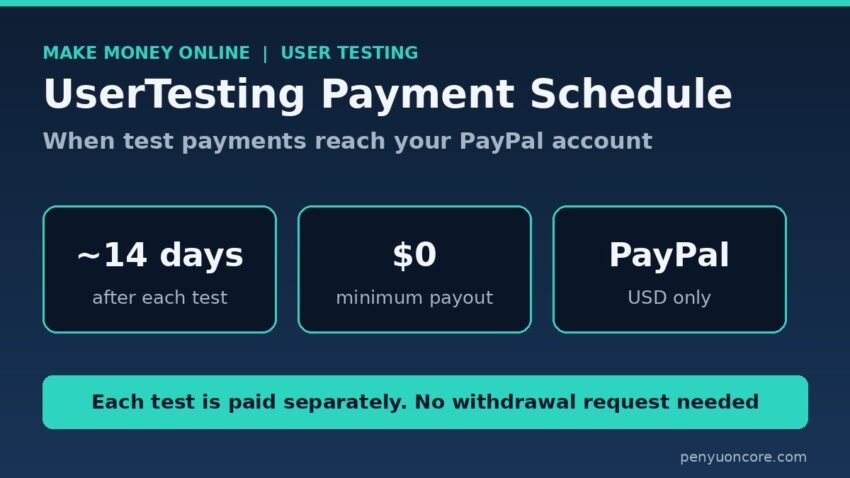
The UserTesting payment schedule is simple: each paid test is sent to your PayPal account about 14 days after you complete it, in US dollars, with no minimum balance to reach first. There’s no other payout method, so if a payment is late, the cause is usually your PayPal account, a cancelled test, or a test that never uploaded.
Below is how the 14-day clock works for each test type, what the payment statuses mean, why money can go missing, and the basic US and UK tax points. Everything here comes from UserTesting’s own help pages as of 23 November 2026. UserTesting can change its terms, so check your dashboard for the final word.
UserTesting payment schedule at a glance
| Question | Answer (per UserTesting, Nov 2026) |
|---|---|
| When are tests paid? | About 14 days after you complete the test |
| Minimum payout | None. Each approved test is paid on its own |
| Payment method | PayPal only (a confirmed account in good standing) |
| Currency | USD. PayPal converts it if you want another currency |
| Practice test | Unpaid |
| Tax withheld | None. No 1099-MISC from UserTesting |
How the 14-day clock works
UserTesting’s Payments FAQ (updated October 2026) says payments “are automatically sent to your verified PayPal account 14 days after completing a test”, and that there’s “no minimum threshold for payout”. You don’t request a withdrawal. Each test is paid on its own schedule, so if you finish three tests on three different days, you get three separate PayPal payments on three different days.
If the scheduled date arrives and the money isn’t in PayPal yet, UserTesting says it “should arrive by the end of the day”. Its Get Paid to Test page also warns that PayPal occasionally adds a 24–48 hour delay.
A small wording conflict
UserTesting doesn’t describe the timing the same way everywhere. The Payments FAQ says payment is sent “14 days after” the test. The contributor FAQ says “usually sent 14 days later”. The Task based tests FAQ says “within 14 days after successfully completing a test”. In practice, treat 14 days as the normal schedule, not a guarantee, and check the scheduled payment date shown for each test in your Test history.
Payment timing by test type
Standard and task-based tests
Unmoderated tests (you record your screen and voice while following tasks) and task-based tests (card sorts, tree tests, click tests, site navigation) all use the same PayPal-within-about-14-days rule. UserTesting says payment depends on test type, length and customer demand, and that you always see the amount before you accept a test.
Live Conversations
Live Conversations are scheduled video sessions with a customer. According to UserTesting’s Live Conversations FAQ, if you booked through your dashboard:
- You complete the session: full payment.
- The customer doesn’t show up: you still get full payment.
- You don’t show up: no payment, and it may affect future invites.
- The customer cancels less than 24 hours before: partial payment.
If you joined through a link from a company rather than from your dashboard, that company sets its own payment terms.
What tests typically pay
UserTesting doesn’t publish a public rate card for its main contributor network. Its customer help page on Custom Network compensation lists $4 for a 5–7 minute short test, $10 for a 15–20 minute standard test, and $30, $60, $90 or $120 for 30- to 120-minute Live Conversations. That page applies to Custom Networks, though, so take it as a guide only. Your dashboard shows the real amount for each test. One more conflict: the participant FAQ lists Live Conversations as 30, 60 or 90 minutes only, while the customer page also includes 120 minutes.
Test invites depend on customer demand and your demographic profile. UserTesting says higher ratings bring more invites, but it doesn’t promise any number of tests. This is realistically a small side income, not a replacement wage.
Why a UserTesting payment is late or missing
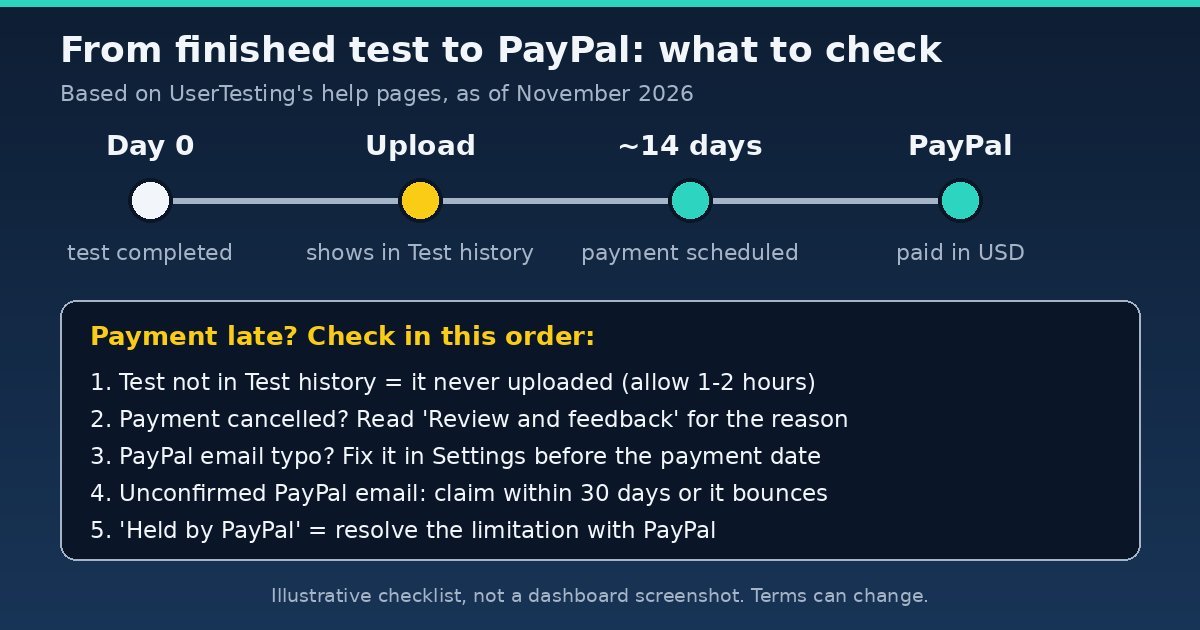
UserTesting’s “Where’s my payment?” article lists the usual causes. Work through them in this order:
- The test never uploaded. Open Test history. If the test isn’t listed, the customer probably didn’t receive it, and UserTesting says it can’t pay for tests that don’t reach customers. Standard tests can take up to 1 hour to appear, and Live Conversations up to 2 hours.
- The payment was cancelled. UserTesting may cancel payment if you didn’t complete the tasks, didn’t follow instructions, or gave false screener answers. The reason appears under “Review and feedback” for that test.
- Your PayPal email is wrong. Check it under Settings > Edit PayPal email (or More > PayPal Email in the app). If you change the email after a payment has already been sent, you may not receive it, and you’ll need to ask Support to re-send it.
- Your PayPal email isn’t confirmed. You have to claim a payment within 30 days. After that, PayPal returns the money to UserTesting and you have to contact Support to get it re-sent.
- “Held by PayPal”. If your PayPal account is limited or a payment is on hold, the status shows Held by PayPal. Only PayPal can fix that, so check your PayPal inbox and resolve the limitation there.
For account verification, withdrawals and currency conversion, UserTesting points you to PayPal Support. For a missing payment, you submit a request or use its Edison chat assistant. If you also take paid academic studies, our Prolific cash-out guide covers how that platform pays.
Getting paid outside the US: currency conversion
All payments are in USD. If your PayPal account’s main currency is GBP or EUR and PayPal converts the payment, its help page on exchange rates says the transaction rate “includes a currency conversion fee” added on top of a wholesale base rate. On small $4–$10 payments that markup is easy to miss, so use PayPal’s currency calculator (Wallet > Currency calculator) to compare before you convert or withdraw.
Taxes: what UserTesting does and doesn’t send
UserTesting says it doesn’t withhold tax and doesn’t issue 1099-MISC forms to participants, because payments go through PayPal. That doesn’t make the money tax-free.
- US: The IRS says all income must be reported, whether or not you get a form. Payment apps must send a Form 1099-K once goods-and-services payments go over $20,000 and 200 transactions, but they may send one at lower amounts. PayPal notes lower state thresholds (for example $600 in Vermont, Massachusetts, Virginia and Maryland). Our Gumroad 1099-K guide explains how these forms work in more detail.
- UK: HMRC’s trading allowance lets you earn up to £1,000 of gross trading income per tax year without declaring it. Above that, you’ll generally need Self Assessment. Your PayPal statements are your record.
Keep a simple log of test dates and amounts. It also makes it easier to spot a missing payment. For freelance platforms with longer holds, compare this with the Fiverr clearance period.
FAQ
Can I get paid faster than 14 days?
UserTesting doesn’t list an instant or early payout option. The roughly 14-day wait applies to standard, task-based and Live Conversation tests booked through your dashboard.
Is PayPal the only way to get paid by UserTesting?
Yes. UserTesting’s contributor FAQ answers this with a plain “Yes”. You need a confirmed PayPal account in good standing, and UserTesting recommends a verified personal account.
Do I get paid for the practice test?
No. The practice test you submit when applying is unpaid.
Is there a minimum balance before UserTesting pays?
No. There’s no payout threshold. Each approved test is sent to PayPal on its own.
Disclaimer: This article is for general information only and isn’t tax or financial advice. UserTesting and PayPal can change their terms at any time, so check their current help pages and your dashboard. PenyuOnCore.com isn’t affiliated with UserTesting.