
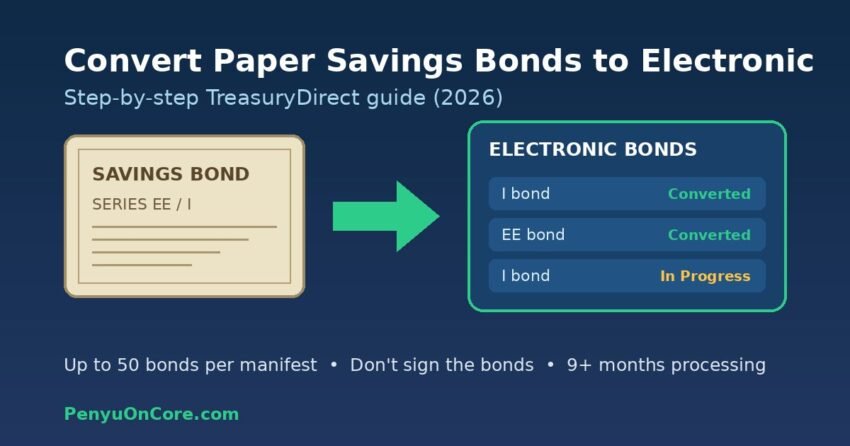
Short answer: You can convert paper Series EE and Series I savings bonds to electronic bonds by opening a free TreasuryDirect account, creating a Conversion Linked Account, entering each bond into a conversion cart (up to 50 bonds per cart), then printing, signing and mailing the manifest with the unsigned bonds. As of 16 November 2026, TreasuryDirect says conversion requests may take nine months or longer, and converting a bond that is still earning interest is not a taxable event.
If you found a stack of old paper savings bonds in a drawer, converting them can make sense, but it is not your only option, and it is not always the fastest one. This guide walks through what conversion actually does, the exact steps inside TreasuryDirect, how long it takes right now, and when cashing the bonds is the better move.
What converting a paper savings bond actually does
Conversion swaps your paper certificate for an electronic (book-entry) bond held in TreasuryDirect. According to the official TreasuryDirect conversion page, the converted bond keeps its basic characteristics: the same ownership, the same maturity date, the same interest rate and the same schedule for interest payments.
A few points worth knowing before you start:
- It is optional. TreasuryDirect states you are not required to convert, and you can cash paper bonds just as they are.
- It is one-way. Once bonds are electronic, you cannot turn them back into paper.
- It is free. TreasuryDirect charges no fees to set up or use an account; you only pay postage to mail the bonds.
- Only EE and I bonds become electronic bonds. H and HH bonds cannot be converted. Matured E, EE or I bonds can be sent in, but they are cashed as soon as they are converted (more on that below).
Why people convert
Treasury lists several benefits of electronic bonds: they cannot be lost, stolen or destroyed; they are paid automatically when EE and I bonds reach the end of their 30-year life; you can check values and cash them online at any time; and, unlike paper bonds, which can only be cashed in full, electronic bonds can be cashed in part. If partial cashing appeals to you, see our guide to partial redemption of I bonds.
Two TreasuryDirect minimums still apply to electronic bonds: a bond must be at least 1 year old to cash, and if you cash only part of a bond you must leave at least $25.
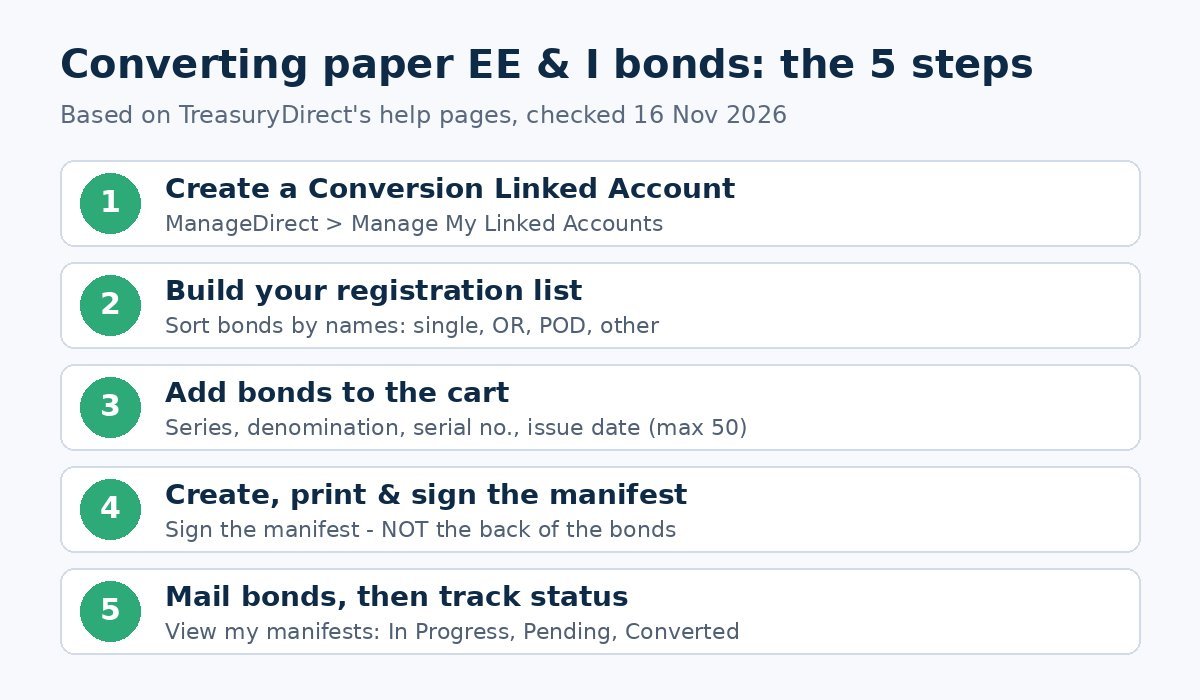
How to convert paper savings bonds to electronic, step by step
These steps follow TreasuryDirect’s own “How Do I…?” help page. You need a TreasuryDirect primary account first, and a computer with access to a printer.
Step 1: Create a Conversion Linked Account
- Log in to your primary TreasuryDirect account and click the ManageDirect tab.
- Under Manage My Linked Accounts, click Establish a Conversion Linked Account. If you do not see this option, you already have one.
- Click Create Account. The new account appears as “My Converted Bonds”, and in future you reach it through your primary account.
Step 2: Sort your bonds and build a registration list
Gather your EE and I bonds and sort them by the names printed on them: one name alone, two names joined by “OR”, one name with a POD (beneficiary), and anything else. Then, under Manage My Conversions, click Create my registration list and enter the name and Taxpayer Identification Number (TIN) for each different registration. If you do not know a registrant’s TIN, TreasuryDirect says to enter zeros (000-00-0000).
Step 3: Add each bond to the conversion cart
Click Convert my bonds, pick the matching registration, then enter the series, denomination, serial number and issue date (month and year) for each bond. Use the Comments field for things like a name change. The cart saves automatically, and you can return later via View my cart.
Each cart holds a maximum of 50 bonds. If you have more, you simply create more manifests.
Step 4: Create, print and sign the manifest
Click Create a Manifest. This produces a numbered list of the bonds in your cart. Once you create it, you cannot go back and add bonds to that cart. Print the manifest, sign it, and keep a copy for your records.
Step 5: Mail the manifest with the bonds (unsigned)
Send the signed manifest and the bonds to the address shown on the form. TreasuryDirect is explicit: do not sign the back of your savings bonds. Because the bonds are leaving your hands for months, it is sensible to use a trackable mailing service and to photocopy or photograph both sides of each bond before you send it.
Step 6: Track progress yourself
Treasury does not send a notice when it receives your bonds or when conversion is complete. To check, open your Conversion Linked Account, click ManageDirect, then View my manifests. Each bond will show a status such as In Progress, Pending (more information needed), Returned (ineligible), Not received, Canceled or Converted.
How long does conversion take in November 2026?
TreasuryDirect’s Contact Us page currently reports a high volume of mailed requests. Its published processing times, checked on 16 November 2026, are:
| Request type | Published processing time |
|---|---|
| Convert paper bonds to electronic | Nine months or longer |
| Cash paper bonds in your name (sent with your request) | Three months or longer |
| Paper bond transactions not in your name | Five months or longer |
| Trusts and other TreasuryDirect requests | Ten months or longer |
| Unlock account or update bank details | Two weeks or longer |
Bonds that are still earning interest keep earning while they are in transit and processing, because conversion does not change their interest schedule. The bigger cost of a long queue is access: you cannot cash those bonds while Treasury is holding the paper.
Taxes: is converting a savings bond taxable?
For bonds that are still earning interest, no. TreasuryDirect states that converting such a bond is not a taxable event, so the interest stays tax-deferred until you cash the bond or it reaches final maturity.
Matured bonds are different. If you submit a bond that has reached final maturity, TreasuryDirect automatically cashes it and puts the money into a zero-percent Certificate of Indebtedness (C of I) in your primary account. The interest is reported to the IRS for the tax year of that redemption. You can then use the C of I balance to buy new Treasury securities or send it to your bank. For how TreasuryDirect tax forms work, see our guide to the TreasuryDirect 1099.
Watch out for children’s bonds
If a bond names your minor child as co-owner with you and you want it to land in the child’s Minor Linked Account, write that instruction in the Comments field before conversion. TreasuryDirect warns that moving converted bonds later to an account with a different TIN is reported to the IRS for the year of the transfer. The Minor Linked Account must exist before the bonds can be delivered to it.
Special registrations: co-owners, deceased owners and gifts
- Co-owner (“OR”) bonds become “restricted” after conversion. You can still cash them, but you cannot change the registration without the other co-owner’s consent.
- A deceased registrant: leave their name out of the registration and send a certified copy of the death certificate. The bonds are converted in the surviving registrant’s name. Treasury does not return death certificates.
- Undelivered gift bonds: a paper I bond bought for someone else and converted before you hand it over goes into the Gift Box of your Conversion Linked Account. After 5 days there, you can deliver it to the recipient’s TreasuryDirect account. Our I bond gift box guide explains how delivery works.
Convert or cash? A quick way to decide
Converting tends to suit you if the bonds are still earning interest, you plan to hold them for years, and you want them safe from loss along with automatic payout at final maturity.
Cashing tends to suit you if the bonds have stopped earning interest or you need the money sooner. TreasuryDirect itself says it is faster and easier to cash older bonds through your bank or by sending them to Treasury. To cash by mail, you use FS Form 1522, and your signature must be certified if the bonds are worth more than $1,000. Banks set their own limits, so ask first. Remember that EE and I bonds cashed before 5 years lose the last 3 months of interest, whether paper or electronic.
FAQ
Can I convert paper savings bonds at my bank?
No. Conversion is done through a TreasuryDirect Conversion Linked Account and by mailing the bonds to Treasury. Some banks will cash paper bonds, but that is a redemption, not a conversion.
Do I sign the back of the bonds?
No. You sign the printed manifest, not the bonds.
Is there a limit on how many bonds I can convert?
Each cart holds up to 50 bonds, but you can create as many numbered manifests as you need.
Can I turn electronic bonds back into paper?
No. Treasury only converts from paper to electronic.
Can I still use Treasury Hunt to find old bonds?
No. TreasuryDirect says the Treasury Hunt tool has not been available since 30 September 2025; lost-bond claims now go through Treasury’s forms.
Disclaimer: This article is general information, not financial or tax advice. Procedures and processing times can change, so check TreasuryDirect directly and consider a qualified tax professional for your situation.