
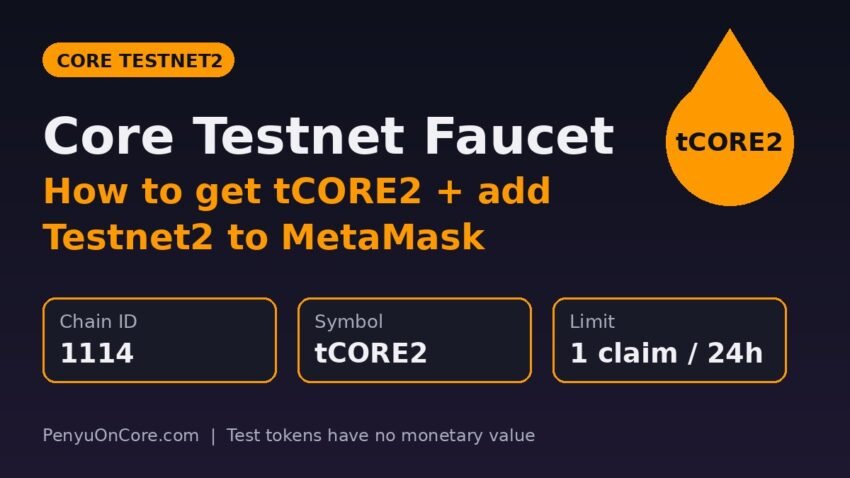
The Core testnet faucet is a free tool from Core DAO that sends test tokens called tCORE2 to your wallet so you can try Core apps, deploy contracts, or practice staking without risking real money. Add Core Testnet2 (chain ID 1114) to MetaMask, paste your address into the faucet at scan.test2.btcs.network/faucet, pass the CAPTCHA, and click Get tCORE2. Each address can claim once every 24 hours, and tCORE2 has no monetary value.
This guide covers the whole process: the exact network settings from Core’s official documentation, three ways to add the testnet to MetaMask, how to use the faucet, and what to do when the faucet is down or your balance shows zero.
What is Core Testnet2 and why does it use tCORE2?
Core runs a public test network next to its mainnet. The current one is Core Testnet2, which Core Foundation launched on January 8, 2025. Its gas token is tCORE2. You use it on the testnet the way you use CORE on mainnet: it pays transaction fees and you can stake it on the testnet staking site.
Testnet2 is connected to Bitcoin Testnet4. According to Core, the older testnet was tied to Bitcoin mainnet, so testing BTC features there was awkward. On Testnet2 you can try Core’s non-custodial BTC staking with testnet BTC instead of real bitcoin. If you want to see how that flow works on mainnet, read our guide on how to stake Bitcoin on Core.
Important: the old Core Testnet (chain ID 1115, token tCORE) is decommissioned. Core’s docs now tell developers to migrate to Testnet2 (1114). An older tutorial that mentions rpc.test.btcs.network, chain ID 1115, or “tCORE” without the “2” is out of date.
Core Testnet2 network settings
These values come from Core’s official network configuration page. The mainnet column is included so you can see how the two networks differ.
| Setting | Core Testnet2 | Core Mainnet |
|---|---|---|
| Chain ID | 1114 (0x45a) | 1116 (0x45c) |
| Currency symbol | tCORE2 | CORE |
| RPC URL | https://rpc.test2.btcs.network | https://rpc.coredao.org |
| Block explorer | https://scan.test2.btcs.network | https://scan.coredao.org |
| Faucet | https://scan.test2.btcs.network/faucet | None (CORE has real value) |
| Staking website | https://stake.test2.btcs.network | https://stake.coredao.org |
Core’s RPC endpoints page also lists an archive node (https://rpcar.test2.btcs.network) and a WebSocket endpoint (wss://rpc.test2.btcs.network/wsp) for Testnet2. Most developers will only need these if their tooling requires them.
Step 1: Add Core Testnet2 to MetaMask
Core’s wallet configuration guide lists three ways to add the network. Pick whichever one you prefer. If you have already added Core mainnet using our add Core to MetaMask guide, the process is the same. You just enter different values.
Option A: Add it manually
- Open MetaMask and go to the network settings. The docs describe this as Settings, then Networks, then Add Network. Labels can differ slightly between MetaMask versions.
- Choose to add a network manually and enter:
- Network name:
Core Blockchain TestNet(you can use any name you like; only the technical values matter) - RPC URL:
https://rpc.test2.btcs.network - Chain ID:
1114 - Currency symbol:
tCORE2 - Block explorer URL:
https://scan.test2.btcs.network
- Network name:
- Save, then switch to the new network.
Option B: Use Chainlist
Go to chainlist.org, enable the Include Testnets option, and search for “Core Blockchain Testnet2”. Make sure the chain ID is 1114 and the currency is tCORE2. Then connect your wallet and approve the request in MetaMask. Chainlist also shows the old 1115 testnet, so check the chain ID before you approve.
Option C: Use the Core Scan testnet explorer
Open https://scan.test2.btcs.network/, scroll to the bottom, and click Add Core Network. Approve the prompt in MetaMask. This is the quickest option, and you are adding the network from Core’s own explorer.
Your wallet address is the same on every EVM network. The 0x address MetaMask shows on Core mainnet is also your Testnet2 address, so you don’t need to create a new account.
Step 2: Claim tCORE2 from the Core faucet
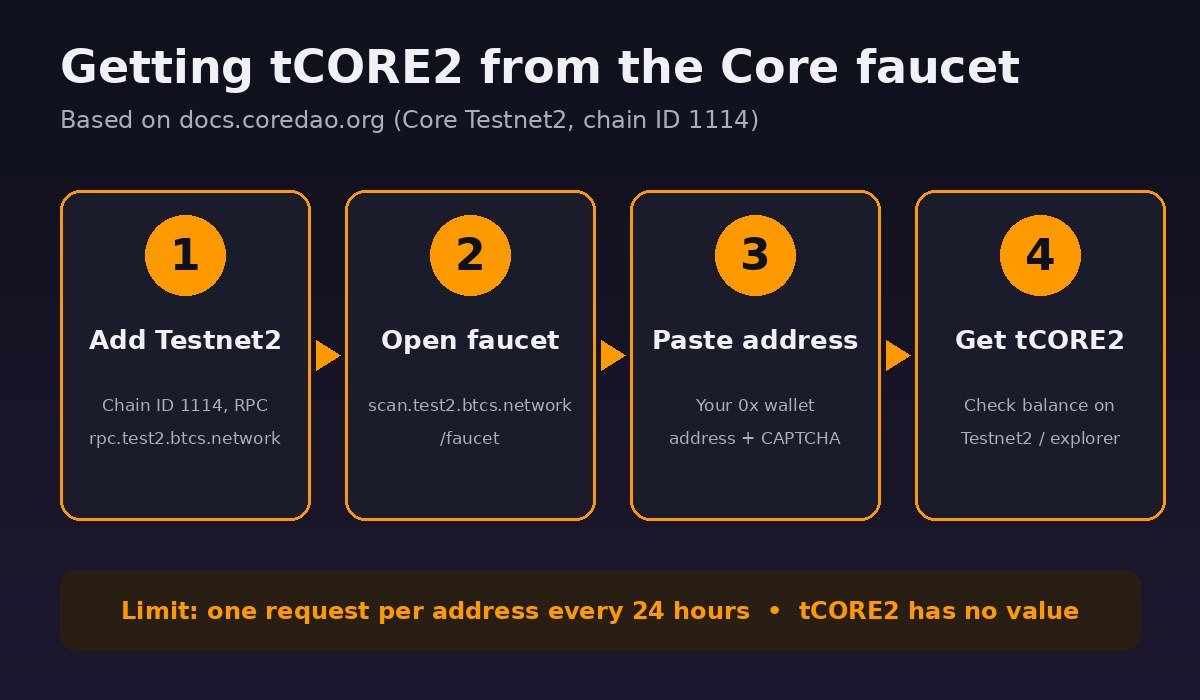
According to the official faucet documentation, the process takes four steps:
- Open the Core Testnet2 faucet at
https://scan.test2.btcs.network/faucet. - Paste the wallet address you want to fund. Copy it straight from MetaMask so you don’t paste the wrong address.
- Complete the CAPTCHA.
- Click Get tCORE2. If the request works, your testnet balance goes up.
Make sure MetaMask is set to Core Testnet2 when you check your balance. If you are still on mainnet, MetaMask shows your CORE balance and the test tokens won’t appear. To confirm the faucet transfer arrived, search your address on the testnet explorer. Our Core Scan guide explains how to read an address page, and the testnet explorer works the same way.
The faucet limits
- Once per 24 hours per address. The docs say each address can request tCORE2 once per day, and they describe the daily limit as one tCORE2.
- No value. Core says tCORE2 is for testing only and has no value. Don’t use it for real financial transactions.
One tCORE2 per day goes a long way if you are only deploying a few contracts or sending test transactions. If you need more for heavier testing, the docs say you can ask in Core’s official Discord server.
Core faucet not working? Common fixes
The faucet page won’t load or shows an error
Public faucets go offline from time to time. While writing this guide, our own request to the faucet URL timed out. A third-party faucet tracker also listed the Core Testnet2 faucet as down when it checked on November 11, 2026. If the page won’t load, wait and try again later. You can also check Core’s Discord or official X account for status updates. Don’t switch to a random “Core faucet” site you found through search or a DM.
“Already claimed” or rate-limit message
You have used your 24-hour claim. Wait until the window resets. Using lots of new addresses to get around the limit goes against the purpose of a shared faucet, and it may not work anyway.
The claim worked but MetaMask shows 0
- Check that MetaMask is set to chain ID 1114, not 1116 (mainnet) or 1115 (the retired testnet).
- Check that the RPC URL is
https://rpc.test2.btcs.network, with “test2” in it. - Search your address on
scan.test2.btcs.network. If the explorer shows the transfer, the problem is in your wallet’s network settings, not the faucet.
Transactions on the testnet fail
Testnet transactions fail for the same reasons mainnet ones do: not enough tCORE2 for gas, a contract that rejects your call (an “execution reverted” error), or a wallet stuck on a pending nonce. Check that you have some tCORE2 left for gas, read the error message in MetaMask, and look up the transaction on the testnet explorer to see why it failed.
Safety tips for testnet tokens
- Nobody can sell you real tCORE2. Test tokens have no value. Anyone selling tCORE2 or “testnet CORE” for money is running a scam.
- Never enter your seed phrase on a faucet. The official faucet only asks for your public address and a CAPTCHA. A site that asks you to connect and sign, or to type your recovery phrase, is not the official faucet.
- Testnet rewards are not airdrop promises. Using a testnet doesn’t entitle you to mainnet tokens unless a project officially says so.
- Consider using a separate account for testing. If you try unknown testnet dApps, a separate MetaMask account keeps your mainnet funds away from experimental contracts. Token approvals you give on mainnet still matter, so review and revoke the ones you no longer need.
FAQ
Is tCORE2 the same as CORE?
No. tCORE2 exists only on Core Testnet2 (chain ID 1114) and has no value. CORE is the mainnet token on chain ID 1116. You can’t bridge, swap, or convert tCORE2 into CORE. If you need real CORE for gas, see how to get CORE for gas fees.
How much tCORE2 does the faucet give?
Core’s docs describe the daily limit as one tCORE2 per address, with one request every 24 hours. Faucet amounts can change, so check what you actually receive on the explorer.
What happened to the old Core testnet (1115)?
It has been decommissioned. Core asks developers to move dApps and contracts to Testnet2 (1114), which uses tCORE2 and connects to Bitcoin Testnet4.
Can I test BTC staking on Core Testnet2?
Yes. That was one of the main reasons for launching Testnet2. It is integrated with Bitcoin Testnet4, so you can test non-custodial BTC staking with testnet BTC through the testnet staking site at stake.test2.btcs.network. You’ll need a Bitcoin wallet that supports Testnet4 and some Testnet4 BTC, which comes from separate Bitcoin testnet faucets.
Do I need a new wallet address for the testnet?
No. Your existing EVM address works on Testnet2. Just switch MetaMask to the testnet network.
Disclaimer: This article is for educational purposes only and is not financial, investment, or tax advice. Testnet tokens have no monetary value. Always confirm network details and URLs against Core DAO’s official documentation before connecting a wallet.