
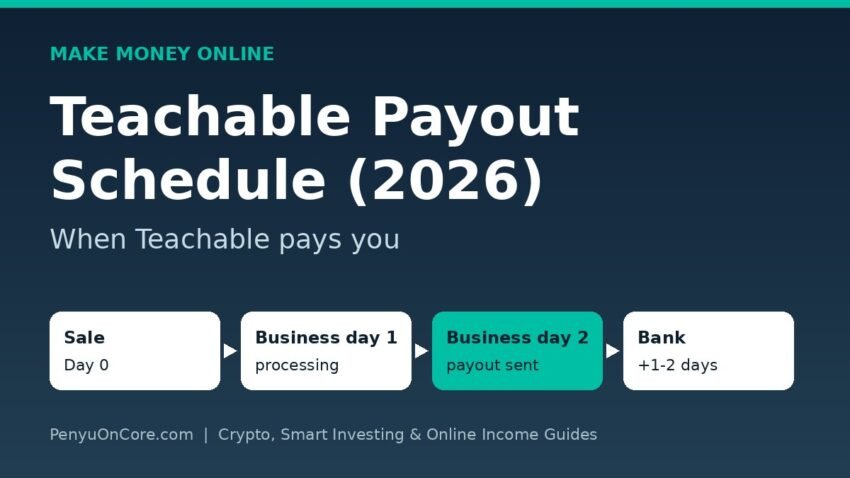
Quick answer: On Teachable Payments, Teachable’s current Stripe-powered gateway, the default schedule pays each sale out about 2 business days after it happens. A Tuesday sale arrives Thursday, and a Friday sale arrives the following Tuesday. You can also pick weekly or monthly payouts instead. Older schools still on the legacy Monthly Payment Gateway are paid once a month by PayPal, roughly two months after the sale. Schools on a Custom Payment Gateway follow their own Stripe payout settings.
Teachable rebuilt its payment system in 2026, so a lot of older advice online is out of date. This guide covers how each gateway pays you now, why a first payout can take weeks, what comes out of your money before it reaches the bank, and how to troubleshoot a missing payout. Everything below comes from Teachable’s own help center as of November 2026.
Which Teachable gateway are you on?
When and how you get paid depends on your payment gateway, not your plan name. Teachable’s “What’s changing” article lays out the current options:
- Teachable Payments: the upgraded, renamed version of teachable:pay. It runs on a Stripe Express account and is the default gateway in 41 supported countries, including the United States and the United Kingdom. Existing teachable:pay schools were moved over in waves.
- Custom Payment Gateway (CPG): you connect your own Stripe Standard account (and optionally PayPal). This option works in every country and on every plan.
- Monthly Payment Gateway (MPG): the legacy PayPal-based option. New schools can no longer choose it, but existing MPG sales and payouts continue on the old schedule.
To check which one you’re on, open Sales > Payment Settings in your Teachable admin. Only the school’s Primary Owner can change gateway and payout settings.
Teachable payout schedule at a glance
| Gateway | Where the money goes | Payout timing | Reserve |
|---|---|---|---|
| Teachable Payments | Your bank, via Stripe Express, in your local currency | Daily (about 2 business days after each sale), or weekly or monthly | None |
| Custom Payment Gateway | Your own Stripe Standard account | Whatever your Stripe account’s payout settings are | None from Teachable |
| Monthly Payment Gateway (legacy) | Your PayPal account, in USD | First US business day of the month after next (January sales are paid in early March) | Funds held at least 30 days to cover refunds |
How Teachable Payments payouts work
According to Teachable’s Get paid with Teachable Payments guide, every sale follows the same path:
- A student pays through the Stripe-powered checkout.
- The sale amount, minus Stripe’s processing fee and any Teachable fees, lands in your Teachable Payments (Stripe Express) account.
- Any tax collected, plus author or affiliate earnings that Teachable handles, is moved from your account to Teachable’s own Stripe account.
- What’s left is paid out to your connected bank account.
Daily, weekly or monthly
Teachable’s setup guide says you can choose daily, weekly or monthly payouts under Sales > Payment Settings. Daily payouts run on a 2-day rolling delay. Only business days count, so weekends and bank holidays in your country push payouts back. A Friday sale doesn’t pay out until Tuesday, and a holiday Monday can add another day.
When a payout shows In Transit under Sales > Payouts, it has already left Stripe. Teachable says it can still take 1 to 2 more business days to show up in your account, depending on your bank.
No reserve on Teachable Payments
This is the biggest change from the old system. Under teachable:pay, Teachable kept a 10% reserve on transactions to cover refunds and chargebacks. Teachable Payments has no reserve. Refunds and disputes are taken straight from your Teachable Payments balance instead. If that balance isn’t enough, the shortfall can be debited from your connected bank account. If your balance goes negative, new sales pay it off before any further payouts are sent.
Why your first Teachable payout takes longer
New creators are often surprised that the first payout doesn’t arrive in two days. Teachable says initial payouts on a new Teachable Payments account may take up to 4–6 weeks while Stripe completes its verification. That applies to all new Stripe Express accounts, not just Teachable. During onboarding, Stripe asks for your legal name, date of birth, home address, ID details (for US creators, the last 4 digits of the Social Security Number), and bank account. It may ask for more documents later. After verification, payouts follow the schedule you picked.
If you’re comparing platforms on how fast new sellers get paid, see our breakdown of the Gumroad payout schedule, which uses a weekly cutoff and a holding period.
What comes out before you’re paid
Your payout will almost always be smaller than your gross sales. Teachable’s fees and bundles page lists these deductions:
- Plan fee: 7.5% on all sales on the Starter plan, and 0% on Builder, Growth and Advanced.
- Processing fee: for a US school, 2.9% + $0.30 on a domestic card and 4.4% + $0.30 on an international card. For a UK school, 1.5% + £0.20 on a standard domestic UK card and 3.15% + £0.20 on non-UK/EU cards.
- Bundle fees: the default Standard bundle adds +0.5% on transactions where tax is assessed and +0.7% on recurring payments. The optional Global bundle adds 2.8% on all transactions and waives those two fees.
- Refunds, disputes and chargebacks during the payout period. Teachable lists a $15 chargeback fee on Teachable Payments.
- Collected sales tax or VAT, which Teachable remits for you on Teachable Payments. It’s sent separately and isn’t part of your payout.
For comparison, our guides to Payhip fees and Lemon Squeezy fees show how other digital-product platforms charge.
Tax forms can freeze your payouts
Teachable says it must collect a tax form from every school earning more than $100 through Teachable Payments, whether you’re a US or non-US person. Payouts are put on hold once a school’s earnings pass $500 if required tax forms are missing for any account you control. Submit them early from Sales > Payment Settings.
Platform income is still taxable income. US sellers who want to understand how payment platforms report earnings can read our explainer on Form 1099-K for creators. The rules it covers apply well beyond Gumroad.
Legacy Monthly Payment Gateway schedule
If your school still has sales on the Monthly Payment Gateway (the page may ask you to log in), those sales pay out to PayPal in USD on the first US business day of each month, by 10pm UTC. Because of Teachable’s 30-day refund policy, each payout covers sales from two months earlier: January sales pay in March, February sales in April, and so on. Weekends, US holidays and PayPal outages can delay the date.
Teachable payout not arrived? Check these first
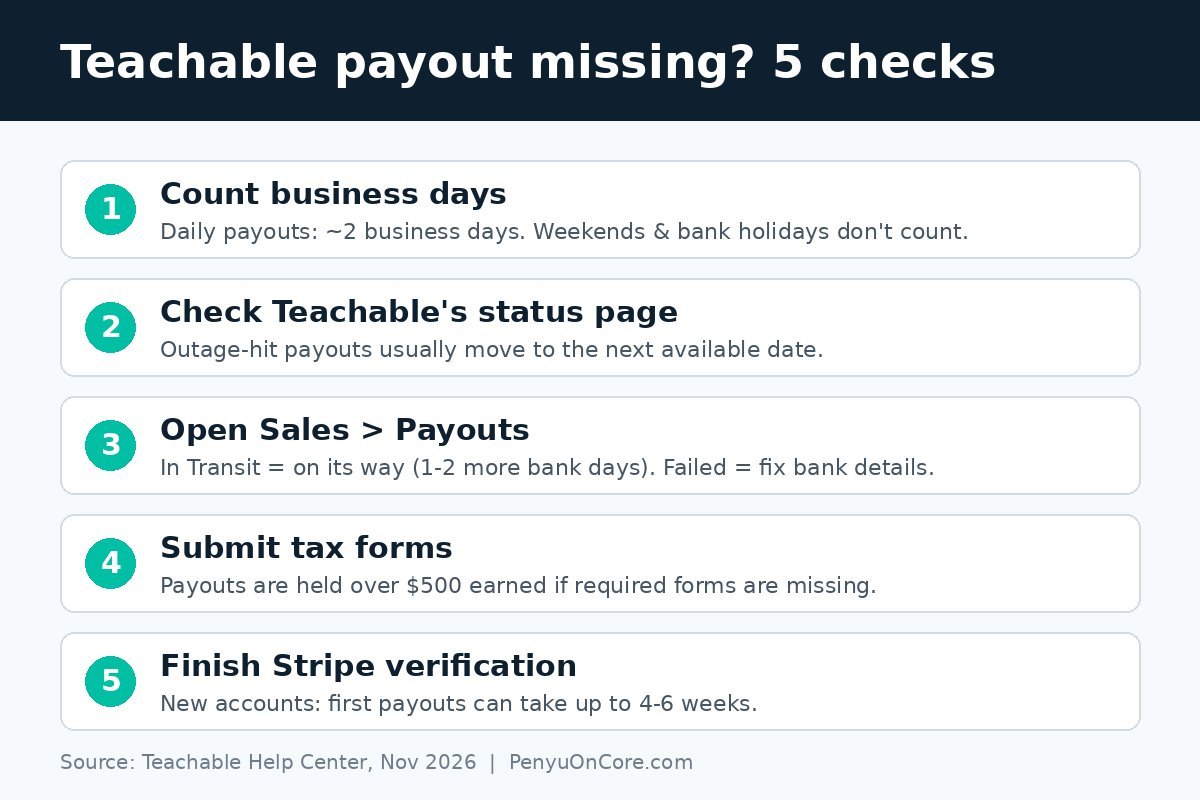
- Count business days. Weekends and bank holidays don’t count.
- Check Teachable’s status page for outages. Payouts hit by an outage are usually moved to the next available date.
- Look at Sales > Payouts. “In Transit” means the payout is on its way. “Failed” usually means wrong bank details. Fix them and the payout is retried on the next cycle.
- Confirm your tax forms are complete if you’ve earned over $500.
- Clear any Stripe verification request in Sales > Payment Settings. Payouts resume once it’s done.
FAQ
How long does Teachable take to pay you?
On Teachable Payments with daily payouts, about 2 business days after each sale, plus up to 1 to 2 days for your bank. Your first payouts on a new account can take up to 4–6 weeks while Stripe verifies you.
Does Teachable hold a reserve?
Not on Teachable Payments. The old teachable:pay system kept a 10% reserve, but that has been removed.
Can I get paid to PayPal?
Teachable Payments pays to a bank account. PayPal payouts apply to the legacy Monthly Payment Gateway. On a Custom Payment Gateway, you can connect your own PayPal business account for one-time USD purchases.
Can I connect more than one bank account?
No. Teachable allows one bank account per Teachable Payments account. You can change it from Sales > Payouts.
This article is for general information only and isn’t tax, legal or financial advice. Teachable’s fees and policies can change, so check the linked help-center pages or a qualified tax professional before you make decisions.