
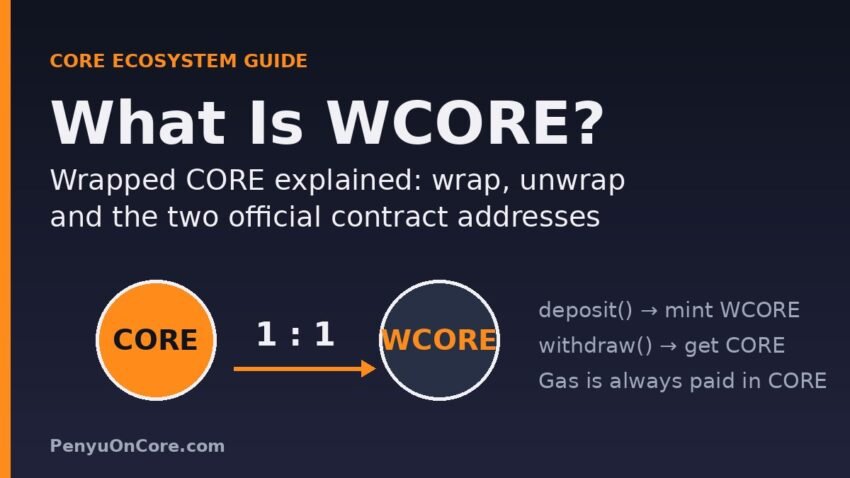
Short answer: WCORE (Wrapped CORE) is an ERC-20 token on the Core blockchain that represents native CORE 1:1. You get it by depositing CORE into the WCORE smart contract, and you burn it to get the same amount of CORE back. It exists because many DeFi smart contracts can only handle ERC-20 tokens, not a chain’s native gas coin.
If you have seen “WCORE” in a swap screen, a lending app or a liquidity pool on Core and wondered whether it is the same thing as the CORE in your wallet, this guide explains what it is, how wrapping and unwrapping work, and the one detail most explainers skip: Core’s official documentation lists two different WCORE contract addresses.
What WCORE is, in plain English
CORE is the native coin of the Core blockchain. It pays for gas and is used for staking, much like ETH on Ethereum. Native coins are not ERC-20 tokens, so they don’t have the standard transfer, approve and transferFrom functions that DEXs, lending markets and liquidity pools are built around.
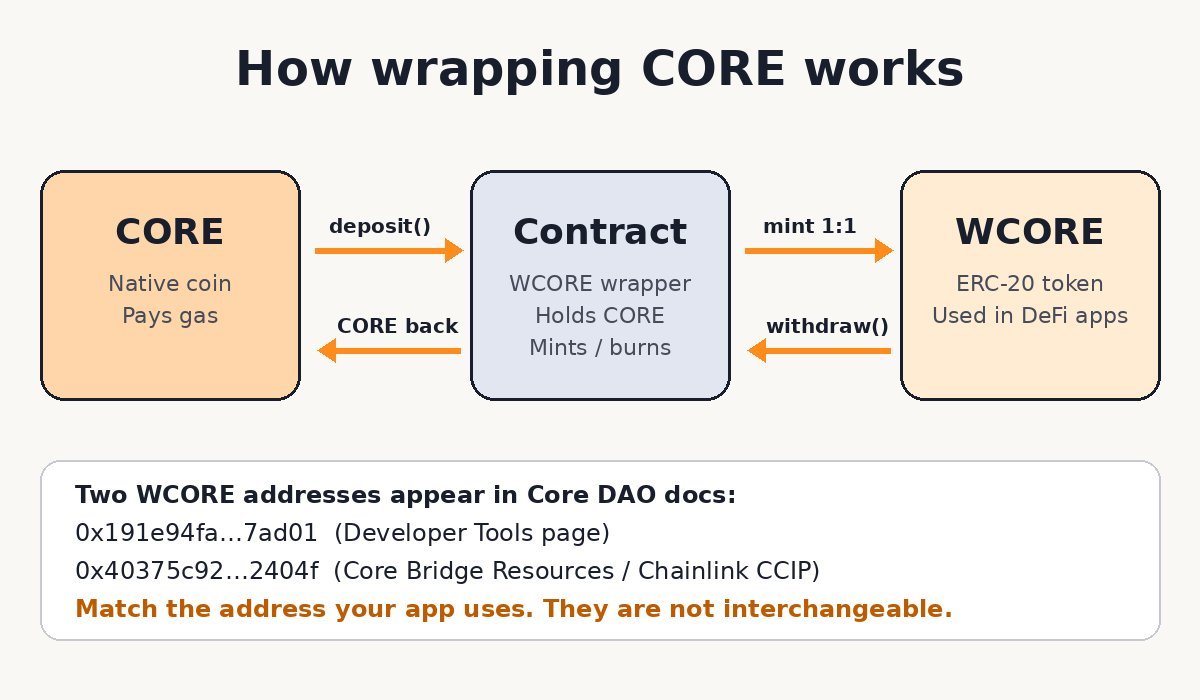
A wrapped token fixes this. The WCORE contract holds your CORE and mints the same number of WCORE tokens to your address. WCORE behaves like any other ERC-20 token, so DeFi protocols can price it, pool it and lend it. When you unwrap, the contract burns your WCORE and sends the CORE back. It is the same idea as WETH on Ethereum.
We checked both WCORE contracts on-chain through Core’s public RPC (rpc.coredao.org) on 14 November 2026. Each one reports the name “Wrapped CORE”, the symbol “WCORE” and 18 decimals, the same as CORE. Each contract’s bytecode includes the standard deposit() and withdraw(uint256) functions used by WETH-style wrappers. For both contracts, the WCORE total supply was equal to the CORE balance held by the contract, so every token was fully backed at the time of checking.
CORE vs WCORE at a glance
| Feature | CORE (native) | WCORE (wrapped) |
|---|---|---|
| Type | Native coin of the Core chain | ERC-20 token contract on Core |
| Pays gas fees | Yes | No. You still need CORE for gas |
| Used directly in ERC-20 DeFi contracts | Not directly (apps usually wrap it for you) | Yes |
| Needs token approval to spend in dApps | No | Yes (standard ERC-20 approval) |
| Decimals | 18 | 18 |
| Conversion | Deposit into the WCORE contract → WCORE | Withdraw from the contract → CORE, 1:1 |
The two WCORE contract addresses (read this before importing a token)
The official Core DAO documentation currently lists two different contracts as WCORE:
- 0x191e94fa59739e188dce837f7f6978d84727ad01: linked as “wCORE: official wrapped CORE token smart contract” on the Developer Tools & Resources page.
- 0x40375c92d9faf44d2f9db9bd9ba41a3317a2404f: listed as WCORE in the Core Bridge token table on the Core Bridge Resources page. This is also the WCORE fee-token address in the Chainlink CCIP directory for Core and in Core’s CCIP deployment guide.
Both are real, working wrapper contracts with the same name and symbol. They are not interchangeable, though. A token from one contract can’t be unwrapped through the other, and a liquidity pool built on one won’t accept the other. Here’s what that means for you:
- When an app shows you a WCORE balance, open the token’s contract address in the app or in the explorer and match it against the two addresses above.
- To see your WCORE in MetaMask, import the token by the exact address your app uses. Typing “WCORE” into a token search is not enough. Our guide to adding Core to MetaMask covers the network setup first.
- Any third token calling itself “WCORE” that is not on either list should be treated as suspicious until proven otherwise.
You can look up either address and its holders and transfers on Core Scan. If you are new to the explorer, see how to use Core Scan.
How to wrap CORE into WCORE
Option 1: Let the dApp do it (best for most people)
Most people never need to wrap CORE by hand. Swap interfaces on EVM chains usually let you select the native coin and handle the wrapping inside the same transaction. Some lending apps do it too. Colend’s documentation, for example, describes depositing CORE and later withdrawing with the “unwrap” option unchecked so you receive WCORE instead (Colend docs). If your goal is a swap, a pool or a loan, use the app’s own flow and let it pick the correct contract.
Option 2: Call the contract directly (advanced)
WETH-style wrappers expose two simple functions:
- Wrap: call
deposit()and send the amount of CORE you want to wrap as the transaction value. The same amount of WCORE is credited to your address. - Unwrap: call
withdraw(amount)with the amount in wei (18 decimals, so 1 WCORE = 1000000000000000000). The contract burns that WCORE and sends CORE to the address that made the call.
Only do this if you are comfortable with contract interactions. First confirm the address against the official docs, then try a small amount before a large one. Getting the decimals wrong is a common and expensive mistake.
How to unwrap WCORE back to CORE
- Find out which WCORE contract your tokens come from (see the address check above).
- Make sure you have a little native CORE for gas. Unwrapping is a transaction, and WCORE can’t pay for its own gas. If your wallet is empty, see how to get CORE for gas fees.
- Use the app you got WCORE from, if it has an unwrap or “receive native CORE” option. Otherwise, call
withdrawon the matching contract. - Check the result on Core Scan. Your WCORE balance should drop and your CORE balance should rise by the same amount, minus the gas fee.
Common WCORE problems and fixes
“I wrapped CORE but can’t see WCORE in my wallet”
Wallets don’t show every ERC-20 token automatically. Import the token in MetaMask using the contract address you actually received, not a name search.
“My swap or unwrap fails”
Check three things: you have enough native CORE for gas, you are using the right WCORE contract, and the app has an ERC-20 approval if it needs to move your WCORE. If the wallet shows a revert, the error message in the wallet usually points to which of these is missing.
“An app asks for unlimited WCORE approval”
Because WCORE is an ERC-20 token, apps ask for permission to spend it. Approve only what you need where possible, and clean up old approvals later. See how to revoke token approvals.
Risks to understand
- Smart contract risk: your CORE sits in a contract while it is wrapped. A WETH-style wrapper is very simple code, but simple doesn’t mean risk-free.
- Wrong-contract risk: with two official addresses and the chance of copycat tokens, sending or pooling the wrong “WCORE” is the most realistic mistake.
- Price risk is unchanged: WCORE tracks CORE 1:1, so its market value moves with CORE. Wrapping doesn’t protect you from price swings or add yield by itself.
- Bridged versions on other chains: a “CORE” token on another network is a separate bridged asset with its own issuer and risks. It is not this Core-native wrapper.
FAQ
Is WCORE worth the same as CORE?
By design, yes. Each WCORE can be redeemed for exactly one CORE through its own contract. In our on-chain check on 14 November 2026, both contracts held CORE equal to their WCORE supply.
Do I need WCORE to pay gas on Core?
No. Gas on Core is paid in native CORE only. Keep some CORE unwrapped.
Which WCORE address is the “right” one?
Both appear in official Core DAO documentation. The right one is whichever contract the app or pool you are using is built on. Always match the address shown in that app.
Does wrapping CORE earn staking rewards?
No. Wrapping only changes the token format. Staking is a separate process. Staking CORE is done through Core’s official staking website, not by wrapping.
Is there a fee to wrap or unwrap?
The WETH-style deposit and withdraw functions convert 1:1. You only pay the normal network gas fee in CORE. Apps that wrap inside a swap may add their own swap fees.
Disclaimer: This article is for educational purposes only and is not financial, investment or tax advice. Crypto assets are volatile and smart contracts carry risk. Always verify contract addresses from official sources and do your own research before moving funds.