
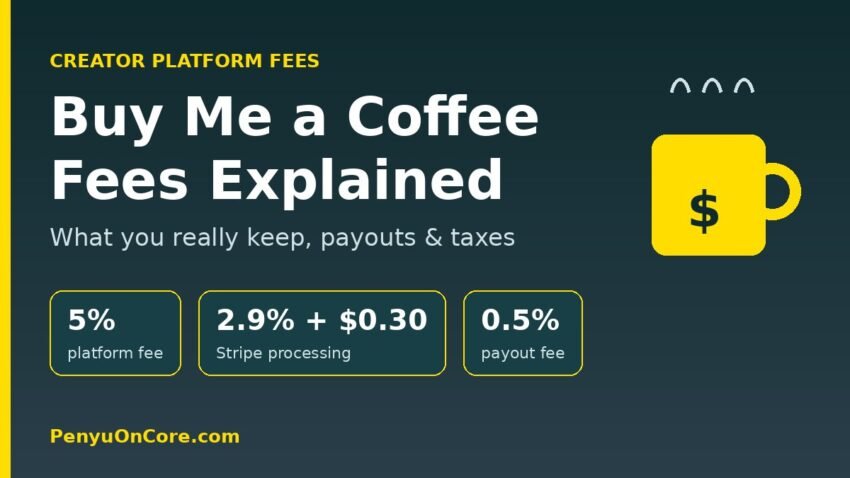
Short answer: Buy Me a Coffee has no monthly plan. It takes a 5% platform fee on every payment, and Stripe then charges 2.9% + $0.30 per transaction, a 0.5% payout fee, plus an extra 1% on payments from outside the US and 0.5% on membership payments. On a typical $5 coffee from a US supporter, you keep roughly $4.28, or about 85.6% of the payment.
That headline 5% is easy to remember, but it is not the whole story. The fixed $0.30 card fee, the payout charge and the international surcharge all change what lands in your bank account. This guide breaks down every fee using Buy Me a Coffee’s own help center, shows worked examples, explains how payouts work, and covers the tax basics for US and UK creators.
Every Buy Me a Coffee fee in one table
According to Buy Me a Coffee’s official fee breakdown and its FAQ, these are the charges that can apply to a payment:
| Charge | Rate | Who takes it | When it applies |
|---|---|---|---|
| Platform fee | 5% | Buy Me a Coffee | Every payment (coffees, memberships, shop sales) |
| Card processing | 2.9% + $0.30 | Stripe | Every successful transaction |
| Payout processing | 0.5% | Stripe | Money paid out to you |
| International surcharge | +1% | Covers Stripe costs | Payments from outside the US |
| Subscription surcharge | +0.5% | Covers Stripe costs | Membership (recurring) payments |
| Monthly fee | None | n/a | All features are free to use |
Buy Me a Coffee’s Terms of Use add that payment partners’ fees “can vary by location, currency and payment method,” that payout minimums and currency conversion charges may apply, and that the company will give at least 30 days’ notice before any fee increase. It also states it does not charge a dormant-account fee.
Is there a paid plan that removes the 5%?
No. Ko-fi, by comparison, offers 0% on one-off tips in its Free mode and a paid Gold subscription that removes its service fee (see our Ko-fi fees breakdown). Buy Me a Coffee has a single model: no subscription, 5% on everything. That is simpler, but it means your platform cost grows in a straight line with your income.
Worked examples: what you actually keep
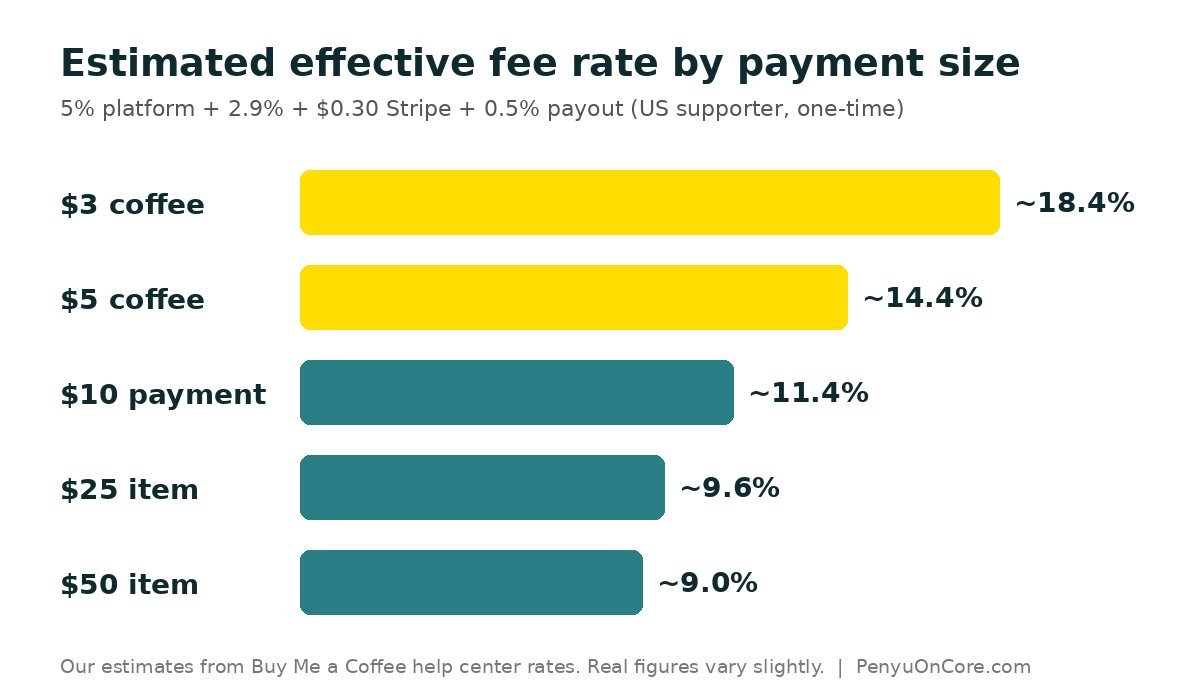
The figures below are our own estimates. Each one adds the 5% platform fee, Stripe’s 2.9% + $0.30, and the 0.5% payout fee, plus the international or subscription surcharge where it applies, all calculated on the payment amount. Real figures can differ by a few cents depending on currency conversion and how Stripe rounds.
| Payment | Estimated total fees | You keep (approx.) | Effective fee rate |
|---|---|---|---|
| $3 coffee, US supporter | $0.55 | $2.45 | ~18.4% |
| $5 coffee, US supporter | $0.72 | $4.28 | ~14.4% |
| $5 coffee, UK supporter | $0.77 | $4.23 | ~15.4% |
| $5 monthly membership, US | $0.75 | $4.25 | ~14.9% |
| $10 monthly membership, US | $1.19 | $8.81 | ~11.9% |
| $25 shop item, US | $2.40 | $22.60 | ~9.6% |
| $25 shop item, UK buyer | $2.65 | $22.35 | ~10.6% |
The pattern is clear: the fixed $0.30 hurts small payments most. On a $3 coffee it is 10% of the payment on its own, while on a $25 item it is just 1.2%. Buy Me a Coffee’s help center says the default coffee price is $5, and keeping your price at or above that default is one of the easiest ways to keep your effective fee rate down.
Can supporters cover the card fee?
Yes, partly. Buy Me a Coffee lets you choose who pays the credit card processing fee. In its guide on eliminating the credit card fee from your earnings, the steps are:
- Open your dashboard and go to Settings.
- Scroll to Cover credit card fee.
- Toggle it off if you want supporters to pay the fee on top of their contribution (toggle on to absorb it yourself).
- Click Save changes.
Buy Me a Coffee’s example: with the fee passed on, a supporter is charged $26.03 for a $25 contribution and you receive the full $25 before the platform fee. The company is explicit that the card fee goes to the card issuer and processor, and that its own cut stays at 5%, so passing on the card fee does not remove the 5% platform fee.
How Buy Me a Coffee payouts work
Payouts go through Stripe to your bank account. Based on the help center article When are payouts processed?:
- Minimum balance: you can request a payout once your outstanding balance reaches $10.
- One-time review: your first payout request puts your account into a review queue, where a human moderation team checks it against the platform’s content rules.
- First payout timing: the first payout typically takes up to 7–14 days in total, depending on location and bank.
- Bank transfer time: after approval, funds move to your Stripe account and then to your bank, which can take 3–5 business days.
Speeding up the first payout review
Buy Me a Coffee may ask for proof of where you share your page. Its submitting proof best practices list acceptable evidence, such as an active social profile with your page linked in the bio, a website with an embedded Buy Me a Coffee button, or a YouTube video with your page link in the description. According to the verification guide, approval is usually 48–72 hours, and later payouts are typically processed on Wednesdays.
One important warning from that same guide: if you do not provide requested proof within 90 days, supporters are refunded and your page is deactivated. Do not leave verification sitting in your inbox.
Refunds and chargebacks
Under the Terms of Use, if a supporter disputes a payment with their bank, the amount is taken back from the creator along with any dispute fee. Fees already charged by Buy Me a Coffee or its payment partners are not returned on a refund or chargeback, and a negative balance can be recovered from future earnings. Clear descriptions of what memberships and shop items include help reduce disputes.
Taxes on Buy Me a Coffee income
Buy Me a Coffee’s tax help article says income earned on the platform is, in most cases, subject to income tax, and that creators are responsible for reporting it. It also says the platform does not currently collect or remit sales tax or VAT for you.
United States: Form 1099-K
Buy Me a Coffee points US creators to Stripe to download any Form 1099-K. Per the IRS, payment apps and online marketplaces must issue a 1099-K when payments for goods or services exceed $20,000 in more than 200 transactions, though they may send one for lower amounts. The IRS is clear that you must report all such income whether or not you receive the form. The same logic applies on other creator platforms; our Gumroad 1099-K guide walks through it in more detail.
United Kingdom: the £1,000 trading allowance
HMRC’s trading allowance guidance says that if your gross trading income is £1,000 or less in a tax year, you may not need to tell HMRC. If it is over £1,000, you must register for Self Assessment, and you can then either deduct the £1,000 allowance or your actual expenses (not both). Note that the allowance is based on gross income, so think in terms of what supporters paid rather than what reached your bank after fees. Whether tips count as trading income depends on your circumstances, so check with HMRC or a qualified adviser.
Is Buy Me a Coffee cheaper than the alternatives?
It depends on your volume and what you sell. Buy Me a Coffee’s flat 5% with no subscription suits creators with small or irregular income. If you mainly sell digital products, a store-style platform might work out cheaper; compare our breakdowns of Payhip’s Free, Plus and Pro plans and Ko-fi’s fees before committing, and remember that fees change, so always confirm on each platform’s official pricing page.
FAQ
Does Buy Me a Coffee take 5% or more?
Buy Me a Coffee itself takes 5%. Stripe processing (2.9% + $0.30), a 0.5% payout fee and any international or subscription surcharges come on top, so the total is usually higher than 5%.
What is the minimum payout on Buy Me a Coffee?
You can request a payout once your balance reaches $10.
Why is my first Buy Me a Coffee payout taking so long?
The first request triggers a one-time manual account review. Buy Me a Coffee says the first payout can take up to 7–14 days in total; providing links to where you promote your page helps.
Does Buy Me a Coffee charge VAT or sales tax for me?
No. According to its tax help article, it does not currently collect or remit sales tax or VAT, so that is your responsibility where it applies.
Disclaimer: This article is for general information only and is not tax, legal or financial advice. Fees and tax rules change; verify current details on the official sources linked above and consult a qualified tax professional for your situation.