
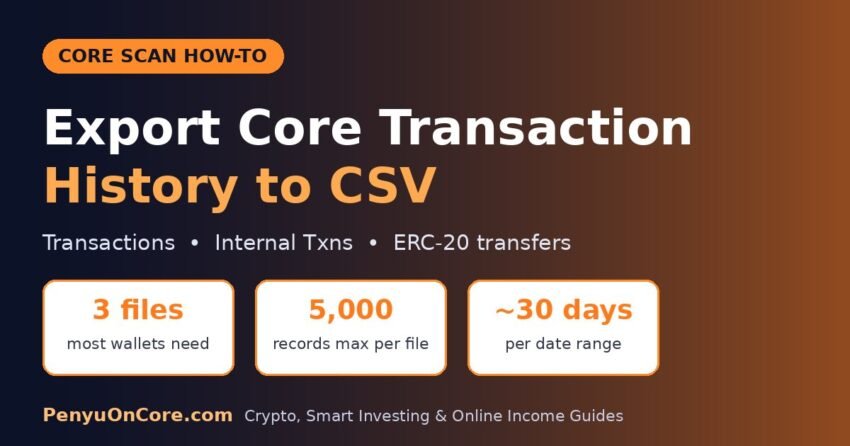
Quick answer: To export your Core transaction history, open your address on Core Scan, click Download: CSV Data under the transactions list, pick an export type and a date or block range, complete the captcha and click Download. A full record usually needs at least three files: Transactions, Internal Transactions and Token Transfer (ERC-20). Each file holds at most the earliest 5,000 records in your range, and a date range can’t span more than about 30 days.
This guide covers each step, which export types you need, how to get a whole tax year when the date picker won’t allow it, and the Core Scan API for larger wallets. We checked the export page and the official Core docs on 15 November 2026. If Core Scan is new to you, start with our beginner’s guide to Core Scan.
Why You Need Your Own Core Transaction Records
If you hold CORE or Core tokens in a self-custody wallet such as MetaMask, nobody sends you a year-end tax statement. In the US, the IRS rules require brokers to report sales on Form 1099-DA for transactions on or after 1 January 2025. But the IRS digital assets page says the final rules “do not include reporting requirements” for decentralized or non-custodial brokers that never take possession of your assets. The same page says you must keep records of every purchase, receipt, sale, exchange or other disposal. Staking rewards count as ordinary income, and paying a network fee in crypto is itself a digital asset transaction.
In the UK, HMRC’s guidance on paying tax when you sell cryptoassets says you must keep records of each transaction, including the token type, date, number of tokens and value in pounds sterling. It also says exchange reports are “not tax calculations” and that “you must keep your own records of your transactions.”
A CSV from the block explorer won’t give you any of the fiat values, but it does give you the raw list of what happened on-chain, and everything else is built from that list.
Which Core Scan Export Types You Need
Core Scan’s export page (Download Data, CSV Export) offers these options for a wallet address. Each one is a separate file.
| Export type | What it contains | Do you need it? |
|---|---|---|
| Transactions | Transactions sent from or to your address, including gas paid in CORE | Yes, always |
| Internal Transactions | CORE moved by smart contracts, such as native CORE paid out by a contract | Yes, if you used any dApp, swap or staking contract |
| Token Transfer (ERC-20) | Movements of tokens like stCORE, WCORE and stablecoins | Yes, if you held any token besides CORE |
| Token Transfer (ERC-721) | NFT transfers | Only if you own or traded NFTs |
| Token Transfer (ERC-1155) | Multi-token (ERC-1155) transfers | Only if you used ERC-1155 items |
The internal transactions file is the one people forget. If a contract sent you native CORE, for example when you swapped a token back to CORE, that payment usually shows up only in Internal Transactions, not in the normal list. The same goes for tokens: wrapping CORE into WCORE or receiving stCORE appears in the ERC-20 file.
How to Export Core Transaction History: Step by Step
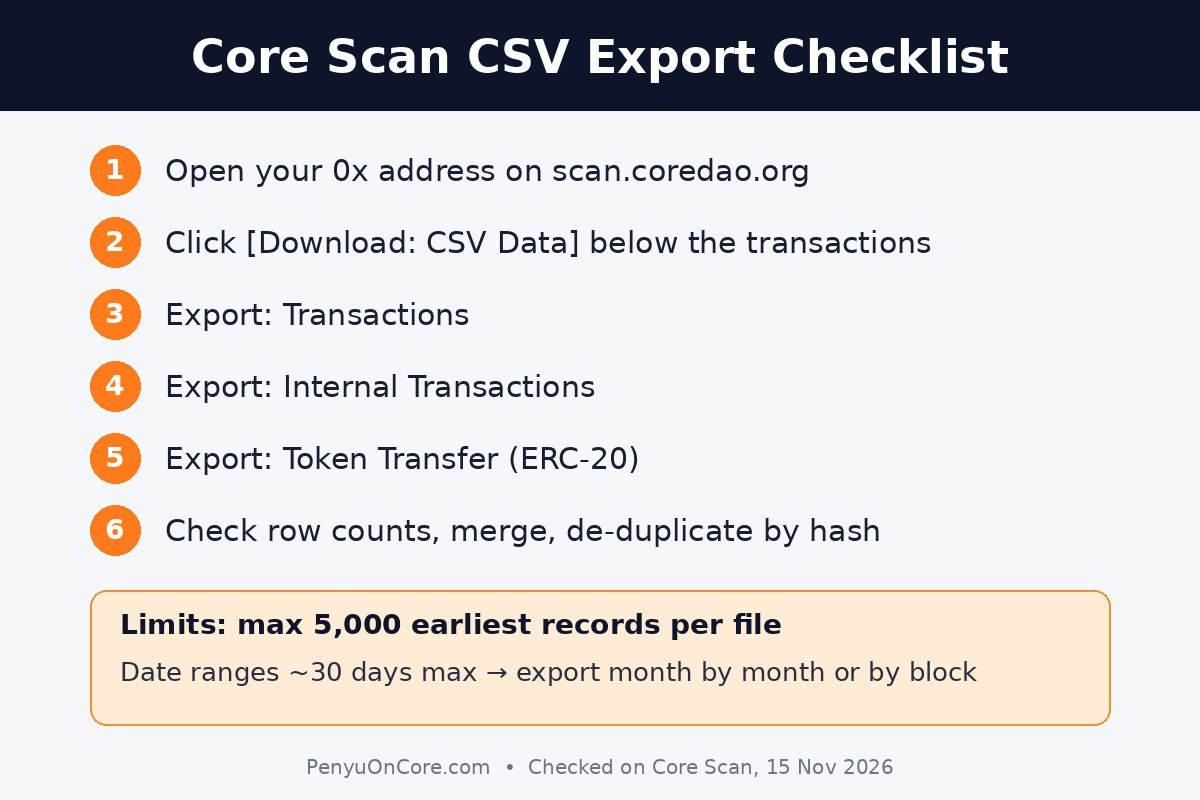
Step 1: Open your address on Core Scan
Go to scan.coredao.org by typing it in yourself and paste your public wallet address (starting with 0x) into the search bar. You never need to connect a wallet or share a private key or seed phrase to export history. Anyone asking for one is running a scam.
Step 2: Click “Download: CSV Data”
Below the transactions list on the address page there is a [Download: CSV Data] link. It opens the export page with your address already filled in and Transactions selected. You can also reach the same page from the explorer’s tools menu (CSV Export) and paste your address in yourself.
Step 3: Choose the export type
Under Select export type, pick Transactions first. You’ll repeat the process for Internal Transactions and Token Transfer (ERC-20), and for the NFT types if they apply to you.
Step 4: Set a date or block range
Under Choose download option, select Date or Block. The date picker defaults to the last seven days. Once you pick a start date, it only lets you choose an end date within about 30 days of it, and future dates are greyed out. The Block option takes a From Block and End Block number instead.
Step 5: Complete the captcha and download
Tick the reCAPTCHA box and click Download. The page shows “Your download is being processed” and the CSV file downloads to your computer. Rename it right away, for example core-transactions-2026-01.csv, so the files don’t get mixed up.
How to Get a Full Tax Year (the 30-Day and 5,000-Record Limits)
The export page warns that “the earliest 5,000 records within the selected range will be exported.” Anything past that is silently left out, so check the row count of every file. Combined with the 30-day date window, you have three options:
- Month-by-month date exports. For a calendar year, export each month separately (1 to 31 January, 1 to 28 February and so on) for each export type. That’s tedious but simple, and fine for most personal wallets.
- Block-range exports. Choose Block and enter a start and end block. To convert dates into block numbers, Core Scan’s API has a “Get Block Number by Timestamp” endpoint (
getblocknobytime). If a file comes back with exactly 5,000 rows, split that block range in half and export it again. - The Core Scan API. Better for very active wallets (see below).
Whichever you choose, make sure the ranges meet without gaps or overlaps. Then remove duplicate rows by transaction hash before you merge the files.
Using the Core Scan API for Large Wallets
Core’s Accounts API documentation lists Etherscan-style endpoints at https://openapi.coredao.org/api. They are txlist (normal transactions), txlistinternal (internal transactions), tokentx (ERC-20 transfers) and tokennfttx (ERC-721 transfers), each with startblock, endblock, page, offset and sort parameters.
You need a free API key. When we called txlist without one on 15 November 2026, it returned a 401 “Permission Verification Failed” error. To get a key, create a Core Scan account, verify your email, then open API-KEYs in your account dashboard and click Add. Core’s docs say each account can hold up to 3 keys, and the free tier is limited to 5 calls per second and 10,000 calls per day. Add a short pause between calls in any script, or you’ll hit “Max rate limit reached.” The API returns JSON, which a short script or spreadsheet import can turn into CSV.
What About Crypto Tax Software?
Some tax tools connect to Core by public address, but check what they actually import. Koinly’s CoreDAO integration page, for example, says “only CORE native token transactions are imported.” Token movements like stCORE or stablecoins would then be missing unless you add them from your ERC-20 export or enter them by hand. Whatever tool you use, compare its closing balances with what your wallet shows on Core Scan.
Things the Core Scan Export Won’t Cover
- The Bitcoin side of BTC staking. When you stake Bitcoin on Core, the timelock and redemption transactions happen on the Bitcoin blockchain, so they live in your Bitcoin wallet’s history, not in a Core Scan CSV. Only the CORE rewards side appears on Core.
- Fiat values. You still need the US dollar (IRS) or pound sterling (HMRC) value at the time of each transaction.
- Exchange activity. Trades made inside a centralized exchange never touch your wallet. Download those from the exchange.
- Other chains. If you bridged assets in or out, the other half of each bridge transfer sits on the other network’s explorer.
One naming trap: searches for “Core transaction export” often turn up guides for Core web, a wallet app for the Avalanche network. That’s a different product. For the Core blockchain (chain ID 1116), the explorer is Core Scan.
FAQ
Is exporting from Core Scan free?
Yes. The CSV export only needs a captcha, not an account. The API needs a free account and key.
Why does my CSV stop partway through the month?
You probably hit the 5,000-record limit. Export a smaller date or block range and merge the files.
Does the export show my staking rewards?
Claiming CORE rewards is an on-chain transaction from your address, so the claim shows up in your exports. CORE paid to you by a contract may appear in Internal Transactions, so export both files. Our guide to staking CORE explains how claiming works.
Can someone else export my history?
Yes. Blockchain data is public, so anyone with your address can view or export it. The export doesn’t give anyone control of your funds.
Disclaimer: This article is for general information only and is not tax, legal or financial advice. Tax rules depend on where you live and your circumstances, so check with a qualified tax professional before filing.
Sources
- Core Scan: Download Data (CSV Export), checked 15 November 2026
- Core DAO docs: Accounts API
- Core DAO docs: Blocks API
- Core DAO docs: Generate an API Key
- Core DAO docs: Common Error Messages and rate limits
- IRS: Digital assets
- HMRC: Check if you need to pay tax when you sell cryptoassets
- Koinly: CoreDAO integration