
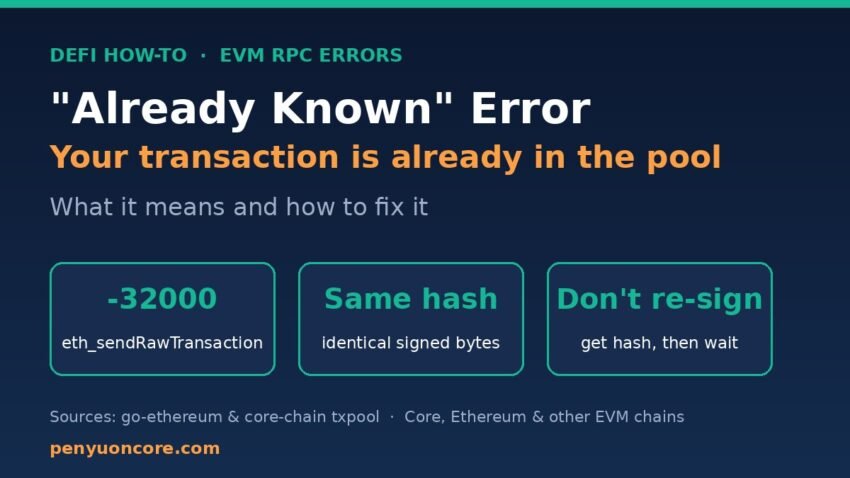
Quick answer: The already known error means the node you sent to already has that exact signed transaction (same bytes, same hash) waiting in its transaction pool. It is not a failure: your transaction was most likely broadcast successfully the first time. Don’t sign a new one. Work out the hash, then wait for the receipt.
The message usually comes back from eth_sendRawTransaction as {"code": -32000, "message": "already known"}. It shows up on Ethereum, on Core and on other chains running Geth-based clients. Below you’ll find what triggers it, how to recover the transaction hash, and how to stop your code (or bot) from tripping over it.
What “already known” actually means
In go-ethereum, the error is defined in the transaction pool as ErrAlreadyKnown = errors.New("already known"), with the comment that it is “returned if the transactions is already contained within the pool” (go-ethereum txpool/errors.go). Core’s node software, core-chain, is a Geth fork and defines the exact same error.
The order of checks is what matters. In the legacy pool’s add function, the node first looks up the transaction hash. If the hash is already in the pool, it returns already known straight away, before doing any other validation (core-chain legacypool.go). So the error tells you nothing bad about the transaction. All it says is that this node has seen these exact bytes before.
Because a transaction hash is the keccak-256 hash of the signed raw transaction, “same hash” means the same sender, nonce, fees, gas limit, recipient, value, data and signature. Change any one of them and you get a different transaction.
Once it’s mined, the error changes
“Already known” only covers transactions still sitting in the pool. Once a transaction is mined it leaves the pool, and sending the same bytes again gets you a nonce error instead. We checked this on 16 Nov 2026 by taking the raw bytes of a transaction that was already mined on Core mainnet (chain ID 1116; the public RPC reported Geth/v1.0.27) and sending them back to rpc.coredao.org. The node replied nonce too low: next nonce 14592, tx nonce 14587. If you’ve hit that message, see our guide to fixing “nonce too low”.
Common causes
1. Retry logic re-sends a transaction that already went through
Here’s the classic pattern: the first sendRawTransaction call reaches the node, but the response times out or the connection drops. Your code assumes it failed and sends the same signed bytes again. The node already has them, so you get already known. The original transaction is fine.
2. Your code runs twice
In one ethers.js discussion the developer eventually found that their code was being executed twice. The first run sent the transfer and the second run got already known (ethers.js discussion #2972). Look for double-clicks on a submit button, duplicate event listeners, React effects that run twice, or two copies of the same script or cron job.
3. Broadcasting to several RPC endpoints
If you send the same signed transaction to more than one node, the first one accepts it. The others may already have it, either from you or through peer-to-peer gossip, and reply already known. ethers.js v6’s FallbackProvider used to surface this as an error even though the transaction succeeded. The maintainer said this was fixed in ethers v6.9.0.
4. Rebuilding an identical transaction
If you rebuild a transaction with the same nonce, same fees and same parameters, you get identical bytes and therefore an identical hash. A Geth-based node will report already known for it. This often happens when a script fetches the “latest” nonce while an earlier transaction from the same command is still pending (ethers.js issue #1669).
How to fix it, step by step
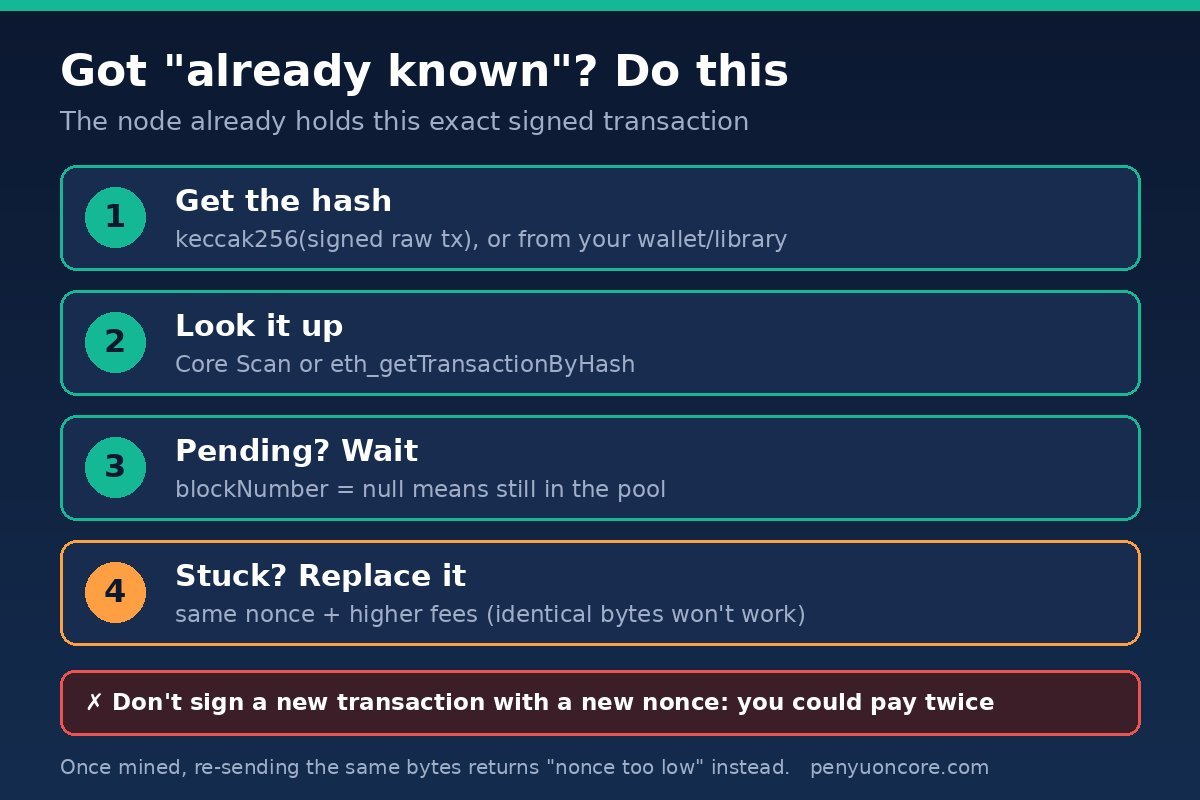
- Don’t sign a fresh transaction yet. If you do it with a new nonce, you could end up sending the payment twice.
- Get the transaction hash. Wallets and libraries usually give you the hash at signing time. If you only have the raw signed hex, the hash is the keccak-256 of those bytes. We confirmed this on a real Core mainnet transaction: hashing the bytes returned by
eth_getRawTransactionByHashreproduced the original hash exactly. - Look it up. Paste the hash into Core Scan (see how to use Core Scan) or call
eth_getTransactionByHash. Per the Ethereum JSON-RPC spec,blockNumberisnullwhile the transaction is pending, and the call returnsnullif the node doesn’t know the transaction at all. - Wait for the receipt. If it’s pending, just wait. Core blocks come quickly, so a transaction with a sensible fee normally doesn’t sit around for long.
- If it really is stuck, replace it on purpose: same nonce, higher fees. Sending identical bytes again won’t do anything. Our guides on a pending Core transaction in MetaMask and “replacement transaction underpriced” explain how much to raise the fee.
Here’s a quick check against Core mainnet using a public RPC from the Core RPC list:
curl -s -X POST https://rpc.coredao.org \
  -H 'content-type: application/json' \
  -d '{"jsonrpc":"2.0","id":1,"method":"eth_getTransactionByHash","params":["0xYOUR_TX_HASH"]}'
Handling “already known” in code
The robust approach is to work out the hash before you broadcast. Then treat already known as “already sent” and move on to waiting.
ethers.js v6
import { Transaction } from "ethers";

const populated = await wallet.populateTransaction({ to, value });
const signed = await wallet.signTransaction(populated);
const hash = Transaction.from(signed).hash; // known before broadcasting

try {
  await provider.broadcastTransaction(signed);
} catch (e) {
  const msg = e?.error?.message ?? e?.message ?? "";
  if (!msg.includes("already known")) throw e; // real errors still throw
}
const receipt = await provider.waitForTransaction(hash);
Transaction.from() parses a serialized transaction, and its hash property is set once the transaction is signed (ethers Transaction docs). broadcastTransaction and waitForTransaction are standard provider methods (ethers Providers docs).
web3.py
signed = w3.eth.account.sign_transaction(tx, private_key)
tx_hash = signed.hash

try:
    w3.eth.send_raw_transaction(signed.raw_transaction)
except Exception as e:
    if "already known" not in str(e):
        raise
receipt = w3.eth.wait_for_transaction_receipt(tx_hash)
Older web3.py/eth-account versions call the attribute rawTransaction rather than raw_transaction. Check the web3.py eth module docs for the version you have installed.
Prevention checklist
- Make sends idempotent: save the signed hex and hash before broadcasting, and on retry check the hash instead of re-signing.
- Fetch the nonce with the
"pending"tag so new transactions don’t collide with ones still in the pool. - Upgrade ethers to v6.9.0 or later if you use
FallbackProvider. - Add a lock or a “sending” state so a button or job can’t fire twice.
“Already known” vs. similar errors
| Error | What the node is saying | What to do |
|---|---|---|
already known | This exact signed transaction is already in my pool | Get the hash and wait. Don’t re-sign. |
nonce too low | That nonce has already been used in a mined transaction | Check whether the original was mined, then use the next nonce |
replacement transaction underpriced | A different transaction with this nonce is pending and your fee bump is too small | Raise both fee fields enough, or wait |
FAQ
Did I lose funds when I saw “already known”?
No. The node rejected only the duplicate copy. The original transaction either gets mined (and then shows up on Core Scan) or stays pending until it’s mined, replaced or dropped. Check the hash before doing anything else.
Will I be charged gas twice?
No. A duplicate that’s rejected as already known never enters the pool a second time, so it can’t be mined or charged. Only the original transaction can use gas.
Is this error specific to Core?
No. It comes from the Geth transaction pool code, which Core’s core-chain client inherits. You can see it on Ethereum and on other chains running Geth-based clients too. Other client software may word it differently.
Why does my transaction show as pending forever after this error?
The error isn’t the cause. The original transaction is probably underpriced or waiting behind a lower nonce. Speed it up or cancel it with a properly priced replacement.
Disclaimer: This article is for general educational purposes only. It is not financial, investment or tax advice. Always double-check transaction details before signing.