
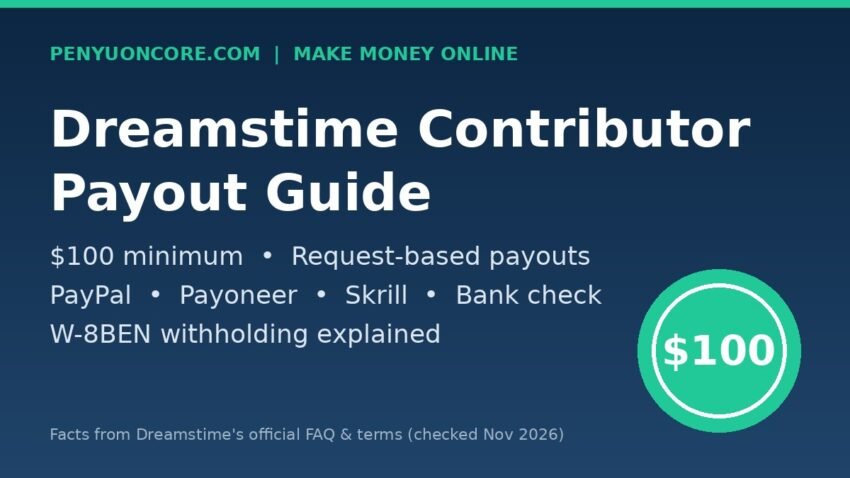
The Dreamstime contributor payout process is simple once you know the rules: there is no automatic monthly payment. Your earnings sit in your account until the balance reaches $100, and then you request a payout yourself from My Account. You can pick a bank check, PayPal, Payoneer or Skrill. Dreamstime says e-wallet payments take a few days to a week and checks take about two weeks.
This guide covers the minimum, the request steps, how long each method takes, how US withholding tax works for contributors outside the US, and a few spots where Dreamstime’s own pages don’t quite agree. All figures come from Dreamstime’s official FAQ and terms, checked in November 2026. Terms change, so check the linked pages before you rely on a number.
Dreamstime contributor payout at a glance
| Item | What Dreamstime says |
|---|---|
| Minimum payout | $100 balance |
| Schedule | On request (no fixed monthly date) |
| Where to request | My Account → Payment request button |
| Methods | Bank check, PayPal, Payoneer, Skrill |
| Check delivery | Usually about two weeks |
| PayPal / Payoneer / Skrill | A few days to one week |
| Weekends | No payments are sent |
Source: Dreamstime’s contributor FAQ and Sell Stock Photos page.
The $100 minimum payout threshold
Dreamstime’s FAQ says contributors “can request payment as soon as their earnings balance is $100 or more.” Its contributor sales page says the same thing: you can request payment once the balance “has reached $100.”
The legal Terms and Conditions word it differently in different places. One clause says Dreamstime must pay once the balance “has reached $100.” Another says no user is entitled to payment until unpaid earnings “exceeds One Hundred U.S. Dollars (US$100.00).” The referral section says you can request payment once the balance “has exceeded $100.” In practice the help pages treat exactly $100 as enough, but the terms technically leave room for doubt. If your balance is sitting at exactly $100.00, waiting for one more sale is the safe option.
Being honest about the numbers matters here. $100 is high compared with some other stock agencies. Dreamstime’s royalty table lists a maximum of $1.25 per download for a non-exclusive image with no downloads that is older than six months, and much less for some subscription downloads ($0.35 for a “Monthly-dose” subscription download, according to the same table). A small portfolio can take a long time to reach the minimum. Upload consistently and plan for months, not days.
Does Unlimited Plan revenue count toward the $100?
Yes. The terms describe a Contributor Royalty Pool: each month, 40% of gross Unlimited Plan subscription revenue goes into a pool, which is shared among contributors by their share of eligible “Level Zero” downloads. Those royalties are “added to your Contributor balance” and paid on the standard schedule. The same $100 minimum applies.
How to request a Dreamstime payout
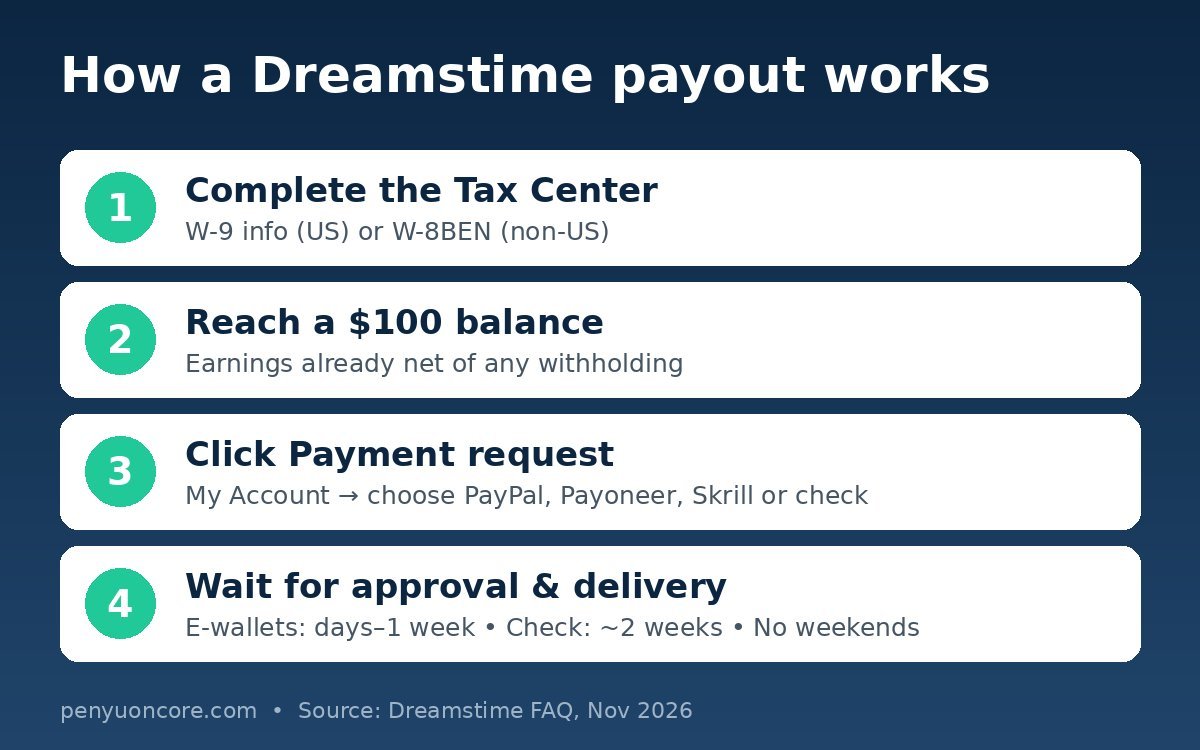
- Complete the Tax Center first. Dreamstime asks every contributor, US and non-US, to fill in their tax information. Non-US contributors must complete a W-8BEN before their images are made available (more on this below).
- Check your balance. Once your earnings reach $100, open the My Account section.
- Click Payment request and choose bank check, PayPal, Payoneer or Skrill.
- Don’t panic when the balance drops. The FAQ explains that the requested amount disappears from the status area while it’s pending approval. It’s added to the revenue area once approved, and that update can take up to 24 hours.
- Check the withholding. After you submit the request, you can see the tax withheld per payment under My Account / Financial activity.
Payment methods and how long each takes
| Method | Typical timing (per Dreamstime) | Good to know |
|---|---|---|
| Bank check | About two weeks to arrive | You cash it at a local bank; slowest option |
| PayPal | A few days up to one week | PayPal may apply its own receiving or currency fees |
| Payoneer | A few days up to one week | Dreamstime calls this the “Dreamstime Prepaid MasterCard” |
| Skrill | A few days up to one week | Listed in the FAQ as “Skrill (MoneyBookers)” |
Dreamstime’s payment FAQ doesn’t list a payout fee of its own. The wallet or bank on the receiving end may charge fees, though, especially for currency conversion, since Dreamstime balances are in US dollars. UK contributors in particular should check their PayPal, Payoneer or Skrill pricing pages before choosing. Also note that no payments go out on weekends, so a request made on a Friday may not start moving until the following week.
Why a payout can be delayed
The terms say Dreamstime may “carefully analyze all details and logs” of a contributor’s downloads and sales. If anything looks suspicious, it can delay the payment request until it’s cleared, or refuse it. Refunds are also deducted: when a buyer’s download is refunded, you’ll get a refund email listing the affected image IDs. Breaking an exclusivity agreement can lead Dreamstime to recover earnings, according to the terms.
Taxes: W-8BEN, withholding and what US and UK contributors should know
Dreamstime LLC is a US business, so it follows US withholding rules on US-source royalties. Its Tax center FAQ explains the main points:
- US contributors: no withholding tax is applied, but you still need to complete the Tax Center. For a US person, the standard IRS form for giving your taxpayer ID to a payer is Form W-9.
- Non-US contributors (including the UK): you complete a W-8BEN. Without a valid treaty claim, Dreamstime withholds 30% on earnings from US buyers. Sales to buyers outside the US aren’t subject to this withholding.
- Treaty rates: if your country has a tax treaty with the US, you must complete Part II of the W-8BEN to get the lower rate. Dreamstime says it needs a US Taxpayer Identification Number (an ITIN for individuals) before it will honour a treaty claim. Its own example: with a 10% treaty rate, $150 of US-buyer earnings becomes a $135 net payment.
- Tax is withheld per sale, not per payout. The balance you see already has the withholding taken off, so the $100 minimum applies to your net balance.
One small inconsistency: Dreamstime’s FAQ says to enter the US TIN on “Line 6 of Part I.” On the current IRS W-8BEN (Rev. October 2021), the US TIN goes on line 5, and line 6a is the foreign tax ID. Follow the form in front of you and the IRS instructions rather than the old line number.
UK contributors should also remember that the income is still reportable at home. HMRC’s trading allowance guidance describes a tax-free allowance of up to £1,000 a year in gross trading income, with conditions. Keep records either way, and talk to a tax adviser if you’re unsure how stock royalties fit your situation. US contributors should report the income they receive whether or not they get a tax form. Dreamstime’s tax FAQ doesn’t say when it issues 1099s.
How Dreamstime compares with other stock agencies
Payout rules differ a lot between agencies, so it helps to compare if you upload to several. You can read how the Shutterstock contributor payout works, the rules for Adobe Stock contributor payouts, and how Alamy pays its contributors. If you’re weighing exclusivity, the iStock contributor payout guide is a useful contrast. Dreamstime offers exclusive contributors a 60% revenue share plus a $0.20 bonus per approved upload (with conditions), but exclusivity limits where else you can sell.
FAQ
Does Dreamstime pay automatically every month?
No. The help pages describe a request-based system: once your balance reaches $100, you click Payment request in My Account. If you don’t request it, the money stays in your balance.
What is the Dreamstime minimum payout?
$100, according to the FAQ and sales page. The terms say “exceeds” $100 in one place, so a balance just above $100 avoids any doubt.
Can I spend my earnings on Dreamstime instead of withdrawing them?
Yes. The FAQ says you can buy a credit package with your earnings. The package bonus isn’t added automatically, so you need to email support after converting.
Why did my balance go down after I requested payment?
The requested amount is removed from the status area while the payment is pending. It shows up in the revenue area after approval, which can take up to 24 hours.
Do I lose 30% of everything as a non-US contributor?
Not necessarily. The 30% applies only to sales to US buyers, and only when you haven’t made a valid treaty claim on your W-8BEN. Sales to non-US buyers aren’t withheld.
Bottom line
Dreamstime contributor payouts are simple but slow to start. The $100 minimum, request-only payments and per-sale US withholding mean new contributors should expect to wait before their first payout. Fill in the Tax Center early, choose a payout method whose receiving fees you understand, and treat stock royalties as a long-term side income, not quick money.