
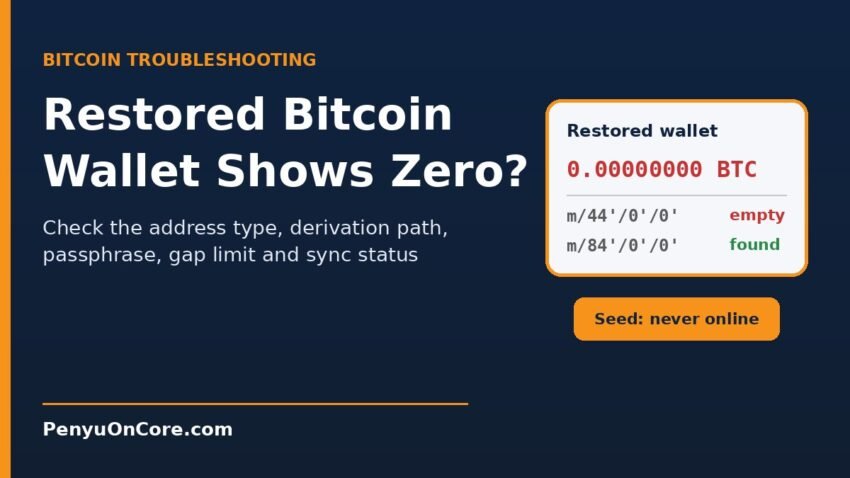
If your restored Bitcoin wallet shows a zero balance after you typed in your seed phrase, don’t panic. In most cases the coins are still on the blockchain, and the new wallet software is simply looking at the wrong set of addresses. A different address type, derivation path, passphrase or network gives you a valid but empty wallet, and none of these produce an error message.
This guide walks through the checks in a safe order. Start with one that needs no seed at all: look up an old address. None of these checks move any coins, and none of them need you to give your seed to anyone.
Why a restored Bitcoin wallet can show zero
A seed phrase is not a list of addresses. It is the root of a tree of keys, and the wallet has to be told which branch to read. Under BIP44, every address sits at a path with five levels: m / purpose' / coin_type' / account' / change / address_index. Change any level and you get completely different addresses from the same words.
Extra words work the same way. BIP39 says that “every passphrase generates a valid seed (and thus a deterministic wallet) but only the correct one will make the desired wallet available.” So a wallet that opens without complaint is not proof that you restored the right one.
Step 1: Check an old address on a block explorer
Find any address the old wallet used to receive coins. It might be in an exchange withdrawal record, an old email or an invoice. Paste that address (never your seed words) into a public block explorer.
- The address still holds coins: your Bitcoin is there. The restore is looking in the wrong place, so work through the steps below.
- The address is empty but shows a later spend: that may be normal. Wallets often send leftover funds to a new change address, so the coins may have moved to another address in the same wallet. Our guide to the Bitcoin change address explains how to trace this.
- The spend went somewhere you don’t recognise: restoring a wallet cannot reverse a transaction. If you suspect theft, stop typing your seed anywhere and read the scam section below.
Step 2: Match the address type and derivation path
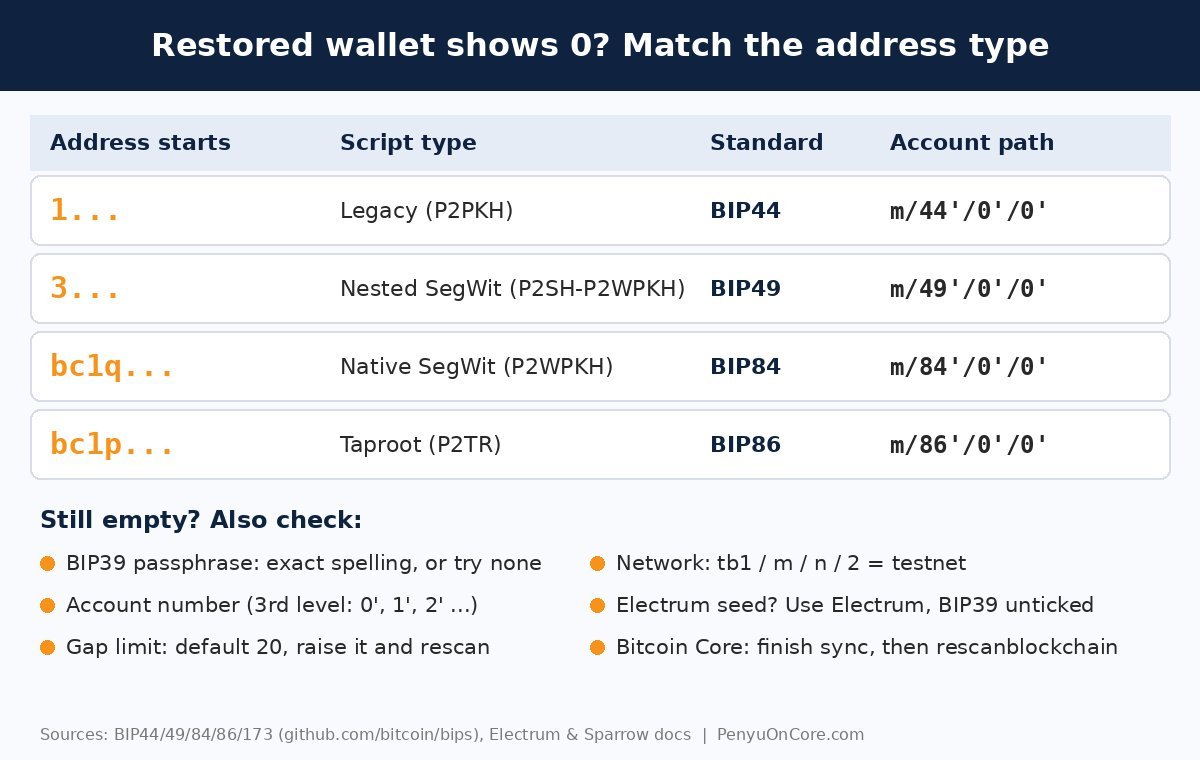
This is the most common cause. The first characters of your old address tell you which script type the original wallet used, and each type has its own standard path. Bitcoin’s coin type is 0', and the first account is 0'.
| Old address starts with | Script type | Standard | Account path |
|---|---|---|---|
| 1 | Legacy (P2PKH) | BIP44 | m/44’/0’/0′ |
| 3 | Nested SegWit (P2SH-P2WPKH) | BIP49 | m/49’/0’/0′ |
| bc1q | Native SegWit (P2WPKH) | BIP84 | m/84’/0’/0′ |
| bc1p | Taproot (P2TR) | BIP86 | m/86’/0’/0′ |
The purpose numbers come from BIP49, BIP84 and BIP86, which reuse the BIP44 structure with a different first number. A 3... address can also be a multisig or other script, so if the standard path finds nothing, the old wallet may not have been a simple single-key wallet.
In Sparrow, you pick the Script Type on the wallet’s Settings screen before importing the BIP39 words, and Native SegWit is the default. Sparrow’s FAQ also notes that wallets from the old Trezor web wallet often need the Nested SegWit script type. In Electrum, a BIP39 phrase is restored by ticking “BIP39 seed” under Options, after which you choose a script type and derivation path (see Coinkite’s Electrum restore notes). If you’re not sure, try each script type in turn. Each attempt is read-only.
Taproot needs a wallet that supports it. If your software can’t handle bc1p, see our explainer on the “bc1p address not supported” error.
Check the account number too
Some wallets create more than one account under one seed. BIP44 account discovery scans account 0, then moves to account 1 only if account 0 has history. If you restored account 0' but used account 1', change the third number in the path.
Step 3: Confirm whether you used a BIP39 passphrase
A passphrase (sometimes called the “25th word”) is not the same as the password that unlocks the app. Under BIP39 it changes the seed itself, so a missing or mistyped passphrase opens a different, empty wallet with no warning. Sparrow’s FAQ says that if all your addresses have changed, this “is almost certainly due to an incorrect passphrase”, because Sparrow stores nothing derived from the passphrase.
Try the exact passphrase, paying attention to capital letters, spaces and symbols. Also try with the passphrase field left empty, in case you never set one.
Step 4: Make sure it’s the right kind of seed
Not every 12-word phrase is BIP39. The Electrum seed version system explains that “Electrum does not generate BIP39 seeds.” Electrum 2.0 and later seeds carry their own version number and use the same 2,048-word list, so they look like BIP39 phrases but derive different keys. If your words came from Electrum, restore them in Electrum with the BIP39 option unticked. Electrum also only supports Bitcoin, according to its FAQ.
Also consider whether you have more than one seed backup. A phrase from a different, older wallet will restore cleanly and show that wallet’s balance.
Step 5: Raise the gap limit
When restoring, wallets scan addresses in order and stop after a run of unused ones. BIP44 sets this gap limit at 20. The Electrum FAQ uses the same default and warns that addresses beyond it “will not automatically be recovered from the seed.” If you once generated lots of receiving addresses without using them, later deposits can be missed.
Sparrow’s FAQ links missing newer transactions to the gap limit. You can raise it under the wallet’s Settings tab, via Advanced (the default is 20 for normal wallets). In Electrum you can raise the client’s gap limit or keep generating new addresses until the used ones appear.
Step 6: Check the network
Testnet coins are separate from real bitcoin and have no value. Testnet uses coin type 1' in BIP44, and its addresses look different. Under BIP173, native SegWit addresses start with bc on mainnet and tb on testnet. Legacy testnet addresses start with m or n, and testnet script addresses start with 2 (see the Bitcoin Wiki prefix list). If your restored wallet shows tb1... addresses, switch it to mainnet.
Step 7: Bitcoin Core users: let it sync and rescan
Bitcoin Core builds your balance from the blocks it has processed, so a node that is still syncing can show nothing yet. After restoring a backup file with restorewallet, or after importing keys, you may need to run rescanblockchain. This “rescan[s] the local blockchain for wallet related transactions.” It starts from block 0 by default, or you can pass a start height. Use getwalletinfo to check progress. The docs note that rescans are much faster on descriptor wallets when you enable -blockfilterindex=1.
If getwalletinfo shows a txcount of zero after a full rescan, you may have loaded the wrong wallet file. Run listwallets to see which wallets are open.
Never type your seed into a website or “recovery service”
People who search for this problem are a target for scammers. Fake “wallet sync” or “validation” pages, and so-called recovery agents on social media, ask for your seed phrase so they can empty the wallet. Anyone who has your words controls the coins. The US Commodity Futures Trading Commission describes recovery scams as a form of advance-fee fraud that targets people who have already lost money.
Only enter your seed into wallet software you downloaded from its official site, on a device you trust. If you have already shared it, treat the wallet as compromised. Our crypto security guide covers safer storage habits.
FAQ
Is my Bitcoin gone if my restored wallet shows zero?
Not necessarily. Check a known old address on a block explorer. If it still holds coins, they are safe on-chain and the restore settings are the problem.
Why do I see different addresses from the same seed?
Because the address type, derivation path, account number or passphrase is different. Each combination produces its own valid wallet.
Can a wrong seed word still be accepted?
Sometimes. BIP39 includes a checksum, but a phrase with a wrong word can occasionally still pass it and open a different, empty wallet. Check every word against the BIP39 word list.
Should I pay someone to recover it?
Be very careful. Never give anyone your seed phrase, and treat upfront fees and unsolicited offers as red flags.
Disclaimer: This article is for general educational purposes only and is not financial, tax or legal advice. Always check settings against your wallet’s official documentation, and never share your seed phrase.