
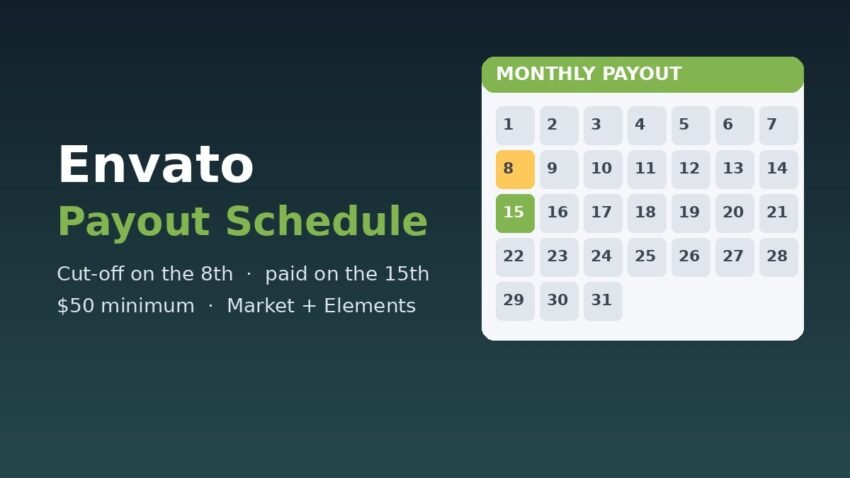
The Envato payout schedule is simple once you know two dates: the 8th and the 15th of each month. Envato sends author payouts for both Envato Market (ThemeForest, CodeCanyon, AudioJungle and the other marketplaces) and Envato Elements on the 15th, as long as your balance is at least $50 before tax and your payout profile was set up in time. If you miss the cut-off or stay under $50, your money stays in your balance and rolls into a later month.
This guide uses Envato’s own Author Help Center articles, which we checked on 22 November 2026. It covers the cut-off date, how long each payout method takes, the fees, the tax forms, and the spots where Envato’s help pages don’t fully agree with each other.
Envato payout schedule at a glance
| Item | What Envato says |
|---|---|
| Payout day | 15th of each month, for both Market and Elements |
| Weekend / holiday | Market: the next business day if the 15th is a weekend or an Australian public holiday. Elements: the following Monday if the 15th is a weekend |
| Minimum payout | $50 USD (before royalty withholding tax). Smaller balances carry forward |
| Set-up cut-off | Payout details in place by the 8th (see the note on conflicting wording below) |
| Typical arrival | 1-3 business days after the payout date. First payouts can take longer |
| Separate payments | Market and Elements are paid as two separate payments. They can’t be combined |
How the monthly Envato payout cycle works
Envato Market earnings
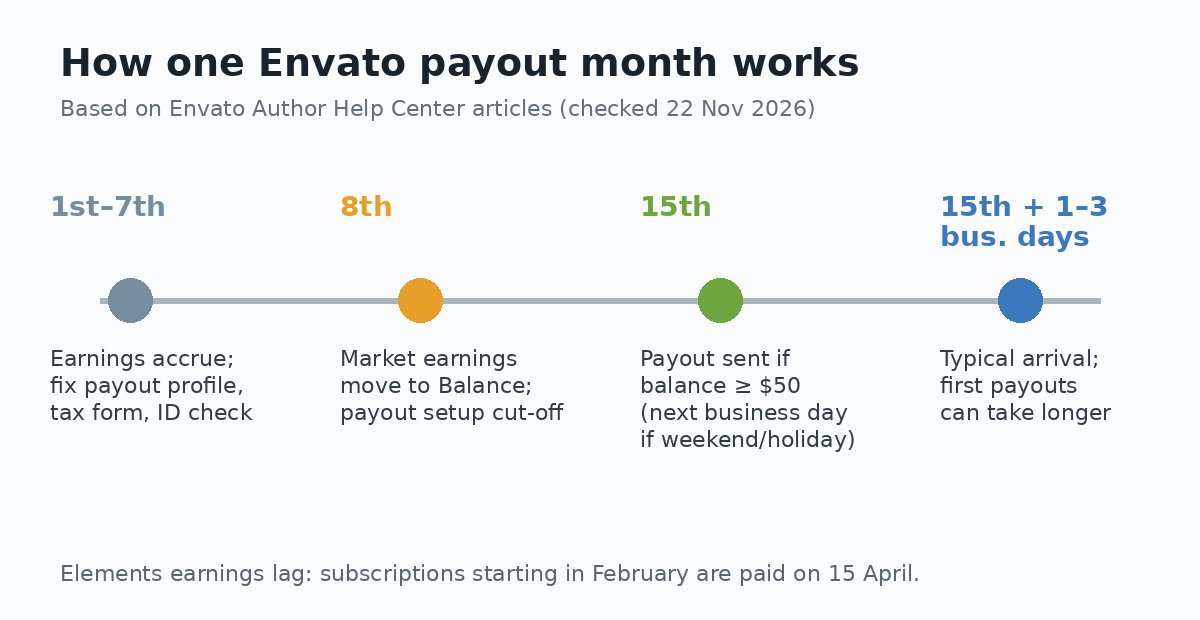
According to Envato’s Market Earnings FAQs, any earnings in your Market account move to the Balance Dashboard in your Author Profile on the 8th of every month. Your balance builds up until it reaches $50 USD, and then it’s paid on the next payout day. Envato’s example: to be paid on 15 February, your payout account and the minimum balance need to be in place on or before 8 February.
Refunds and sales reversals can change the number you see. The Earnings page takes a refund off the month the sale happened, while the Statement page takes it off the month the refund was processed. So the two pages can show different totals.
Envato Elements earnings
Elements pays on the 15th too, but with a built-in delay. Elements earnings come from a revenue share on subscriptions, so Envato has to wait until each subscription period ends before it can work out what your downloads earned. The Elements Earnings FAQs give this example: earnings from subscriptions that started in February are paid on 15 April. Expect roughly a two-month lag between the downloads and the money.
Before your first payout: the checklist
Most “missing” first payouts come from an unfinished account rather than a late transfer. Envato’s Setting up your Payout profile article says it can only pay authors who have finished all of these:
- Tax form: W-9 if you’re a US person, W-8BEN for non-US individuals, or W-8BEN-E for non-US companies.
- Trader status, set in your author dashboard.
- Payout details: the name and address must match your payout account and your Envato account. Envato doesn’t allow payments to another person.
- Author ID Check: Envato has to verify every author’s identity before it can pay them.
The tax form also has to be valid at the time of the payout. Envato’s tax form troubleshooting page says a form must show the status “Reviewed”. Forms expire on 1 January, three full calendar years after you submit them. Since Envato moved to a new tax compliance system run by Trolley in July 2026, US TINs are checked automatically against IRS records, and expired or unverified forms are marked “Voided”. A voided form blocks payouts until you send a new one.
Payout methods, arrival times and fees
Envato uses one payout method for both Market and Elements, and you can choose only one. Which options you see depends on your country:
- Bank transfer: local currency through International ACH routes, SWIFT wires, or USD-to-USD SWIFT wires. Envato says local-currency payments usually land within 1-2 business days, compared with about 5 business days over SWIFT.
- PayPal: always paid in USD, and PayPal’s own receiving fees apply.
- Payoneer, Wise, Revolut and similar providers: these aren’t listed as separate options. You pick Bank Transfer, choose the country of your virtual receiving account (for example, United States for a Payoneer USD account) and enter that account’s routing and account numbers.
- Mobile wallets: only offered in certain countries.
Fees per payout
Envato lists these per-payment fees. It says they’re set by its banking partners, not by Envato, and that it doesn’t receive them:
| Method | Fee per payment (USD) |
|---|---|
| Bank transfer to Australia, Canada, USA | $1.00 |
| International ACH bank transfer | $3.00 |
| SWIFT bank wire | $9.00 |
| USD-to-USD SWIFT wire | $25.00 |
| PayPal | PayPal fees apply |
| Mobile wallet | 1% of the payout |
Currency conversion is a separate cost. For local-currency bank transfers, Envato says its payment provider converts at a fixed 1.9% above the live wholesale rate before sending. Mobile wallet conversions carry a 2% FX spread on top of the 1% fee. Because Market and Elements are paid separately, an author who earns on both can pay the per-payment fee twice in the same month.
Tax withholding can shrink the payout
Envato’s Tax FAQs say Envato is part of the Shutterstock group, and US royalty withholding tax applies to earnings from US-based buyers (Market) and US-based subscribers (Elements). The default rate is 30%. If your country has a tax treaty with the US and you’ve filed a valid W-8, the treaty rate applies instead. Envato publishes a treaty rate table, so UK authors and other non-US authors should check their country there.
For US authors, the W-9 page says that without your tax information Envato can’t send your payments and may apply 24% backup withholding. Envato files Forms 1099 with the IRS and says you’ll get your copy by 31 January of the following year. Non-US authors get a Form 1042-S from 15 March. If you sell on other platforms too, our guide to Gumroad and Form 1099-K explains how a different platform reports creator income.
Where Envato’s own help pages disagree
We found several places where Envato’s help articles use different wording. When the details matter, go by the wording in your author dashboard or ask Author Support.
- The cut-off. The payout profile page says to set up your details “before the 8th”. The Market FAQs say “on” or “on or before” the 8th. The Elements FAQs say “at least two business days before the payout day”. The payout profile page also says you can change existing details “up until the day before pay day up until the 8th of the payout month”. To be safe, finish any change before the 8th.
- Weekends and holidays. The Market FAQs mention Australian public holidays, but the Elements FAQs only mention weekends.
- First-payout delays. One page says a first bank transfer to some countries can take up to 10 business days and a first Payoneer payment up to one week. The Elements payout method page says up to 7 business days and up to 10 days.
What to do if a payout doesn’t arrive
Envato emails you an estimated arrival date when it sends a payout. Envato says to contact Author Support if the money hasn’t arrived three business days after that estimate. If a payment fails, for example because the bank or PayPal details are wrong, the money goes back to your Envato balance and Envato tries again the following month. Envato also says it can’t check your bank details for you, so check every digit yourself before the 8th.
If you sell stock content on more than one site, it helps to know the other platforms’ calendars too. See our breakdowns of the Shutterstock contributor payout, the Adobe Stock contributor payout and the Pond5 contributor payout.
FAQ
What day does Envato pay authors?
The 15th of each month, for both Market and Elements. If the 15th falls on a weekend (or, for Market, an Australian public holiday), payment goes out on the next business day.
What is the Envato minimum payout?
$50 USD before royalty withholding tax. Smaller balances stay in your account until they reach $50.
Can I get Market and Elements earnings in one payment?
No. Envato says it can’t combine them, so you’ll get two separate payments, both sent to the one payout method you’ve chosen.
Why didn’t I get paid on the 15th?
The usual reasons are a balance under $50, payout details added after the cut-off, an unfinished ID check, or a tax form that isn’t “Reviewed” (for example, expired or voided).
This article is for general information only. It isn’t tax, legal or financial advice. Envato’s terms, fees and tax rules can change, so check the current Author Help Center pages and talk to a qualified tax adviser about your own situation.