
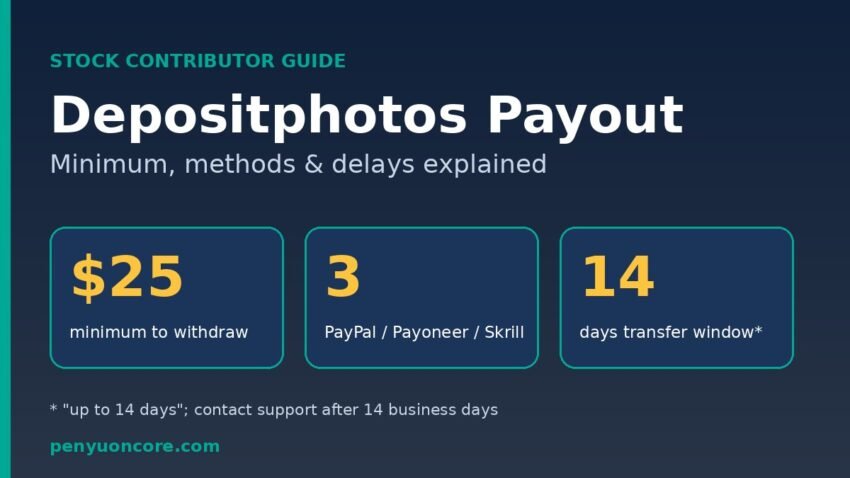
The Depositphotos payout works on request, not on a calendar. Once your contributor balance reaches $25, you can withdraw it to PayPal, Payoneer or Skrill, but only after Depositphotos has approved a W-9 or W-8BEN tax form for your account and you have confirmed the withdrawal request from your email.
Short answer: there is no monthly pay date. You choose when to cash out after you reach $25. Depositphotos says a transfer can take up to 14 days to arrive. Most stuck payouts come from one of three things: an unconfirmed request email, a tax form that has not been approved yet, or a Payoneer account still under review.
This guide covers the threshold, the payment methods, the tax-form step that blocks first payouts, and what to do when the money is late. Everything is based on Depositphotos’ own help centre and contributor programme pages, checked on 23 November 2026.
Depositphotos payout at a glance
| Item | What Depositphotos says |
|---|---|
| Minimum withdrawal | $25 |
| Payment methods | PayPal, Payoneer or Skrill |
| Schedule | On request (Seller menu → Request Earnings); no deadline to withdraw |
| Arrival time | Up to 14 days; contact support if not received after 14 business days |
| Tax form | Approved W-9 (US persons) or W-8BEN / W-8BEN-E (non-US) required before any payment |
| Tax form review | Up to 5-7 business days, sometimes longer |
The $25 minimum and why there is no pay date
Depositphotos’ FAQ says you can withdraw once the balance in your account reaches $25 or more, through Seller menu → Request Earnings. Unlike agencies that pay out automatically each month, Depositphotos waits for you to ask. Its FAQ is clear that you do not have to request payment at a set time, and your funds stay in your account until you decide to collect them.
That gives you some control. If your payment provider charges a fixed fee per transfer, you could let the balance grow before withdrawing. Depositphotos’ contributor FAQ does not list a withdrawal fee of its own. PayPal, Payoneer and Skrill can still charge their own receiving or currency-conversion fees, so check your provider’s current fee page before you decide how often to cash out.
How earnings reach your balance
According to the Depositphotos contributor programme page, photos and vectors sold through Packs earn 30% to 38% of the price the buyer actually paid, depending on your level. Subscription downloads earn a fixed $0.25 to $0.33 per image. The page also says royalties for its Revenue Share Special Program are awarded in aggregate at the end of each month. So some earnings may appear in your balance in one lump rather than download by download.
| Level | Downloads | Photos/vectors via Packs | Photos/vectors via subscription |
|---|---|---|---|
| Green | Up to 499 | 30% | $0.25 |
| Bronze | 500-4,999 | 32% | $0.27 |
| Silver | 5,000-24,999 | 34% | $0.29 |
| Gold | 25,000-149,999 | 36% | $0.31 |
| Platinum | 150,000+ | 38% | $0.33 |
A subscription download counts as only one-third of a download toward your level. Depositphotos’ level FAQ says that leaving Green takes 500 Pack sales or 1,500 subscription sales. At the Green rate of $0.25, a contributor earning only from subscriptions would need 100 subscription downloads to reach the $25 minimum.
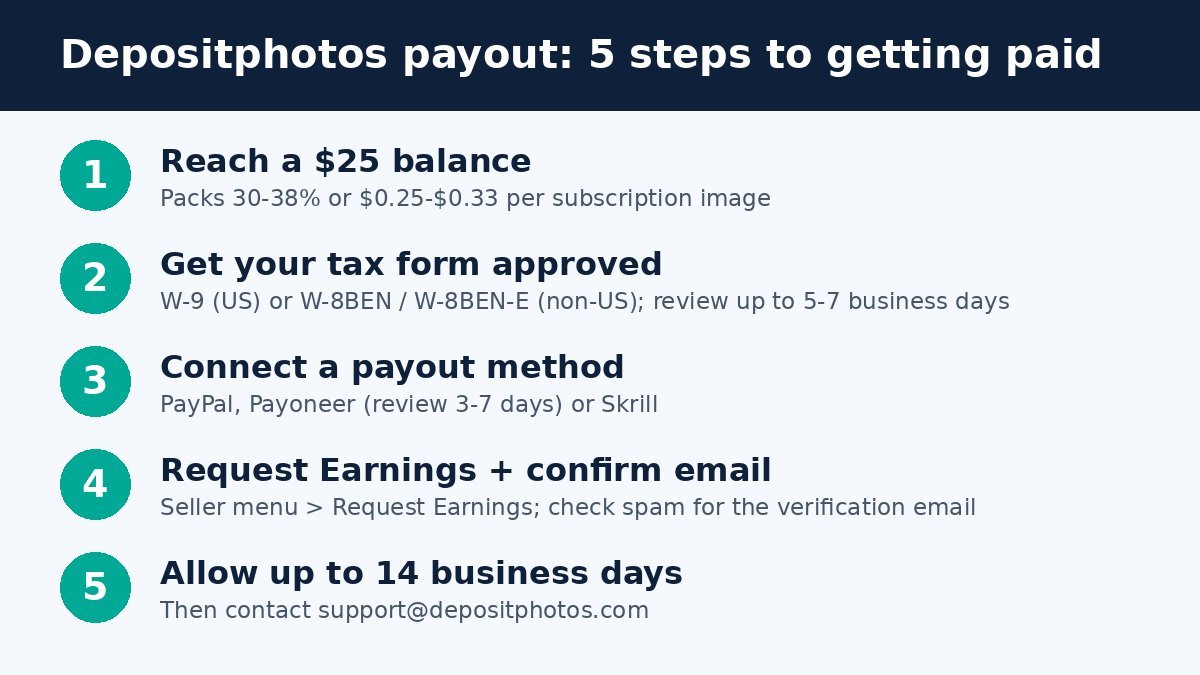
Payment methods: PayPal, Payoneer or Skrill
Depositphotos lists three withdrawal options: PayPal, Payoneer and Skrill. There is no direct bank transfer or cheque option in its FAQ. In the US or UK, you would normally get money to your bank by withdrawing from one of these wallets afterwards, which adds another step (and possibly another fee) on the provider’s side.
Payoneer comes with its own waiting period. Depositphotos says a newly connected Payoneer account review typically takes 3-7 days. If it still shows as pending on the withdrawal page after 7 business days, Depositphotos suggests disconnecting Payoneer, reconnecting it, and waiting a few more days. If you want your first payout quickly, connect and get your payout method approved before your balance reaches $25.
The tax form step that blocks first payouts
This is the most common reason a first Depositphotos payout does not go through. The FAQ says you will not receive any payment until a completed form is on file, even if your earnings reach the minimum payout level. Your earnings keep building up in the meantime. You do not lose them.
- US citizens and resident aliens submit Form W-9. Depositphotos says it issues a Form 1099-MISC at the start of the following year to contributors who were paid during the year.
- Non-US individuals (including UK residents) submit Form W-8BEN with their home-country tax number. Depositphotos says 30% withholding generally applies to US-source earnings, but residents of countries with a US income tax treaty may get a lower rate. Non-US contributors receive Form 1042-S instead of a 1099.
- Non-US companies submit Form W-8BEN-E.
Depositphotos says tax form review takes up to 5-7 business days, sometimes longer. Common reasons for rejection are an expired ID document, a missing or wrong tax number on Line 6, a name that does not match your ID, or a badly formatted address. You can see the exact reason under Seller menu → Tax Center.
Forms expire, too
Depositphotos says W-9 and W-8BEN forms are valid for three calendar years and asks you to submit a new one after that. For the W-8BEN, the IRS instructions say the form generally stays valid until the last day of the third calendar year after the year it was signed. For example, a form signed on 30 September 2015 stayed valid until 31 December 2018. If a payout that used to work suddenly stops, check whether your form has expired.
Depositphotos payout delayed? A checklist
If you requested a withdrawal and nothing has arrived, Depositphotos’ “Why can’t I withdraw my money?” article lists two main causes. Work through these in order:
- Confirm the request email. Depositphotos sends a verification email from support@depositphotos.com after you request a withdrawal. Check your spam folder. The request may stay on hold until you confirm it.
- Check your tax form status in the Tax Center. If it is pending, rejected or expired, the payout cannot go out.
- Check your Payoneer status if you use Payoneer (see above).
- Give the transfer time. Once your request is processed, the money can take a while to reach your account.
- Contact support at support@depositphotos.com if your form is approved and the payout is still pending.
A note on “14 days” vs “14 business days”
Depositphotos’ own wording is inconsistent. Its payment-not-received FAQ says a transfer “may take up to 14 days”, then tells you to contact support if you have not received the money “after 14 business days”. Fourteen business days is close to three calendar weeks. To be safe, allow 14 business days before you open a ticket. If the money arrives sooner, that is a bonus.
How Depositphotos compares with other agencies
Payout rules differ quite a bit between stock agencies, especially minimums, payout dates and accepted payment methods. If you sell the same portfolio on several sites, compare the details in our guides to the Shutterstock contributor payout, the Adobe Stock contributor payout and the Dreamstime contributor payout. Depositphotos’ main differences are that you choose when to withdraw, and that it offers only three wallet-style payment methods.
FAQ
Does Depositphotos pay automatically every month?
No. You request payment yourself through Seller menu → Request Earnings once your balance is at least $25. Unrequested earnings stay in your account.
Can Depositphotos pay to my bank account?
Its FAQ lists only PayPal, Payoneer and Skrill. To get the money into a bank account, withdraw from one of those to your bank afterwards.
Why is my balance over $25 but I can’t withdraw?
Usually because your W-9 or W-8BEN has not been approved yet, or because you have not confirmed the verification email for your withdrawal request.
Will UK contributors have US tax withheld?
Depositphotos says 30% withholding generally applies to non-US persons, but a lower rate may apply under a tax treaty if you claim it correctly on Form W-8BEN. Check how the treaty applies to you with HMRC guidance or a tax adviser.
Disclaimer: This article is for general information only and is not tax, legal or financial advice. Payout terms can change, so check Depositphotos’ current help centre and your payment provider’s fee pages before relying on any figure.