
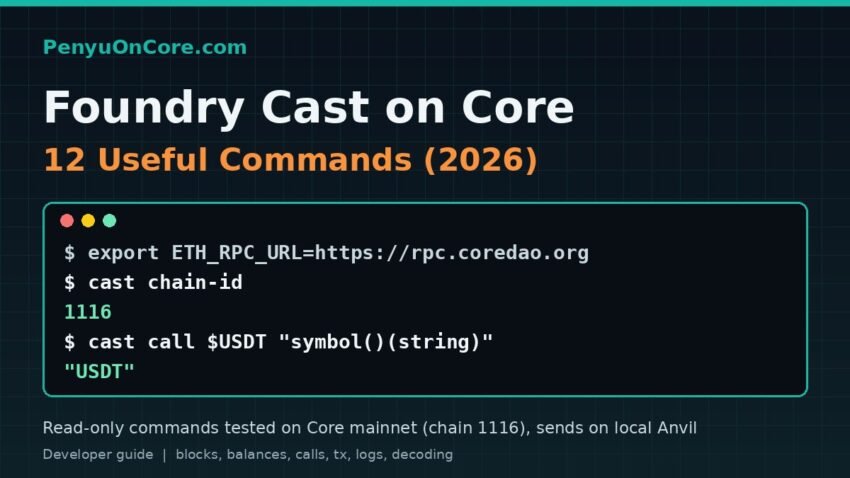
If you build on Core, you will spend a lot of time asking the chain simple questions: what block are we on, what is the gas price, did my transaction succeed, how many tokens does this address hold. Foundry cast commands answer all of these from the terminal in a second, without opening an explorer or writing a script.
Short answer: Install Foundry, point cast at Core with export ETH_RPC_URL=https://rpc.coredao.org, and confirm it with cast chain-id (it should print 1116). From there, cast block-number, cast balance, cast call, cast tx, cast receipt and cast logs cover most day-to-day reads. Keep cast send for a local Anvil node or testnet until you are sure what you are doing.
Every command below was run against Core mainnet’s public RPC on 19 November 2026, around 16:20–16:30 WIB (09:20–09:30 UTC), with Foundry 1.9.0. All mainnet calls were read-only. The outputs are real, but block numbers, balances and gas prices will be different when you try them.
Setup: connect Foundry cast to Core
Install Foundry with the official installer from the Foundry installation guide (curl -L https://foundry.paradigm.xyz | bash, then run foundryup). Core’s own Using Foundry guide describes cast as “a tool for interacting with smart contracts and viewing blockchain data”. If you haven’t set up a project yet, start with our guide to deploying a smart contract on Core with Foundry.
The network details below come from Core’s network config and RPC list pages:
| Network | Chain ID | RPC URL | Explorer |
|---|---|---|---|
| Core Mainnet | 1116 (0x45c) | https://rpc.coredao.org (archive: rpcar.coredao.org) |
scan.coredao.org |
| Core Testnet2 | 1114 (0x45a) | https://rpc.test2.btcs.network |
scan.test2.btcs.network |
Core’s docs say the old testnet (chain ID 1115) has been retired, so use Testnet2. Instead of adding --rpc-url to every command, set an environment variable that cast reads automatically:
export ETH_RPC_URL=https://rpc.coredao.org12 Foundry cast commands for Core
1. cast chain-id: check which network you’re on
$ cast chain-id
1116
Run this first. If it prints anything other than 1116 (or 1114 on Testnet2), every later result is from the wrong chain.
2. cast block-number and cast find-block
$ cast block-number
40588634

$ cast find-block 1795046400     # 19 Nov 2026 00:00 UTC
40577421
find-block turns a Unix timestamp into the closest block number. That’s useful when you need a block range for a specific day.
3. cast gas-price and cast basefee
$ cast gas-price
60000000000

$ cast basefee
0
That’s 60 gwei. The base fee in the latest block was 0, so on Core the price you pay is mostly the priority fee. Two real transactions we looked up paid 69 and 74.1 gwei. Treat gas-price as a starting point, not a guarantee.
4. cast block: read block fields
$ cast block latest -f gasLimit
50000000

$ cast block 40583726 -f timestamp
1795065315

$ cast age 40583726
Thu Nov 19 05:15:15 2026 UTC
Use -f (--field) to print one field instead of the whole block. cast age converts the timestamp to a readable date.
5. cast balance: native CORE balance
$ cast balance 0x40375C92d9FAf44d2f9db9Bd9ba41a3317a2404f --ether
5598595.600242413327231663
That address is the WCORE (wrapped CORE) contract, so the result is the CORE locked inside it. Without --ether, you get the raw value in wei (18 decimals).
6. cast call: read any contract function
cast call runs a function with eth_call. Nothing is signed or broadcast. Add the return type in brackets so cast decodes it for you. Here it is against USDT on Core (0x9001...45F1):
$ USDT=0x900101d06A7426441Ae63e9AB3B9b0F63Be145F1
$ cast call $USDT "symbol()(string)"
"USDT"
$ cast call $USDT "decimals()(uint8)"
6
$ cast call $USDT "totalSupply()(uint256)"
558909029928 [5.589e11]
A related read-only command is cast estimate, which simulates a transaction to estimate gas. Simulating a 1 USDT transfer from an empty address returned execution reverted: ERC20: transfer amount exceeds balance. If you get that, see our explainer on the “transfer amount exceeds balance” error.
7. cast erc20: token shortcuts
$ cast erc20 decimals $USDT
6
$ cast erc20 balance $USDT 0xd24f5b6fA3064022A07c0D5dBE875a0e1AFB4354
2254666119
$ cast format-units 2254666119 6
2254.666119
Recent Foundry versions include an erc20 subcommand (name, symbol, decimals, balance, allowance and more), so you don’t need to type function signatures. The balance comes back in raw units. Pass it to format-units with the token’s decimals (6 for USDT) to get the readable amount.
8. cast code and cast codesize: is it a contract?
$ cast codesize $USDT
3064
$ cast codesize 0xd24f5b6fA3064022A07c0D5dBE875a0e1AFB4354
8856
A size of 0 means a normal wallet (or nothing deployed). cast code prints the bytecode itself. This is a quick way to confirm you copied the right contract address before you interact with it.
9. cast tx and cast receipt: inspect a transaction
$ TX=0x6280ee39f0fe04df57db08b31f0e92e7cf6737e17789bf011f01958e5ea139d2
$ cast tx $TX to
0x900101d06A7426441Ae63e9AB3B9b0F63Be145F1
$ cast receipt $TX status
1 (success)
$ cast receipt $TX gasUsed
48348
Without a field name, both commands print everything: from, to, nonce, input, gas and logs. In this example, the transaction (block 40587679) was a type-2 USDT approval at 69 gwei.
10. cast logs: query events
$ cast logs --from-block 40583700 --to-block 40583750 \
    --address $USDT "Transfer(address indexed from,address indexed to,uint256 value)"
- address: 0x900101d06A7426441Ae63e9AB3B9b0F63Be145F1
  blockNumber: 40583726
  ...
  decoded:
    from: 0xd24f5b6fA3064022A07c0D5dBE875a0e1AFB4354
    to: 0x8ef15579466aD9440baBa3b8819ce3A29345495c
    value: 1448854 [1.448e6]
If you include parameter names in the event signature, cast decodes each log for you. Keep block ranges small. Large ranges can time out or hit provider limits, as explained in our guide to the eth_getLogs “block range too large” error.
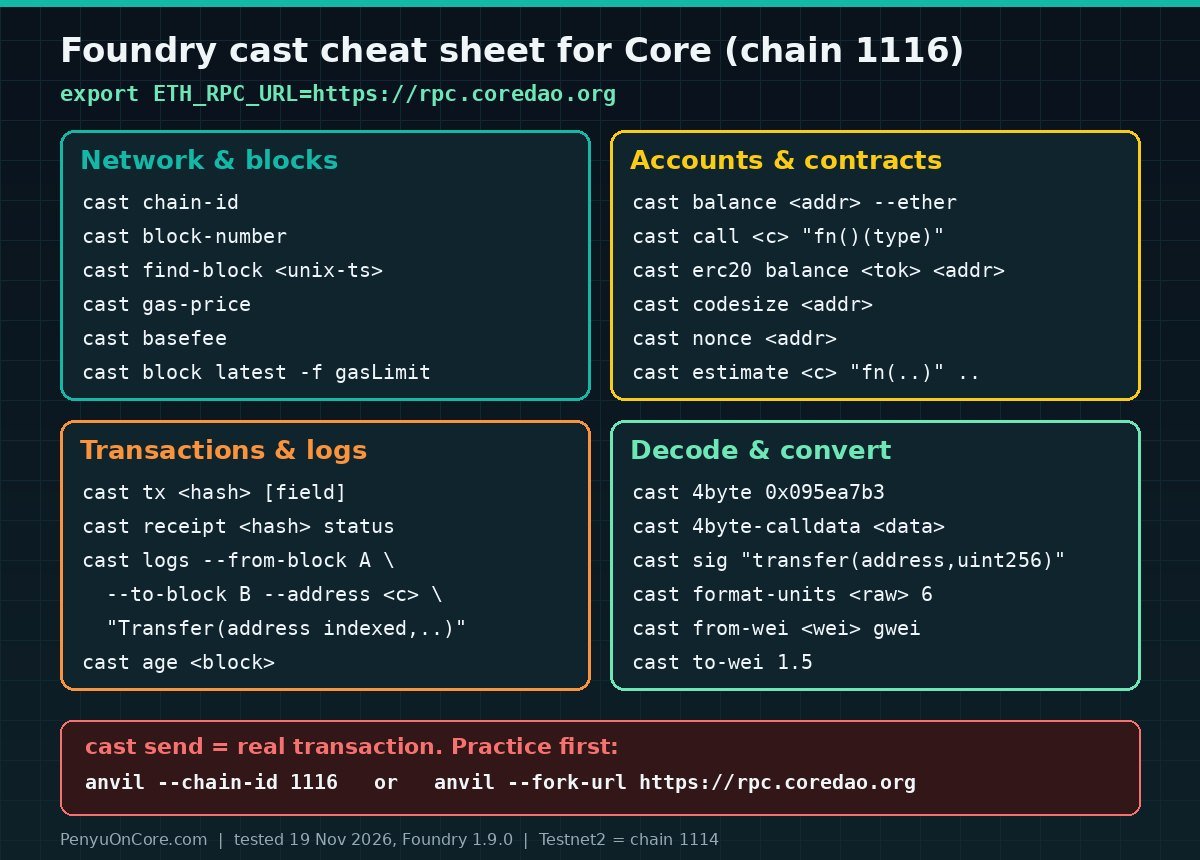
11. cast 4byte, cast decode-calldata and cast sig: decode hex
$ cast 4byte 0x095ea7b3
approve(address,uint256)

$ cast 4byte-calldata $(cast tx $TX input)
1) "approve(address,uint256)"
0xBb5e1777A331ED93E07cF043363e48d320eb96c4
20000000 [2e7]

$ cast sig "transfer(address,uint256)"
0xa9059cbb
$ cast sig-event "Transfer(address,address,uint256)"
0xddf252ad1be2c89b69c2b068fc378daa952ba7f163c4a11628f55a4df523b3ef
The decoded calldata shows that the approval was for 20,000,000 raw units, which is 20 USDT. cast 4byte looks selectors up in a public signature database. If you already know the function, use cast decode-calldata "approve(address,uint256)" <data> to decode it offline.
12. Unit conversions: from-wei, to-wei, to-unit
$ cast from-wei 60000000000 gwei
60.000000000
$ cast to-unit 60000000000 gwei
60
$ cast to-wei 1.5
1500000000000000000
CORE uses 18 decimals, like ETH, so the ether unit works for CORE amounts. For tokens with different decimals, use format-units and parse-units.
Sending transactions safely: practice on a local Anvil node
cast send signs and broadcasts a transaction, and that is where real money is at risk. Practice on a local node that uses Core’s chain ID:
$ anvil --chain-id 1116 --port 8546
$ cast chain-id --rpc-url http://127.0.0.1:8546
1116
$ cast send 0x70997970C51812dc3A010C7d01b50e0d17dc79C8 --value 1ether \
    --private-key <anvil test key #0> --rpc-url http://127.0.0.1:8546
status               1 (success)
gasUsed              21000
$ cast balance 0x70997970C51812dc3A010C7d01b50e0d17dc79C8 --ether --rpc-url http://127.0.0.1:8546
10001.000000000000000000
Anvil’s default keys are public test keys. Never use them on a real network. To test against real Core contracts and balances, fork mainnet instead (anvil --fork-url https://rpc.coredao.org), as shown in our Anvil fork guide for Core.
cast wallet new creates a fresh key pair offline (in our test it printed an address and a private key). cast wallet address --private-key derives the address from a key. For real deployments, import a key into Foundry’s encrypted keystore with cast wallet import and use --account rather than pasting --private-key into your shell history. The cast wallet reference lists all the options.
Tips for using cast on Core
- Use the archive RPC for old state. To read a balance at an old block (
--block 30000000), usehttps://rpcar.coredao.org. In our test,rpc.coredao.organswered that query withmissing trie node ... is not available, while the archive endpoint returned the balance. - Check results against the explorer. Core Scan shows the same transaction, logs and contract code, which helps when a result looks wrong.
- Testnet2 can be flaky. During our test,
rpc.test2.btcs.networkreturned a Cloudflare 522 timeout. If that happens, retry later or try the archive endpoint listed in Core’s RPC docs. - Use the built-in help.
cast --helpand the cast reference list every subcommand, and new ones are added often.
FAQ
Does Foundry cast work on Core without extra configuration?
Yes. Core is EVM-compatible, so cast just needs an RPC URL. Set ETH_RPC_URL or pass --rpc-url https://rpc.coredao.org. You don’t need a plugin or a custom chain definition.
Is cast call free?
Yes. cast call, cast estimate and the other read commands use RPC queries. They don’t create transactions, so they cost no gas. Only cast send (and similar commands with --broadcast) spends CORE.
Why does cast show a number with brackets, like 558909029928 [5.589e11]?
The bracketed part is cast’s scientific-notation hint for large integers. The first number is the exact raw value. Divide it by 10^decimals (or use format-units) to get the human-readable amount.
What chain ID should I use for Core testnet?
Use 1114 for Core Testnet2. The older 1115 testnet has been retired according to Core’s RPC documentation. Mainnet is 1116.
Disclaimer: This article is for educational purposes only and is not financial or security advice. Never paste a real private key into commands or scripts you don’t fully understand, test transactions on Anvil or Testnet2 first, and do your own research before you interact with any contract.