
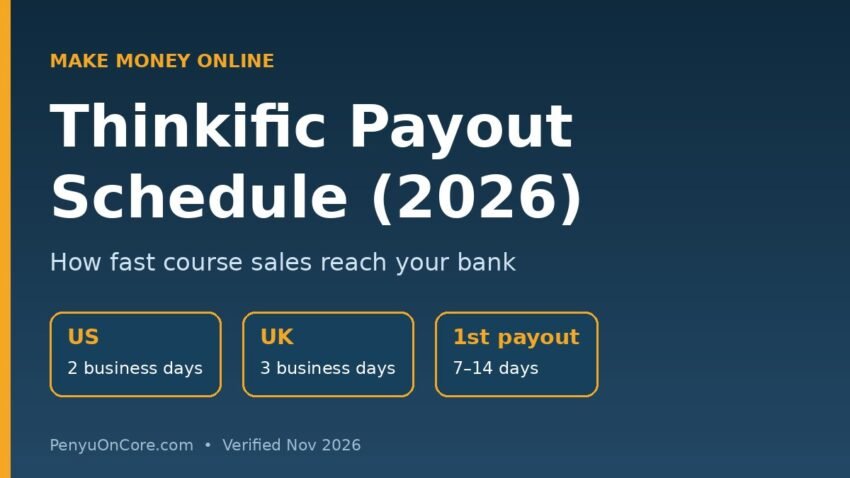
Quick answer: If you sell through Thinkific Payments, payouts run daily by default, and each payout includes sales that cleared a set number of business days earlier: 2 business days in the US and 3 business days in the UK, according to Thinkific’s help center. Your very first payout is slower, usually arriving within 7–14 days of your first successful payment while your account is verified.
That is the short version. Below is the full Thinkific payout schedule by country, what changes if you use Stripe or PayPal instead, how Instant Payouts work, and what to check when money does not show up. All details were checked against Thinkific’s official support articles in November 2026. Thinkific can change these terms, so confirm in your own dashboard before planning around a date.
How the Thinkific Payout Schedule Works
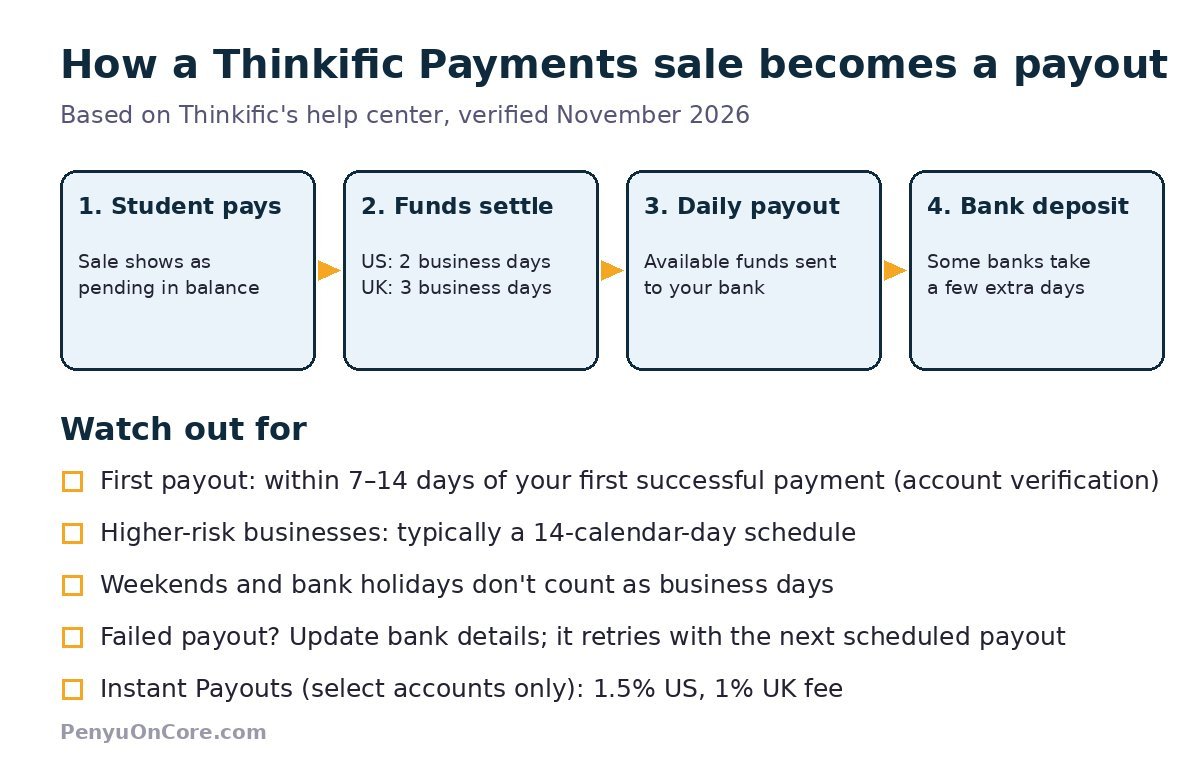
Thinkific Payments is Thinkific’s built-in payment processor (it runs on Stripe behind the scenes). When a student buys a course, the money first lands in your Thinkific Payments balance. It then moves through three stages you can see under Sales → Payouts in your admin dashboard:
- Pending / settling: the transaction has been charged but has not cleared yet. Thinkific says individual transactions “generally take a few days to be processed.”
- Available in your balance: the funds have settled and are ready to be sent to your bank.
- On the way to your bank: a payout has been created and is in transit.
By default, Thinkific creates a payout every day containing everything that has finished settling. So with daily sales in the US, Thinkific’s own example says you should get a payout every day that includes payments made two business days prior.
Thinkific Payout Schedule by Country
The standard schedule depends on the country your business and bank account are registered in. These are the figures from Thinkific’s Thinkific Payments: Payouts article (verified November 2026):
| Business location | Standard payout schedule | Notes |
|---|---|---|
| United States | 2 business days | Daily payouts by default |
| United Kingdom | 3 business days | Daily payouts by default |
| Canada | 3 business days | One FAQ on the same page says seven calendar days (see below) |
| EEA countries / Switzerland | 3 business days | Daily payouts by default |
| Australia | 2 business days | Daily payouts by default |
| New Zealand | 4 business days | Daily payouts by default |
Two caveats are worth knowing. First, Thinkific’s pages are not fully consistent: the country table lists Canada at 3 business days, while an FAQ further down the same article says Canadian payouts are “processed on a schedule of seven calendar days.” Thinkific’s fees and supported countries page also lists 3 business days for Canada. If you are in Canada, check the “Expected to arrive” date in your own dashboard. Second, “business days” means weekends and bank holidays do not count, so a Friday sale in the US will not usually clear until the following Tuesday.
Your first payout takes longer
Thinkific says your first payout “may take longer to process, as Thinkific Payments verifies your account,” and that you should receive it within 7–14 days of your first successful Thinkific Payment. If you are launching a course, plan for that gap rather than expecting money two days after your first sale.
Higher-risk businesses
Thinkific’s FAQ says that if your business is classified as higher risk, payouts are “typically processed on a schedule of 14 calendar days.” Thinkific does not publish a list of what counts as higher risk in that article, so if your payouts suddenly stretch out, ask Thinkific payments support whether your account classification has changed.
Changing Your Payout Frequency
Daily is the default, but some accounts can switch to a different schedule. Per Thinkific’s instructions:
- From your Admin Dashboard, click Sales, then Payouts.
- Click Update in the “Next payout” section.
- Choose Manual (you request each payout yourself) or Automatic (daily, weekly or monthly, on a day you pick).
- Click Save.
The catch: Thinkific says this option is only available to customers with access to Instant Payouts. If you do not see it, Thinkific asks you to email its payments support team with your preferred schedule and start date. A weekly or monthly schedule can make bookkeeping simpler, since you get fewer, larger deposits to match against your sales.
Instant Payouts: Faster, but Not Free
Instant Payouts let eligible creators send available funds to their bank within minutes, including weekends and holidays. According to Thinkific:
- It is available to select customers only, and your bank must support instant payouts.
- There is a fee deducted from the payout. Thinkific’s fee page lists 1.5% for the United States and Australia and 1% for Canada, the EU, the UK and Singapore.
- Thinkific sends the money instantly, but delays can still happen on the bank’s side.
- Instant payouts appear as a lump sum in your exports, so you cannot see which individual transactions were bundled.
For most small creators, the standard 2–3 business day schedule is fast enough. Paying 1–1.5% to get money a couple of days sooner only makes sense if you have a real cash-flow need.
What If You Use Stripe or PayPal Instead?
Thinkific also supports direct Stripe and PayPal integrations, and the payout timing then follows those providers rather than Thinkific Payments. According to Thinkific’s How do I get paid? article:
- Stripe: Stripe pays out automatically to your bank, and you change the frequency inside your Stripe account. Your first payout comes 7–10 days after your first successful payment.
- PayPal: you must manually transfer funds from PayPal to your bank. For brand-new PayPal business accounts, PayPal may hold funds for up to 21 days.
You can check which processor handled each sale in the Payment method column of your Orders Report.
Fees That Reduce Each Payout
Your payout is your sales minus processing fees, not your gross revenue. For Thinkific Payments, the fee page lists card fees of 2.9% + $0.30 for US businesses and 1.7% + £0.20 for UK businesses, plus extra percentages for international cards, currency conversion and subscriptions or payment plans (+0.7%). A 0.5% Sales Tax and VAT Solution fee also applies to paid transactions from students in the US, Canada, the UK, the EU and Switzerland. Refunds have no extra fee, but the original processing fees are not returned.
If you are comparing course platforms, the timing and fee structure differ a lot. See our guides to the Teachable payout schedule and the Kajabi payout schedule for side-by-side context.
Why Your Thinkific Payout Might Be Late
Your payout dashboard shows one of six statuses: Pending, In Transit, Paid, Failed, Canceled or Withdrawn. Common reasons for delays:
- It is your first payout. Allow the full 7–14 days for verification.
- Weekends or bank holidays. Business-day schedules pause over them.
- It is “In Transit.” Thinkific says this can take minutes or several days depending on your bank. Check back after 24–48 hours.
- The payout Failed or was Canceled. Update your banking information. Thinkific says the payout is retried automatically with the next scheduled payout.
- Your bank holds the deposit. Some banks take a few extra days to make funds available.
- Your account is classified as higher risk, which moves you to a 14-calendar-day schedule.
Also note that Thinkific’s dashboard shows dates in your local time zone, but the Payouts CSV export uses UTC, so a payout can appear one day earlier or later in the export.
Is Thinkific’s Payout Speed Good for a Side Income?
For a US or UK creator, a daily payout with a 2–3 business day lag is quick compared with platforms that pay monthly, such as the schedule in our Udemy instructor payout guide. Fast payouts don’t create sales, though. Course income still depends on having an audience and a product people want, and many courses earn little at first. Treat payout speed as a cash-flow detail, not a reason to pick a platform.
FAQ
How often does Thinkific pay out?
With Thinkific Payments, daily by default. Each payout includes transactions that have finished settling, which takes 2 business days in the US and 3 in the UK, per Thinkific’s help center.
Is there a minimum payout on Thinkific?
Thinkific says the minimum payout amount “varies by country” but does not list exact figures in its payouts article. Check your Payouts dashboard or ask payments support.
Can I get paid instantly on Thinkific?
Only if your account has Instant Payouts, which is offered to select customers whose banks support it. It costs 1.5% in the US and 1% in the UK, per Thinkific’s fee page.
Why hasn’t my first Thinkific payout arrived?
First payouts take longer while Thinkific Payments verifies your account, usually within 7–14 days of your first successful payment.
Last verified: November 2026, using Thinkific’s official support center. Payout terms can change; your Thinkific dashboard shows the dates that apply to your account.