
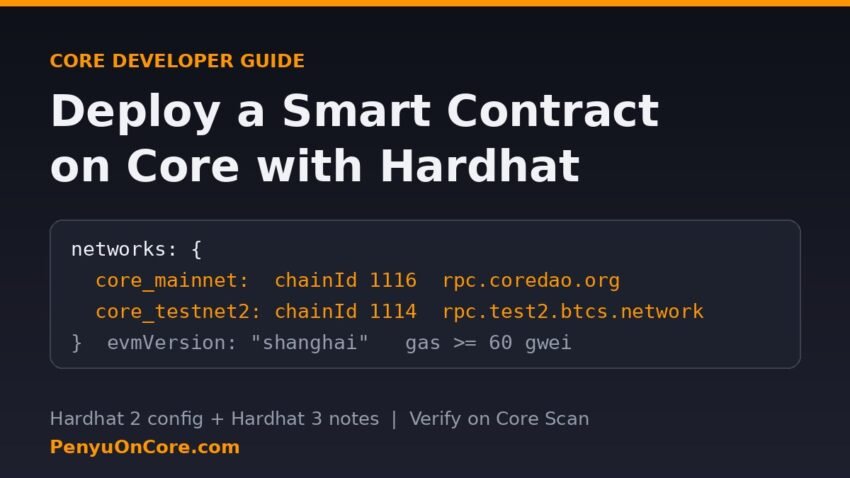
Quick answer: To deploy a smart contract on Core with Hardhat, add a Core network to your Hardhat config (mainnet: https://rpc.coredao.org/, chain ID 1116; testnet: https://rpc.test2.btcs.network, chain ID 1114), compile with evmVersion: "shanghai", and run a plain ethers deploy script with npx hardhat run scripts/deploy.js --network core_testnet2. Fund the deployer with CORE (or tCORE2 on testnet), and expect the public RPC to want at least 60 gwei per unit of gas.
This guide follows Core’s own Hardhat tutorial and starter kit, which use Hardhat 2. The main example targets Hardhat 2.29.2, the current release on npm’s hh2 tag. Hardhat 3 (3.22.0 on npm’s latest tag when we checked on 17 November 2026) needs a different config file, so we cover that version in its own section further down.
Core network settings you need
These values come from Core’s network configuration page. We also queried the mainnet RPC directly: eth_chainId returned 0x45c (1116).
| Setting | Core Mainnet | Core Testnet2 |
|---|---|---|
| RPC URL | https://rpc.coredao.org/ | https://rpc.test2.btcs.network |
| Chain ID | 1116 (0x45c) | 1114 (0x45a) |
| Gas token | CORE | tCORE2 |
| Explorer | https://scan.coredao.org | https://scan.test2.btcs.network |
| Explorer API (verification) | https://openapi.coredao.org/api | https://api.test2.btcs.network/api |
| Faucet | None (buy CORE) | https://scan.test2.btcs.network/faucet |
Core retired the old testnet, chain ID 1115. Its smart contract guidelines say it is decommissioned, so remove any 1115 entries from old configs. When we tested Testnet2 on 17 November 2026, its RPC, explorer and faucet all returned Cloudflare 522 errors. If they are still down for you, check Core’s channels before assuming your config is broken. Our Core testnet faucet guide explains how to get tCORE2 once the faucet is back up.
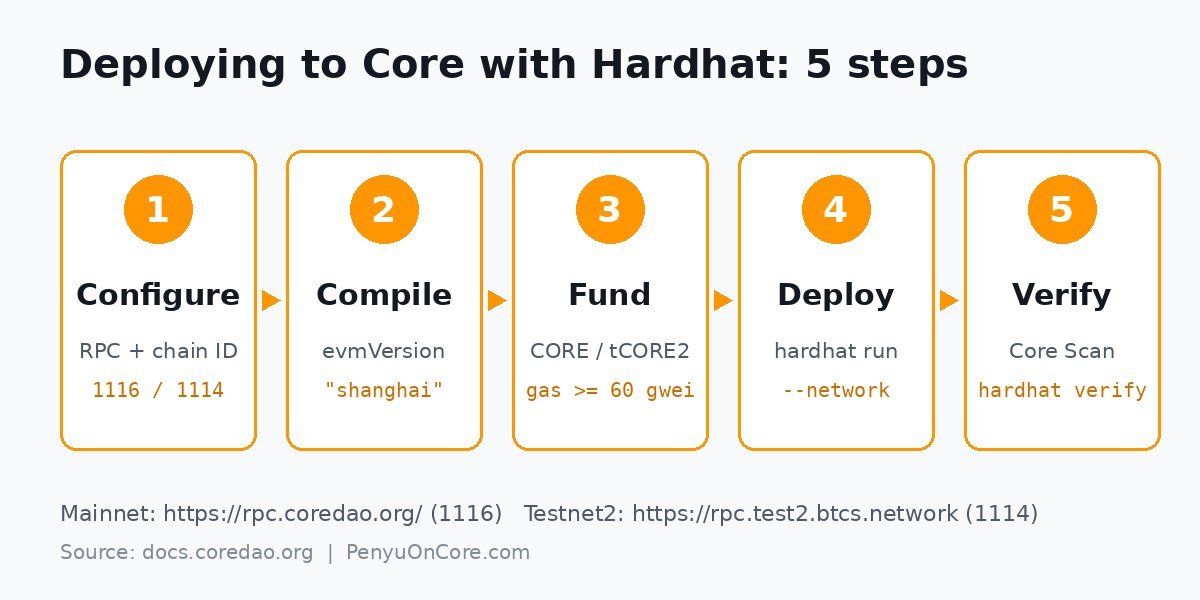
Step 1: Create the project
Core’s docs list Node.js 18 or later for the starter kit. You can clone that kit, or start a clean Hardhat 2 project like this:
mkdir core-hardhat && cd core-hardhat
npm init -y
npm install --save-dev hardhat@hh2 @nomicfoundation/hardhat-toolbox@hh2 dotenv
The @hh2 tags install the latest Hardhat 2 versions. The plain hardhat package now installs Hardhat 3.
Step 2: Write the hardhat.config.js
The important Core-specific line is evmVersion: "shanghai". Core’s guidelines say contracts using Solidity 0.8.24 or newer on Mainnet (1116) and Testnet2 (1114) should be compiled for the Shanghai EVM, not the compiler’s default. Newer compilers default to later EVM versions that can emit opcodes Core may not support.
require("@nomicfoundation/hardhat-toolbox");
require("dotenv").config();

const accounts = process.env.PRIVATE_KEY ? [process.env.PRIVATE_KEY] : [];

module.exports = {
  solidity: {
    version: "0.8.24",
    settings: {
      evmVersion: "shanghai",
      optimizer: { enabled: true, runs: 200 },
    },
  },
  networks: {
    core_mainnet: {
      url: "https://rpc.coredao.org/",
      chainId: 1116,
      accounts,
    },
    core_testnet2: {
      url: "https://rpc.test2.btcs.network",
      chainId: 1114,
      accounts,
    },
  },
};
Put the deployer key in a .env file (PRIVATE_KEY=...) and add .env to .gitignore. Use a dedicated deployer wallet that holds only enough to pay gas, never your main wallet. If you deploy from a hardware wallet day to day, see our Ledger on Core guide.
Step 3: Add a contract and compile
Save this minimal contract as contracts/Storage.sol:
// SPDX-License-Identifier: MIT
pragma solidity ^0.8.24;

contract Storage {
    uint256 private number;

    event NumberStored(uint256 value);

    function store(uint256 num) external {
        number = num;
        emit NumberStored(num);
    }

    function retrieve() external view returns (uint256) {
        return number;
    }
}
Run npx hardhat compile. With the config above, Hardhat 2 reports “evm target: shanghai”. If you see a different target, your settings block is in the wrong place.
Step 4: Write a deploy script (not Ignition)
The README of Core’s hardhat-tutorial repo says Hardhat Ignition is not compatible with Core and recommends custom scripts instead. Save this as scripts/deploy.js:
const hre = require("hardhat");

async function main() {
  const [deployer] = await hre.ethers.getSigners();
  const { chainId } = await hre.ethers.provider.getNetwork();
  const balance = await hre.ethers.provider.getBalance(deployer.address);

  console.log("Network chain ID:", chainId.toString());
  console.log("Deployer:", deployer.address);
  console.log("Balance:", hre.ethers.formatEther(balance));

  const Storage = await hre.ethers.getContractFactory("Storage");
  const storage = await Storage.deploy();
  await storage.waitForDeployment();

  console.log("Storage deployed to:", await storage.getAddress());
  console.log("Deploy tx hash:", storage.deploymentTransaction().hash);
}

main().catch((error) => {
  console.error(error);
  process.exitCode = 1;
});
Run it on Hardhat’s built-in network first with npx hardhat run scripts/deploy.js, which costs nothing. Then target Core:
npx hardhat run scripts/deploy.js --network core_testnet2
npx hardhat run scripts/deploy.js --network core_mainnet
Step 5: Gas, fees and funding on Core
The 60 gwei floor
When we queried rpc.coredao.org on 17 November 2026, eth_gasPrice returned 60 gwei and the latest block’s baseFeePerGas was 0. With the default gasPrice: "auto", ethers v6 also suggested 60 gwei for both maxFeePerGas and maxPriorityFeePerGas, so the defaults work. If you hard-code a lower gasPrice in the network config, the public RPC rejects the deploy. Our “transaction underpriced” on Core guide covers that error.
What a small deploy costs
An eth_estimateGas call against Core mainnet for the Storage contract above returned 102,649 gas. At 60 gwei, that works out to about 0.0062 CORE. Real contracts with libraries or long constructors use far more gas. Very large deploys can also hit the RPC’s 1 CORE fee cap, which comes to roughly 16.67 million gas at 60 gwei. If that happens, see our “tx fee exceeds the configured cap” fix. For mainnet, the deployer needs real CORE. Our guide to getting CORE for gas walks through the options.
Step 6: Verify the contract on Core Scan
Core’s Hardhat docs set up verification through hardhat-verify using customChains entries. Those entries point at https://openapi.coredao.org/api for mainnet and https://api.test2.btcs.network/api for Testnet2, and you need a Core Scan API key for each. After that, the command is npx hardhat verify --network core_mainnet <address>. Core Scan defaults to the Shanghai EVM for Solidity 0.8.24+, so it matches the compile settings above. Our Core Scan verification walkthrough covers the full process, including the manual route.
Using Hardhat 3 instead
Hardhat 3 is a full rewrite. According to Hardhat’s migration guide, it needs Node.js 22.13.0 or later and an ESM project ("type": "module"). You also have to list plugins explicitly in the config. HTTP networks take type: "http", and secrets are read through configVariable, as the configuration reference shows. A Core setup for Hardhat 3.22 with @nomicfoundation/hardhat-toolbox-mocha-ethers looks like this:
// hardhat.config.ts
import { configVariable, defineConfig } from "hardhat/config";
import hardhatToolboxMochaEthers from "@nomicfoundation/hardhat-toolbox-mocha-ethers";

export default defineConfig({
  plugins: [hardhatToolboxMochaEthers],
  solidity: {
    version: "0.8.24",
    settings: { evmVersion: "shanghai", optimizer: { enabled: true, runs: 200 } },
  },
  networks: {
    coreMainnet: {
      type: "http",
      chainType: "generic",
      url: "https://rpc.coredao.org/",
      chainId: 1116,
      accounts: [configVariable("CORE_PRIVATE_KEY")],
    },
    coreTestnet2: {
      type: "http",
      chainType: "generic",
      url: "https://rpc.test2.btcs.network",
      chainId: 1114,
      accounts: [configVariable("CORE_PRIVATE_KEY")],
    },
  },
});
Scripts in Hardhat 3 open the network connection themselves. In 3.22, network.connect() prints a deprecation warning, so use getOrCreate():
// scripts/deploy.ts
import { network } from "hardhat";

const { ethers } = await network.getOrCreate();
const storage = await ethers.deployContract("Storage");
await storage.waitForDeployment();
console.log("Storage deployed to:", await storage.getAddress());
Run it with npx hardhat run scripts/deploy.ts --network coreMainnet. The build command is npx hardhat build. To keep the key out of your shell history, store it with the hardhat-keystore plugin, which encrypts it.
Common errors when deploying to Core
- Deploys that fail after a compiler upgrade: make sure
evmVersionis set to"shanghai". - Chain ID mismatch: you are probably still using a 1115 URL, or a 1114 URL under a mainnet network name.
- Insufficient funds: the deployer address has no CORE or tCORE2. Check it on Core Scan.
- Transaction underpriced: remove the hard-coded gas price, or set it to at least 60 gwei.
FAQ
What is the Core testnet chain ID for Hardhat?
Core Testnet2 uses chain ID 1114 with the RPC https://rpc.test2.btcs.network. The old 1115 testnet is decommissioned.
Do I need Hardhat 2 to deploy on Core?
No. Core’s official tutorial and starter kit use Hardhat 2, but Hardhat 3 also works for a plain ethers deploy if you use the HTTP network config shown above. Core’s guidance not to use Ignition still applies.
Why does Core require the Shanghai EVM version?
Core’s smart contract guidelines tell developers to compile Solidity 0.8.24+ for Shanghai rather than the compiler default. Core Scan verification also defaults to Shanghai for those versions.
How much CORE do I need to deploy a contract?
It depends on contract size. For the small example here, the gas estimate came to about 0.0062 CORE at 60 gwei. Estimate your own contract before deploying, and keep a margin on top.
Disclaimer: This article is for educational purposes only and is not financial or investment advice. Deploying contracts on mainnet costs real funds, and smart contracts can contain bugs. Test thoroughly and consider an audit before handling user funds.