
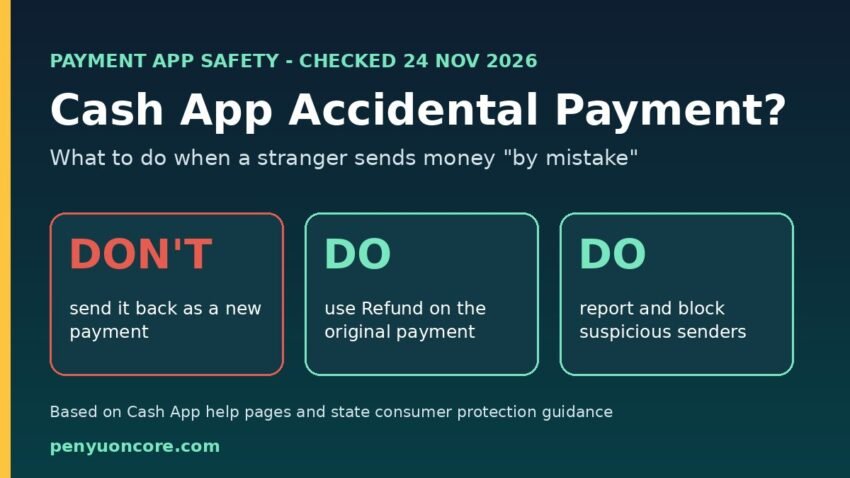
A Cash App accidental payment is when money lands in your balance from someone you don’t know, often followed by a message like “Sorry, I sent that by mistake, can you send it back?” Sometimes it really is a typo. Often it’s a well-known scam. Here’s what Cash App’s own help pages recommend, and how to handle it without losing your own money.
Short answer: Don’t spend the money, and don’t send it back as a new payment. If you need to return it, open the original payment in your Activity tab and use Refund, or contact Cash App Support through the app. Then report and block the sender if it looks like a scam.
The Cash App, FTC and state attorney general pages linked below were checked on 24 November 2026.
What to do after a Cash App accidental payment
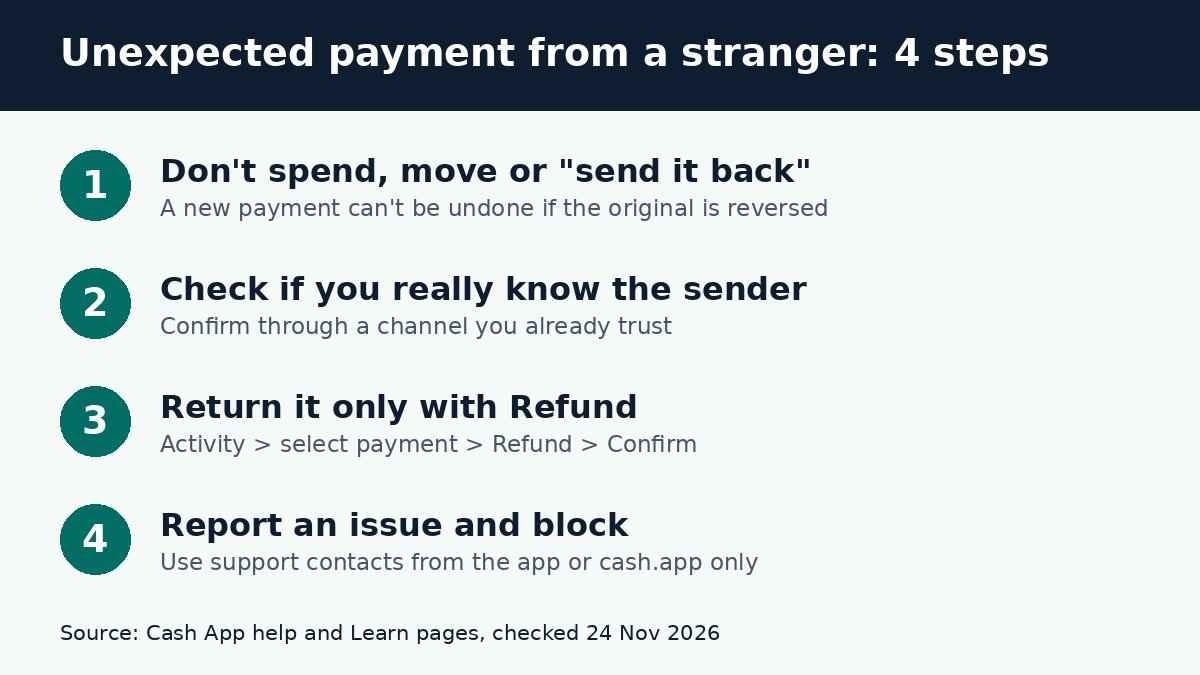
1. Don’t spend it, move it or “send it back”
Leave the money where it is. Cash App’s guide to the most common scams says the original payment in this scam “was often made with stolen funds or a compromised account.” If you send “their” money back as a new payment, you lose that money when the original transaction gets reversed. The same page puts it plainly: “the right move is to wait.”
2. Check whether you actually know the sender
If the payment is from a friend, relative or customer you recognise, confirm with them through a channel you already trust, such as calling their usual number. If the sender is a stranger, treat it as suspicious until proven otherwise, especially if they message you right away with urgency or pressure.
3. Return money only through Refund on the original payment
Cash App’s scam guide says that if you need to return money you received, you should “issue a refund on the original transaction instead of sending a new payment.” It also says that if someone claims they paid you by mistake, you can tell them to cancel it from their end, because you don’t need to send a new payment to fix someone else’s error.
Cash App’s Refund a Payment help page lists the steps:
- Go to the Activity tab.
- Select the payment you want to refund.
- Choose Refund.
- Press Confirm.
Once confirmed, Cash App says the funds go back to the sender’s Cash App balance or linked bank account. Unsure? Contact Cash App Support first (step 4).
4. Report the payment and block the sender
Cash App’s scam help page explains how to report a suspicious payment: open the Activity tab, select the payment, tap Report an issue and follow the prompts. To report or block the account itself, open their profile, scroll to the bottom and tap Report or Block. Cash App’s block or report page notes that blocking alone “does not create a formal report,” so do both if you think it’s a scam.
The best way to reach support, according to Cash App, is inside the app: tap the profile icon, select Support and navigate to the issue. Its help pages also list the phone number (800) 969-1940. Only use contact details from the app or cash.app, never a number the sender gives you.
How the Cash App accidental payment scam works
A stranger sends you money, then messages you to say it was an accident and asks you to return it, usually through a brand-new payment.
The Michigan Attorney General’s payment apps consumer alert describes the same scam. It says scammers’ accounts usually use stolen funds that the payment service will eventually flag as fraud, and that if you send money back to the scammer, “the P2P service could take funds out of your account or hold you responsible.” Its advice: never send the money back yourself, and contact the payment service about the error instead.
The overpayment version
Sellers see a variation. A buyer pays more than the agreed price and asks you to refund the difference. Cash App’s scam guide says this “works the same way”: the first payment gets reversed and you’re out whatever you sent back. If you sell items or services online, our guide to PayPal holding funds covers another reason seller payments can be delayed during busy sales periods.
Red flags to watch for
- A payment from someone you’ve never dealt with, followed quickly by a message.
- Pressure to “fix it now,” or claims they’ll be in trouble if you don’t.
- A request to send the money to a different account, or to pay by gift card or crypto.
- Someone posing as Cash App Support who asks for your sign-in code, PIN or a “test” payment. Cash App says its support staff will never ask for these.
These tactics overlap with other scams that start with small, unexpected money movements, such as task scams that pay you a little before asking you to “deposit” more.
Refund vs. sending a new payment
| Action | Where the money goes | Risk |
|---|---|---|
| Refund the original payment | Back to the sender’s Cash App balance or linked bank account, per Cash App | The method Cash App’s scam guide recommends if you need to return money |
| Send a new payment “back” | Wherever the sender tells you, possibly a different account | If the original payment is reversed, you can lose the money you sent |
| Leave it and contact support | Stays in your balance while you get guidance | Low, as long as you don’t spend or transfer it |
If you sent money to the wrong person on Cash App
If you’re on the other side of a genuine mistake, Cash App’s wrong account help page says Cash App “can’t cancel or refund a payment after it has been completed.” You have to ask the recipient for a refund:
- Tap the Activity tab.
- Select the payment.
- Tap Report an Issue, select a reason and tap Next.
If it has been more than 30 days, Cash App says to send a Request for the amount instead. If the recipient doesn’t respond, you may be unable to recover the funds. Before you send money, Cash App suggests checking the recipient’s name, the spelling of their $Cashtag, and their phone number or email for typos.
Already sent money back to a stranger? Act fast
Cash App’s guide on what to do if you get scammed says to stop contact, block the scammer, and report the transaction to Cash App straight away, because reporting quickly is the most important step for recovery. It also says payments you authorize through apps are “designed to be fast and final,” and that reimbursement for authorized P2P payments depends on the circumstances and isn’t guaranteed.
- Report the payment in the app (Activity > payment > Report an issue).
- Save screenshots of the messages and both transactions.
- Turn on Security Lock and change passwords if you shared any login details.
- File a report with the FTC at ReportFraud.ftc.gov. The FTC says it can’t resolve individual reports but shares them with law enforcement.
- For internet-related scams, you can also file with the FBI’s Internet Crime Complaint Center (IC3).
Why the holiday season calls for extra care
The Washington Post ran a guide to common holiday scams on 23 November 2026, with Black Friday days away. It cites a 2025 Pew Research Center survey finding that more than a third of US adults have bought something online that never arrived or turned out to be fake and wasn’t refunded.
One simple setting helps: Cash App’s Turn Off Requests page explains that you can open the profile icon, select Privacy and set Payment requests to No one, Contacts only or Anyone. “Contacts only” stops strangers from sending you payment requests. If you also hold crypto, the same “don’t react to an unexpected transaction” rule applies to the 0 USDT transfer scam.
FAQ
Can I keep money someone sent me by mistake on Cash App?
It isn’t a safe plan. If the payment came from stolen funds, Cash App’s scam guide says the original transaction can be reversed. Leave the money untouched and use Refund on the original payment or ask Cash App Support what to do.
Can the sender take a Cash App payment back?
Cash App says payments between Cash App accounts are instant and usually can’t be canceled. A sender can ask you for a refund through Report an Issue or a Request. A payment made with stolen funds can still be reversed later.
Is it a scam if a stranger sends me money on Cash App?
Not always, but it’s a common setup. Cash App and the Michigan Attorney General both warn about strangers who “accidentally” pay you and then ask for the money back.
How do I stop strangers from sending me requests?
Go to the profile icon, select Privacy, and set Payment requests to Contacts only or No one. You can also block specific accounts from their profile.
Disclaimer: This article is for general information only and is not financial or legal advice. App steps and policies are based on Cash App’s official help and Learn pages as of 24 November 2026 and may change. For your specific situation, contact Cash App Support through the app.