
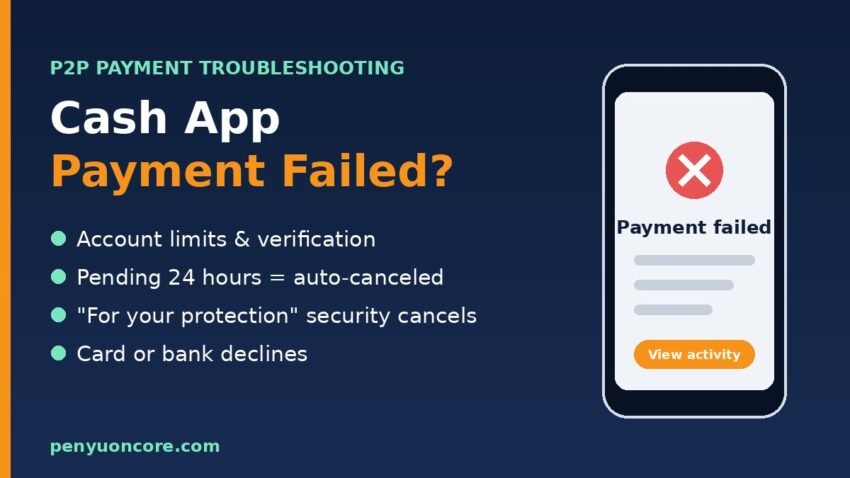
A Cash App payment failed message usually means something stopped the transfer before it finished: an account limit, a problem with your linked card or bank, a payment left pending too long, or a security check. With Black Friday on November 27 and Cyber Monday on November 30, a lot of people are splitting bills, paying for holiday gigs and buying from strangers online, so here is what each cause means and how to fix it using Cash App’s own help pages.
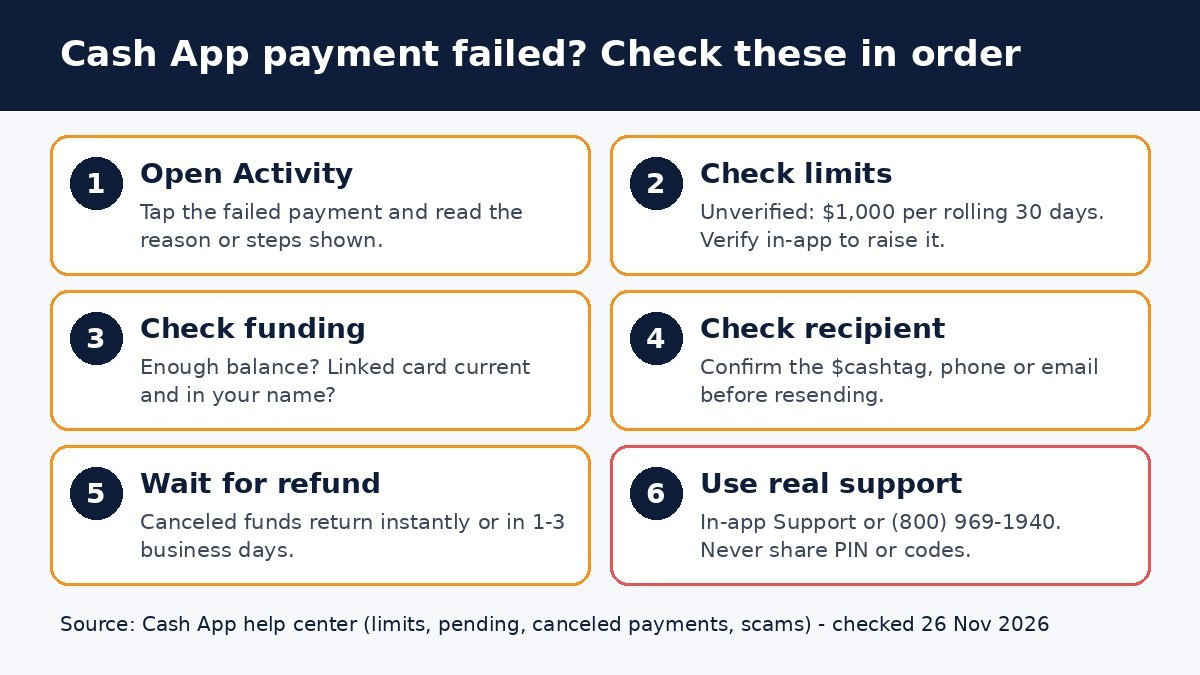
Quick answer: Open the Activity tab, tap the failed payment and read the reason or any steps shown there. If the payment was canceled “for your protection,” Cash App says your money goes back to your balance or bank instantly, or within 1–3 business days depending on your bank. Check your limits and linked accounts before you try again, and only contact support through the app or the official number, (800) 969-1940.
Why does my Cash App payment fail?
Cash App doesn’t publish one list of decline reasons, but its help pages point to a few recurring causes. Your Activity feed is the best clue: Cash App’s account activity page says every payment, card transaction and transfer shows up there, and tapping one shows its details.
| What you see | Likely cause | What to do |
|---|---|---|
| Prompt to verify your identity, or a limit message | You hit the sending, receiving or balance limit | Verify your identity in the app or wait for the rolling 30-day window to clear |
| “Failed” after showing pending | The payment sat pending for 24 hours and was auto-canceled | Finish any steps in Activity, then send again |
| “Canceled for your protection” or “security reasons” | Cash App’s fraud monitoring flagged the payment | Confirm the recipient, use a card in your name, contact support in the app |
| Cash App Card declined at checkout | Low balance, a locked card or a security decline | Tap the declined purchase in Activity and confirm if you recognize it |
| Bank-funded payment fails with no clear reason | Your linked card or bank refused the charge | Check the card is current and call your bank |
1. You’ve reached an account limit
According to Cash App’s account limits page, unverified and sponsored accounts can send and receive up to $1,000 in a rolling 30-day period, with a total account limit of $1,500. Unverified balances are capped at $1,000. Verified accounts can send up to $40,000 per rolling 30 days, and their receive limits are set per account and shown in the Limits section of settings. When you hit a limit, Cash App says it will ask you to verify your identity in the app.
“Rolling” means the window doesn’t reset on the first of the month. A large payment from three weeks ago still counts. Cash App’s learning center gives a different figure for unverified sending ($250 per 7 days) on its send and receive guide, so treat the Limits screen in your own app as the final word.
To verify, Cash App’s identity verification page says you’ll usually give your legal name, date of birth and the last four digits of your SSN or ITIN. In some cases it may also ask for your full SSN, address, a photo ID or proof of income.
2. The payment was pending for 24 hours
Cash App’s payment pending page says a pending payment may mean you need to take action, with the steps listed in your Activity feed. Once a payment has been pending for 24 hours, it’s automatically canceled and shows as “failed.” If it still says “Waiting to Complete,” swipe down on Activity to refresh it.
3. Cash App canceled it “for your protection”
This is the message people search for most. Cash App’s payment canceled page explains that it monitors accounts for anything out of the ordinary and cancels potentially fraudulent payments so you aren’t charged. To lower the chances of it happening again, Cash App recommends:
- Only linking debit or credit cards that are in your name
- Only paying people you know or reputable businesses
- Confirming the recipient’s phone number or $cashtag before you send
- Using Cash App regularly to build a healthy transaction history
No button overrides a security cancel. If a genuine payment keeps failing, contact support in the app with the date, amount and recipient.
4. Your Cash App Card was declined
For card purchases, Cash App’s card declined page says you can see the reason by tapping the transaction in Activity. If Cash App spots possibly unauthorized activity, its card transaction security page says it may decline the purchase and ask you to confirm whether you recognize it. If you don’t respond, future purchases at the same merchant will likely be declined again. Worth knowing before a big Black Friday checkout.
5. Your linked card or bank refused it
If the payment came from a linked debit card or bank account rather than your Cash App balance, the refusal may have come from your bank. Check that the card isn’t expired, replaced or closed, and that the account has enough money. Your bank or card issuer is the only one who can tell you why it declined a charge, so call the number on the back of your card.
Cash App payment failed but money was taken: where is it?
A failed or canceled payment doesn’t reach the recipient. For security cancels, Cash App says the funds go back to your Cash App balance or linked bank account instantly. If they don’t, they should arrive within 1–3 business days depending on your bank.
Before you send the money again, open Activity and make sure the first attempt really failed. Otherwise you could pay twice. Cash App’s help center says it can’t cancel or refund a payment once it’s completed. You’d have to ask the recipient for a refund by tapping the payment, choosing Report an Issue and following the prompts. We cover that process in our guide to a Cash App accidental payment.
How to fix a failed Cash App payment, step by step
- Read the Activity entry. Tap the failed payment and follow any steps it shows.
- Refresh. Swipe down on Activity if it says “Waiting to Complete.”
- Check your limits. Tap your profile icon, then Limits, and verify your identity if you’re prompted.
- Check the funding source. Make sure your balance covers the payment, or that your linked card is current and in your name.
- Double-check the recipient. Confirm the $cashtag, phone number or email, and the name that shows up.
- Don’t keep retrying. Several failed attempts in a row on a payment that was flagged for security usually won’t change the outcome.
- Contact support the right way. In the app, tap your profile icon, then Support. Cash App lists (800) 969-1940, available daily from 8 AM to 9:30 PM ET.
Scams that hide behind “payment failed” messages
Scammers exploit payment errors. Cash App’s scam guidance says its support staff will never ask for your sign-in code, PIN, full debit card number, bank account details or Social Security number. They’ll never ask you to send a payment to any account, install a remote-access app or make a “test” transaction. The Cash App Card agreement adds that (800) 969-1940 is the only phone number for Cash App support, so a “Cash App agent” who finds you on social media or calls you out of nowhere is a red flag.
If you sell online, watch for two other tricks:
- Screenshots as “proof.” An image of a completed or failed payment proves nothing. Before you ship or hand anything over, open your own app and confirm the money is in your Activity feed.
- “My payment failed, please send it back.” If someone says they paid you by mistake or twice, check your own Activity first. Never send money back to a new account. Use the refund option on the original transaction instead.
The same caution applies on other apps; see our guides to Facebook Marketplace scams for sellers and Venmo purchase protection. If you’ve been scammed, report the payment in the app (Activity, select the payment, Report an issue) and file a report with the FTC at ReportFraud.ftc.gov, which Cash App’s scams guide also recommends.
FAQ
Why does Cash App say “payment failed for my protection”?
Cash App’s fraud monitoring flagged the payment as possibly unauthorized and canceled it so you weren’t charged. Cards in someone else’s name, new or unfamiliar recipients and unusual activity can all play a part. Confirm the details and contact support in the app if it keeps happening.
How long does a failed Cash App payment take to refund?
Cash App says canceled funds return to your balance or linked bank instantly, or within 1–3 business days depending on your bank.
Does a failed Cash App payment go through later?
No. A payment shown as failed was canceled. If the person still needs the money, fix the cause and send a new payment, but check Activity first so you don’t pay twice.
Can I fix it by calling a Cash App support number I found online?
Only use the in-app Support section or (800) 969-1940. Cash App says its staff will never ask for your PIN or sign-in code, or ask you to send money.
This article is for general information only and isn’t financial or legal advice. Cash App’s features, limits and policies can change. Check the app and Cash App’s official help center for the current rules on your account.