
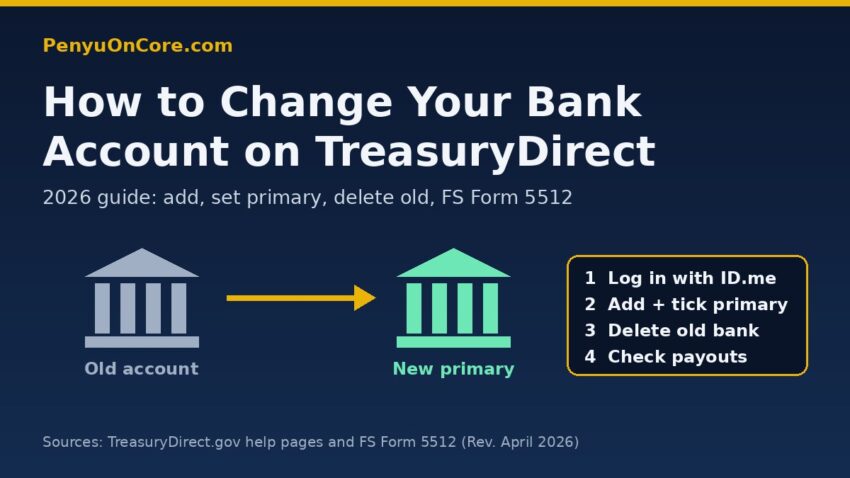
Quick answer: To change your TreasuryDirect bank account, log in with ID.me, open your bank information page, click Add, enter the new account and tick the box to make it your primary bank. Then delete the old account. TreasuryDirect won’t let you edit an existing account online. Fixing a wrong account or routing number, or getting past a verification hold, takes a paper FS Form 5512 signed in front of a bank or credit union certifying officer. A notary won’t do.
This guide uses TreasuryDirect’s own help pages and the current FS Form 5512 (revised April 2026). It covers adding a new account, replacing or correcting an old one, and what happens to redemptions and maturing bills while you switch.
Before you start: you now need ID.me to log in
TreasuryDirect’s ID.me FAQ says ID.me became available on September 13, 2026, and “replaced traditional TreasuryDirect login on October 28, 2026.” Since that date ID.me is the only way to log in. Login.gov doesn’t work for TreasuryDirect.
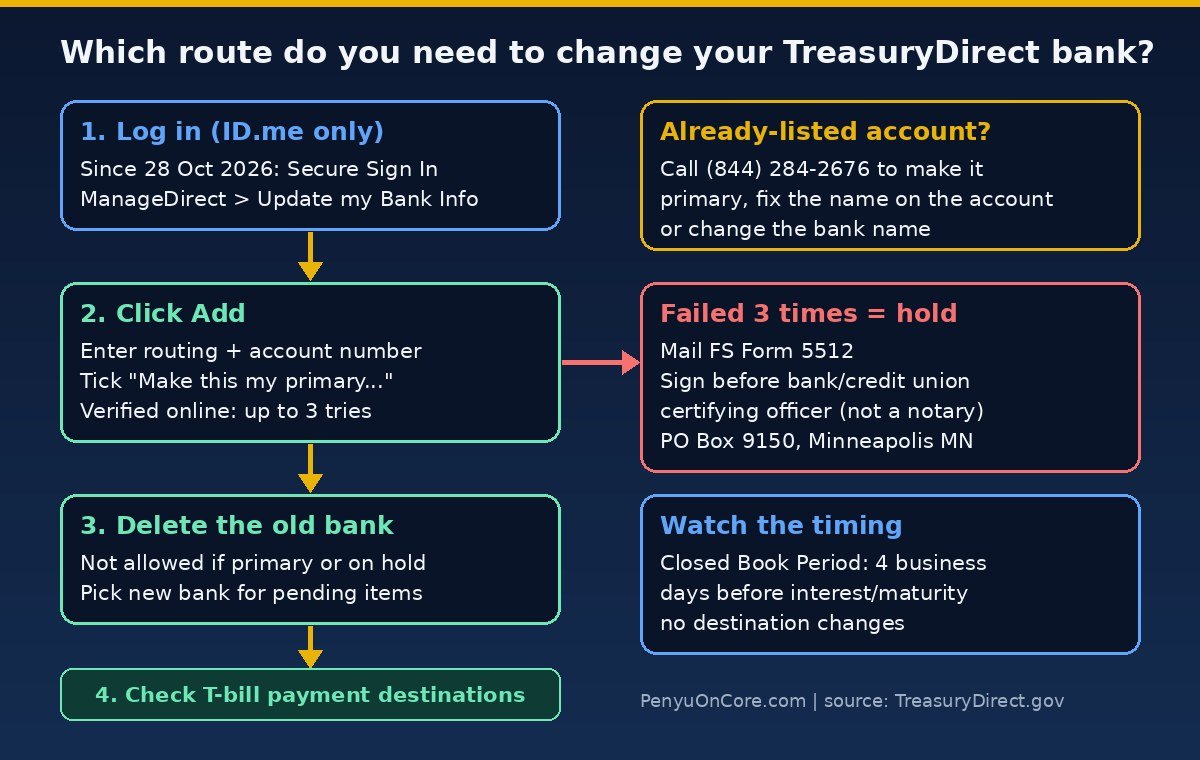
If you haven’t set up ID.me yet, your money is still safe. Treasury says only your online access is restricted, and scheduled reinvestments, maturities and interest payments carry on as normal. They keep going to whatever bank is on file, though, so a closed account stays a problem until you get back in. TreasuryDirect agents can’t bypass ID.me verification. If the automatic check fails, ID.me offers a video call with one of its “Trusted Referee” agents instead.
How to change your TreasuryDirect bank account online
This is the quick route, and it’s the one Treasury recommends first. The steps come from TreasuryDirect’s How Do I…? page:
- Log in to your primary TreasuryDirect account via Secure Sign In (ID.me).
- Click the ManageDirect tab and, under Manage My Account, click Update my Bank Information. Treasury’s newer instructions describe the same page as Account Info > Bank Information, under Other Account Information.
- Click Add and answer your security question when asked.
- Fill in all the fields: bank name, routing number, account number, checking or savings, and the name(s) on the account.
- To make this your default account, tick the checkbox next to “Make this my primary bank information…”
- Click Submit.
Your primary bank is listed first and is preselected in drop-down menus across the site. According to the FS Form 5512 instructions, you can have only one primary bank but several secondary ones. The account has to be at a U.S. financial institution that accepts ACH debits and credits.
Online verification: three attempts, then a hold
A verification service checks every new account. TreasuryDirect says that if the details can’t be verified, “you will be allowed two additional attempts.” If the third attempt also fails, it puts a hold on the bank account and emails you a link to FS Form 5512. Before you click Submit, check the routing and account numbers and the account name against your bank’s records.
How to delete the old bank account
Adding a new account does not remove the old one. Once the new account is set as primary, go back to the bank information page, select the radio button next to the old account, click Delete and answer your security question. Two rules from Treasury’s user guide:
- You can’t delete your primary bank, or any bank with a verification hold.
- If pending transactions use the old bank, TreasuryDirect asks you to pick a replacement bank from a drop-down list before the deletion goes through.
Editing or replacing an existing account: FS Form 5512
The Edit button doesn’t change anything on the spot. It takes you to a Bank Change Form Request page that links to FS Form 5512, TreasuryDirect Redemption and/or Bank Change Request. The form tells you to fill in the corrected details “as if you were adding a new bank account.” Treasury adds them as a new account, and you then log in and delete the wrong one.
Certification rules, taken from the form:
- Sign in ink, in person, in front of a certifying officer. The officer must be authorized to guarantee signatures, and the form names banks, trust companies and credit unions. “Notary certification is not acceptable.”
- The officer applies an accepted seal or stamp, such as a Signature Guaranteed stamp, or a stamp from a Treasury-recognized Medallion signature guarantee program (the form’s example comes from a brokerage).
- Only original signatures are accepted, and forms with alterations or corrections are rejected.
- Mail it to Treasury Retail Securities Services, PO Box 9150, Minneapolis, MN 55480-9150.
Treasury doesn’t publish a processing time for this form. It says only that nothing is processed until the form is received and approved, and that you’ll get an email when the change is done.
Making a different existing account your primary
If the account you want is already listed, you don’t need a form. TreasuryDirect asks you to call (844) 284-2676 (toll-free, Monday to Friday, 8 a.m. to 6 p.m. ET) to designate a different existing account as primary, fix small errors in the account name, or change the bank name. Treasury’s pages disagree on the phone menu: the How Do I page says option 3 then 3, the FAQ says option 4 then 1. Listen to the prompts. The FS 5512 instructions also mention asking for this through the Contact Us link inside your account.
| What you need | How to do it | Form needed? |
|---|---|---|
| New account as primary | Add online, tick “primary” box | No |
| Remove old account | Delete online (not primary, no hold) | No |
| Existing account as primary | Call (844) 284-2676 | No |
| Correct account/routing number | Add as new, or mail FS Form 5512 | Sometimes |
| Failed verification 3 times | Certified FS Form 5512 | Yes |
Pending redemptions, interest and maturing bills
The FS 5512 page on what happens after you add a bank says it plainly: adding a bank “does not delete any previously entered bank accounts nor does it change the source of funds for pending purchases or the destination for interest and/or maturity payments.” So check each item yourself:
- Treasury bills, notes, bonds, FRNs and TIPS: When you delete the old bank, TreasuryDirect asks you to choose a new destination. Or open each security’s Current Holdings Detail page and click Edit Payment Destination. If you auto-roll T-bills, check the purchases scheduled for the future as well.
- Pending savings bond redemptions: The user guide says you can delete a pending redemption before its scheduled processing time and then redo it to the new bank. Redeemed funds should arrive within one to two business days; Treasury’s pages give both figures. If you only need part of your money, see our guide to partial I bond redemptions.
- Closed Book Period: Starting four business days before an interest or maturity payment, the security is locked and you can’t change its payment destination. Treasury holds form-based requests until the lock ends. Change your bank well before a bill matures.
What if money already went to a closed account?
TreasuryDirect posts a Returned Payment message in your Investor InBox when “a payment for you could not be delivered, because your banking information needs updated or there is an active hold code on your account.” In the past, returned funds went into your Zero-Percent C of I. That changed in 2026. Per the C of I FAQ, C of I stopped being a payment destination on August 24, 2026, and leftover balances are being automatically redeemed to your primary bank. Treasury hasn’t published how returned payments are handled now, so add a working account and then call.
Legacy Treasury Direct accounts
Legacy account numbers have 11 digits and no letters. TreasuryDirect accounts start with a letter. The Legacy Treasury Direct page says you can still change banking information there, which is separate from your online TreasuryDirect account. Treasury’s forms list points to FS Form 5178 (Transaction Request) for Legacy direct-deposit changes. Legacy is being phased out.
When to call TreasuryDirect
Call (844) 284-2676 if you see a verification hold, get a Returned Payment notice, need an existing account made primary, or have forgotten your security answers. For ID.me sign-in or security-code problems, contact ID.me support, because TreasuryDirect can’t fix those. A tip from Treasury: bank-check emails from subscriptions@subscriptions.treas.gov are genuine (see its bank information notice), but always type TreasuryDirect.gov into your browser yourself instead of clicking email links. Before tax season, make sure your TreasuryDirect 1099 and contact details are current too.
FAQ
Can I edit my bank account number online in TreasuryDirect?
No. Add the correct details as a new account, make it primary, then delete the wrong one. If online verification fails, you’ll need FS Form 5512.
Can a notary certify FS Form 5512?
No. The form says “Notary certification is not acceptable.” You need an authorized certifying officer with an accepted signature-guarantee seal or stamp.
Why can’t I delete my old bank account?
It’s probably still your primary bank, or it has a verification hold. Set a different account as primary first, and call if there’s a hold.
Will my maturing T-bill go to my new bank automatically?
Not necessarily. Adding a bank doesn’t change existing payment destinations. Delete the old bank or use Edit Payment Destination, and do it before the Closed Book Period starts.
Disclaimer: This article is general information, not financial, tax or legal advice. TreasuryDirect procedures change. Check current instructions on TreasuryDirect.gov or with Treasury Retail Securities Services before acting.